Перейти к основному содержанию
Присоединяйся к сообществу ремонтников - Создай аккаунт

Xbox 360 E Button Board Replacement

Выберете то, что вам нужно

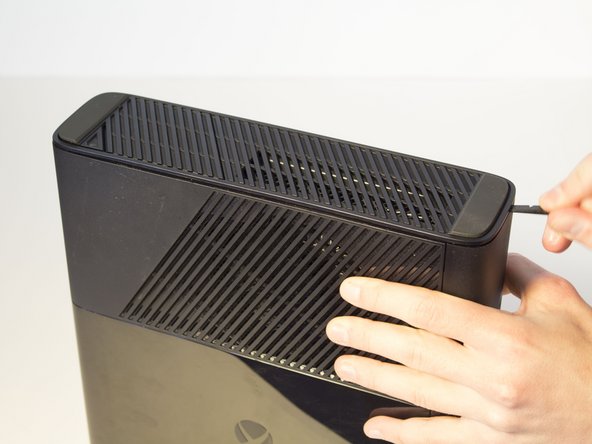
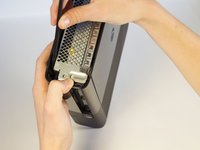
  1. Xbox 360 E Button Board Replacement, Top Panel: шаг 1, изображение 1 из 1
    • Push the Spudger into the crevice between the grated top panel of the Xbox and the bottom body with the rubber feet.

    • Pull back on the spudger like a lever, keeping it pressed firmly into the crevice.

    Спросите у FixBot

    Добавить комментарий

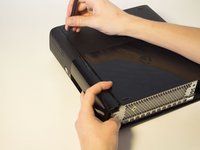
  2. Xbox 360 E Button Board Replacement: шаг 2, изображение 1 из 1
    • Slide the spudger along the separation you have created between the grated panel and the bottom body of the Xbox.

    • Periodically pull back on the spudger like a lever, keeping it pressed firmly into the crevice.

    Спросите у FixBot

    Добавить комментарий

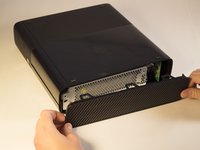
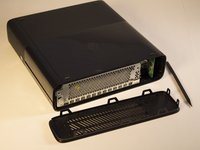
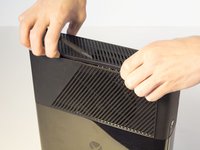
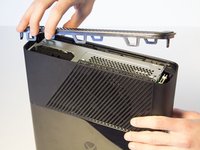
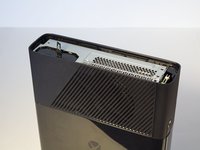
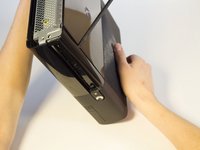
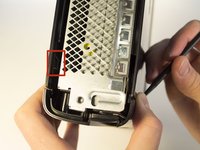
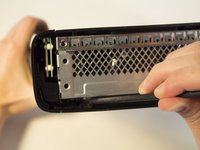
  3. Xbox 360 E Button Board Replacement: шаг 3, изображение 1 из 3 Xbox 360 E Button Board Replacement: шаг 3, изображение 2 из 3 Xbox 360 E Button Board Replacement: шаг 3, изображение 3 из 3
    • Continue sliding the spudger along the perimeter of the left grated face of the Xbox.

    • Pull the top panel off.

    Спросите у FixBot

    Добавить комментарий

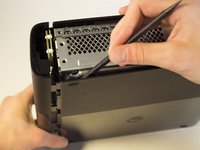
  4. Xbox 360 E Button Board Replacement, Bottom Panel: шаг 4, изображение 1 из 1
    • Push the spudger into the crevice between the right grated face and the top body of the Xbox. It's easier to begin away from the vent.

    • Pull up on the spudger like a lever, keeping it pressed firmly into the crevice.

    Спросите у FixBot

    Добавить комментарий

  5. Xbox 360 E Button Board Replacement: шаг 5, изображение 1 из 2 Xbox 360 E Button Board Replacement: шаг 5, изображение 2 из 2
    • Slide the spudger along the crevice to separate the grated face and the top body.

    Спросите у FixBot

    Добавить комментарий

  6. Xbox 360 E Button Board Replacement: шаг 6, изображение 1 из 3 Xbox 360 E Button Board Replacement: шаг 6, изображение 2 из 3 Xbox 360 E Button Board Replacement: шаг 6, изображение 3 из 3
    • Wiggle the spudger in the crevice as you slide the spudger to loosen the bottom plate.

    • Slide the spudger along the crevice, going completely about the perimeter of the bottom panel.

    • Pull the bottom panel off.

    Спросите у FixBot

    Добавить комментарий

  7. Xbox 360 E Button Board Replacement, Front Panel: шаг 7, изображение 1 из 3 Xbox 360 E Button Board Replacement, Front Panel: шаг 7, изображение 2 из 3 Xbox 360 E Button Board Replacement, Front Panel: шаг 7, изображение 3 из 3
    • In front of the CD drive you will find the Xbox logo. Press on the area left of the Xbox logo, and the disk tray panel will pop off.

    Спросите у FixBot

    Добавить комментарий

  8. Xbox 360 E Button Board Replacement: шаг 8, изображение 1 из 3 Xbox 360 E Button Board Replacement: шаг 8, изображение 2 из 3 Xbox 360 E Button Board Replacement: шаг 8, изображение 3 из 3
    • Beginning on the left side without the grate, run the spudger along the crevice until you've reached the grated part, while holding the part that's being separated as you go.

    Спросите у FixBot

    Добавить комментарий

  9. Xbox 360 E Button Board Replacement: шаг 9, изображение 1 из 3 Xbox 360 E Button Board Replacement: шаг 9, изображение 2 из 3 Xbox 360 E Button Board Replacement: шаг 9, изображение 3 из 3
    • Keep holding the partially separated panel open. It's easiest to do this by wedging a spudger into the opening but can also be held open by your hands.

    • Rotate the Xbox to the left to locate the clip connecting the front panel to the body. Insert the spudger inside the gap to release the clip. This may require wiggling the spudger. The clip will pop off, making the front panel looser.

    Спросите у FixBot

    Добавить комментарий

  10. Xbox 360 E Button Board Replacement: шаг 10, изображение 1 из 3 Xbox 360 E Button Board Replacement: шаг 10, изображение 2 из 3 Xbox 360 E Button Board Replacement: шаг 10, изображение 3 из 3
    • Flip the Xbox so the opposite side is towards you. Make sure to keep the separation open.

    • Locate the other clip and insert the spudger to remove it.

    Спросите у FixBot

    Добавить комментарий

  11. Xbox 360 E Button Board Replacement: шаг 11, изображение 1 из 2 Xbox 360 E Button Board Replacement: шаг 11, изображение 2 из 2
    • Continue to run the spudger along the crease to release any further clips that may still be attatched.

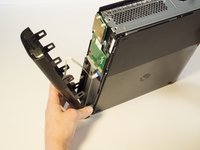
    • Do not pull off the panel too fast because you don't want to damage the ribbon cable. Slowly pull away the panel.

    • Now that the front panel has been released from its clips you can pull off the front panel.

    Спросите у FixBot

    Добавить комментарий

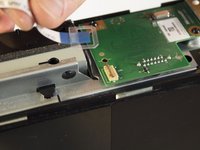
  12. Xbox 360 E Button Board Replacement: шаг 12, изображение 1 из 3 Xbox 360 E Button Board Replacement: шаг 12, изображение 2 из 3 Xbox 360 E Button Board Replacement: шаг 12, изображение 3 из 3
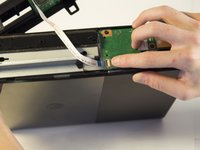
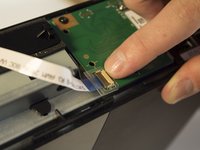
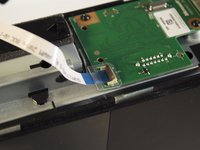
    • Find the brown section where the ribbon cable enters the green board. Flip the brown part up and pull out the plastic tab at the end of the ribbon.

    Спросите у FixBot

    Добавить комментарий

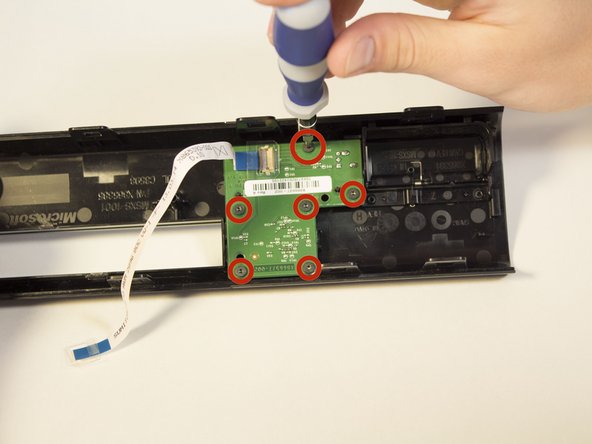
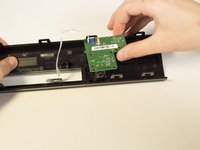
  13. Xbox 360 E Button Board Replacement, Button Board: шаг 13, изображение 1 из 3 Xbox 360 E Button Board Replacement, Button Board: шаг 13, изображение 2 из 3 Xbox 360 E Button Board Replacement, Button Board: шаг 13, изображение 3 из 3
    • Rotate the front panel so you are looking at the inside of the piece.

    • Unscrew the six 6 mm screws with the T6 Torx screwdriver.

    • Carefully pull the green plate up and off to remove it.

    Спросите у FixBot

    Добавить комментарий

Заключение

To reassemble your device, follow these instructions in reverse order.

Отменить: Я не выполнил это руководство.

14 человек успешно провели ремонт по этому руководству.

Jennifer

Участник с: 02/02/14

2 188 Репутация

Автор 4 руководств

Команда

Cal Poly, Team 2-11, Amido Winter 2014 Участник Cal Poly, Team 2-11, Amido Winter 2014

CPSU-AMIDO-W14S2G11

4 членов

Автор 44 руководств

0 Комментарии к руководству

Добавить комментарий

Статистика просмотров:

За последние 24 часов: 6

За последние 7 дней: 54

За последние 30 дней: 205

За всё время: 14,887