Введение
This guide will assist you in replacing your thumbstick. If you have a rogue thumbstick, you have come to the right place.
Выберете то, что вам нужно
-
-
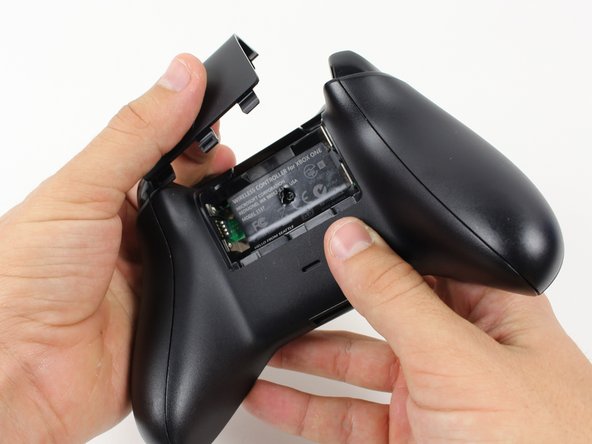
Grip the controller firmly to remove the side handles, wedging a spudger into the seam between the front and handle plates.
-
Pry the side plate away from the front plate by moving the spudger back and forth. You will need to do this all the way around the side plate's seam.
-
-
-
-
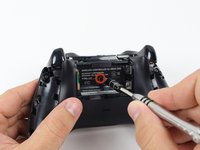
Use a screwdriver and punch a hole directly in the center of the label.
-
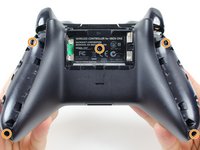
Remove the five 10mm screws located on the back of the controller using the TR8 Security Torx Screwdriver.
-
-
-
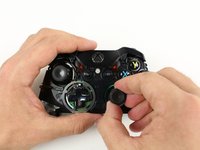
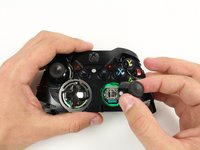
Remove thumbsticks by pulling them up off their poles.
-
 Спросите у FixBot




To reassemble your device, follow these instructions in reverse order.
Отменить: Я не выполнил это руководство.
205 человек успешно провели ремонт по этому руководству.

Команда

Cal Poly, Team 20-15, Maness Winter 2015 Участник Cal Poly, Team 20-15, Maness Winter 2015
CPSU-MANESS-W15S20G15
5 членов
Автор 54 руководств
32 Комментарии к руководству
Is there any advice for a controller that has had this repair, but continues to drift? I have done this repair successfully many times, and now i have a controller that (with 2 different replacement parts) continues to drift.
Is there a reset or config I can do?
Drift issues are a different problem you would need to solder a new joystick box to fix that this is for loose or damaged thumb sticks
I used a cotton ball on my Xbox one Elite to fix drifting issues.
Does anyone know the correct SKU for the joystick box for the Model 1537 in particular? And any link to purchase it. Thanks
Can i apply 2 thumbsticks off the xbox 360 controller when i removed them?
