Перейти к основному содержанию
Присоединяйся к сообществу ремонтников - Создай аккаунт

ZTE Grand X Max Plus Camera Replacement

Выберете то, что вам нужно

    1. ZTE Grand X Max Plus Camera Replacement, Back Cover: шаг 1, изображение 1 из 1
      • Make sure you turn off your phone before starting.

      • Heat the phone using a heating pad, heat gun, or hair dryer to loosen the glue. You just need to heat the back of the phone.

      • You can also use a hair dryer or a heating gun for this step.

      Спросите у FixBot

      Добавить комментарий

    2. ZTE Grand X Max Plus Camera Replacement: шаг 2, изображение 1 из 2 ZTE Grand X Max Plus Camera Replacement: шаг 2, изображение 2 из 2
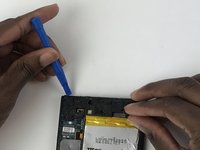
      • After the phone is heated, use the blue plastic opening tool on both sides of the phone.

      • Don't apply too much pressure because the cover can crack easily.

      • To avoid that your cover cracks, you can add tape to back cover.

      • You can use a suction cup to help remove the battery.

      Спросите у FixBot

      Добавить комментарий

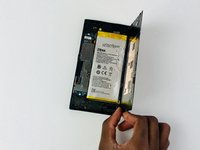
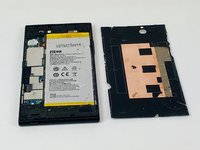
    3. ZTE Grand X Max Plus Camera Replacement: шаг 3, изображение 1 из 2 ZTE Grand X Max Plus Camera Replacement: шаг 3, изображение 2 из 2
      • Carefully remove the cover from the phone.

      Спросите у FixBot

      Добавить комментарий

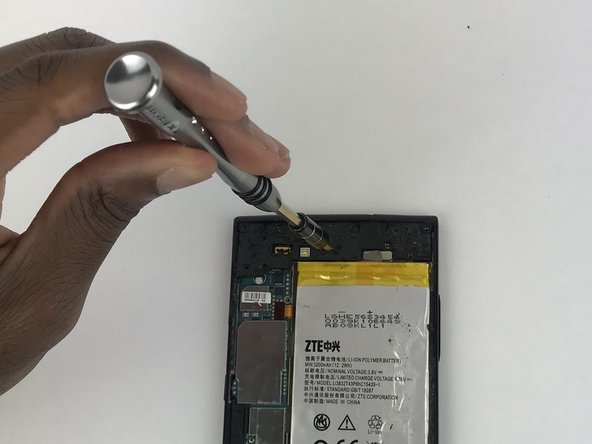
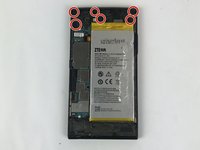
    1. ZTE Grand X Max Plus Camera Replacement, Rear Camera: шаг 4, изображение 1 из 2 ZTE Grand X Max Plus Camera Replacement, Rear Camera: шаг 4, изображение 2 из 2
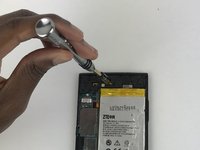
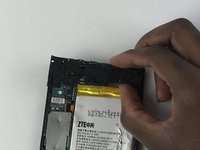
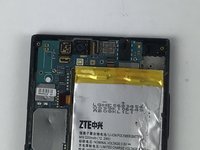
      • Remove the screws from the upper part of the phone using a screwdriver with a JIS #000 head. There are (6) six screws that should be removed.

      Спросите у FixBot

      Добавить комментарий

    2. ZTE Grand X Max Plus Camera Replacement: шаг 5, изображение 1 из 3 ZTE Grand X Max Plus Camera Replacement: шаг 5, изображение 2 из 3 ZTE Grand X Max Plus Camera Replacement: шаг 5, изображение 3 из 3
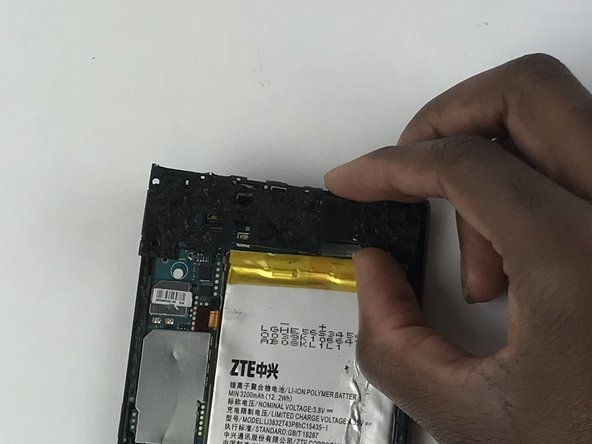
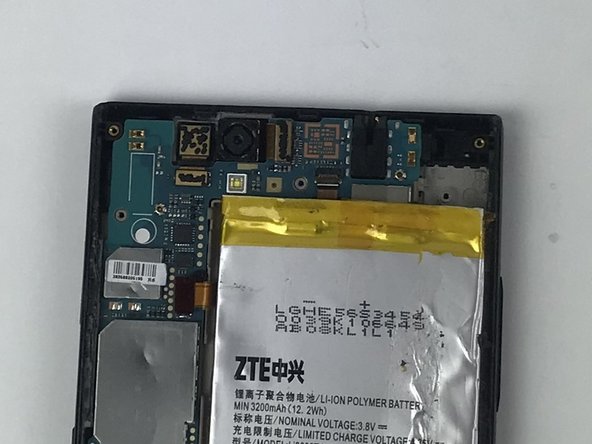
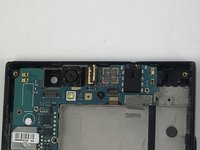
      • Use a plastic opening tool to remove the plastic piece that is protecting the motherboard.

      Спросите у FixBot

      Добавить комментарий

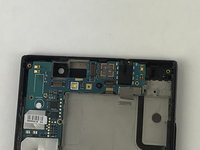
    3. ZTE Grand X Max Plus Camera Replacement: шаг 6, изображение 1 из 1
      • With a plastic opening tool, unclip the camera from the motherboard.

      Спросите у FixBot

      Добавить комментарий

    4. ZTE Grand X Max Plus Camera Replacement: шаг 7, изображение 1 из 3 ZTE Grand X Max Plus Camera Replacement: шаг 7, изображение 2 из 3 ZTE Grand X Max Plus Camera Replacement: шаг 7, изображение 3 из 3
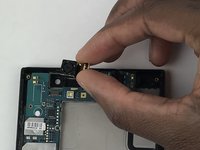
      • After the camera is unclipped, remove it from the device.

      Спросите у FixBot

      Добавить комментарий

Заключение

To reassemble your device, follow these instructions in reverse order.

Отменить: Я не выполнил это руководство.

Jordano Baer

Участник с: 10/02/17

716 Репутация

Автор 5 руководств

Команда

USF Tampa, Team S9-G4, Remmell Fall 2017 Участник USF Tampa, Team S9-G4, Remmell Fall 2017

USFT-REMMELL-F17S9G4

4 членов

Автор 35 руководств

0 Комментарии к руководству

Добавить комментарий

Статистика просмотров:

За последние 24 часов: 1

За последние 7 дней: 10

За последние 30 дней: 39

За всё время: 430