Перейти к основному содержанию
Присоединяйся к сообществу ремонтников - Создай аккаунт

Zeki Droid Tablet Front Screen Replacement

Выберете то, что вам нужно

  1. Zeki Droid Tablet Front Screen Replacement, Back Casing: шаг 1, изображение 1 из 1
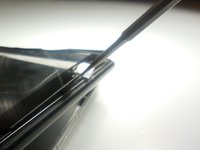
    • Remove the back casing by slowly popping each tab out with a plastic opening tool.

    Спросите у FixBot

    Добавить комментарий

  2. Zeki Droid Tablet Front Screen Replacement: шаг 2, изображение 1 из 1
    Инструмент, используемый на этом этапе:
    Tweezers
    $4.99
    • Remove the tapes one by one from the connecting wires with tweezers.

    Спросите у FixBot

    Добавить комментарий

  3. Zeki Droid Tablet Front Screen Replacement: шаг 3, изображение 1 из 1
    • Remove the black clips from both sides of the casing with a plastic opening tool.

    • The clips should pop off separate from the speakers.

    Спросите у FixBot

    Добавить комментарий

  4. Zeki Droid Tablet Front Screen Replacement: шаг 4, изображение 1 из 1
    • Remove the speakers from the back casing.

    • Do not tug on the speakers because they are connected to fragile wires.

    Спросите у FixBot

    Добавить комментарий

  5. Zeki Droid Tablet Front Screen Replacement: шаг 5, изображение 1 из 1
    • Pull the speakers away from the back casing carefullly.

    Спросите у FixBot

    Добавить комментарий

  6. Zeki Droid Tablet Front Screen Replacement, Front Screen: шаг 6, изображение 1 из 1
    • Detach the motherboard from the framing by removing the four screws using a Phillips #000 screwdriver.

    Спросите у FixBot

    Добавить комментарий

  7. Zeki Droid Tablet Front Screen Replacement: шаг 7, изображение 1 из 1
    Инструмент, используемый на этом этапе:
    Tweezers
    $4.99
    • Lift the camera and flash components from their fittings using tweezers.

    Спросите у FixBot

    Добавить комментарий

  8. Zeki Droid Tablet Front Screen Replacement: шаг 8, изображение 1 из 1
    • Lift the metal framing to reach the components at the front of the device.

    • Do not pull the framing completely off. There is a ZIF connecter holding it in place.

    Спросите у FixBot

    Добавить комментарий

  9. Zeki Droid Tablet Front Screen Replacement: шаг 9, изображение 1 из 2 Zeki Droid Tablet Front Screen Replacement: шаг 9, изображение 2 из 2
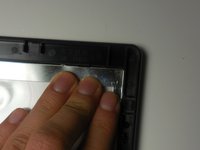
    • Push the screen forward to remove.

    Спросите у FixBot

    Добавить комментарий

Заключение

To reassemble your device, follow these instructions in reverse order.

Отменить: Я не выполнил это руководство.

Kyla

Участник с: 03/11/15

156 Репутация

Автор 2 руководств

Команда

Colorado Springs, Team 2-6, Panko Spring 2015 Участник Colorado Springs, Team 2-6, Panko Spring 2015

UCCS-PANKO-S15S2G6

3 членов

Автор 10 руководств

0 Комментарии к руководству

Добавить комментарий

Статистика просмотров:

За последние 24 часов: 5

За последние 7 дней: 7

За последние 30 дней: 23

За всё время: 554