Перейти к основному содержанию
Присоединяйся к сообществу ремонтников - Создай аккаунт

Выберете то, что вам нужно

Эта разборка - неруководство по ремонту. Чтобы отремонтировать iPad ClamCase, воспользуйтесь нашим сервисным руководством.

    1. iPad ClamCase, iPad ClamCase: шаг 1, изображение 1 из 2 iPad ClamCase, iPad ClamCase: шаг 1, изображение 2 из 2
      • You can skip the first 2 steps if you don't want to detach the upper and keyboard covers from each other.

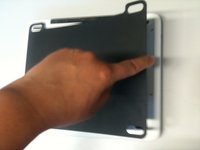
      • Open the case and unpeel the 2 black stickers in the top corners of the keyboard.

      • This will reveal the 6 screws that attach the upper cover to the keyboard cover.

      Спросите у FixBot

      Добавить комментарий

    2. iPad ClamCase: шаг 2, изображение 1 из 2 iPad ClamCase: шаг 2, изображение 2 из 2
      • Use the T9 Torx screwdriver to unscrew the 2 bigger screws in the middle of each side.

      • Use the T6 Torx screwdriver to unscrew the remaining 4 screws.

      Спросите у FixBot

      Добавить комментарий

    3. iPad ClamCase: шаг 3, изображение 1 из 2 iPad ClamCase: шаг 3, изображение 2 из 2
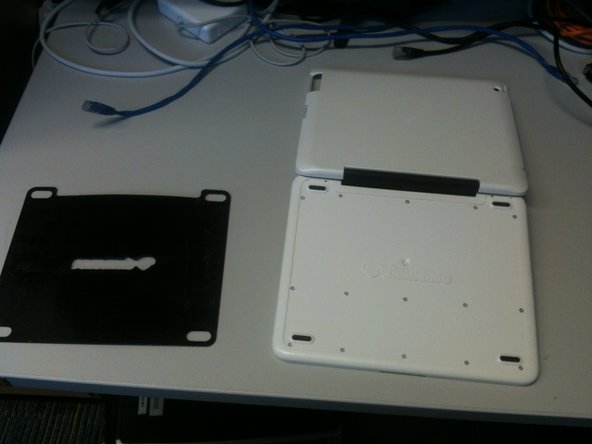
      • Turn the keyboard cover over so the bottom is facing up. Manually remove the thin black covering that is attached to the bottom.

      • Be patient, the thin black covering might be really stuck to the bottom.

      Спросите у FixBot

      Добавить комментарий

    4. iPad ClamCase: шаг 4, изображение 1 из 1
      • Once the thin black covering is removed, you will see 15 screws.

      • Use the T6 Torx screwdriver to remove the screws.

      Спросите у FixBot

      Добавить комментарий

    5. iPad ClamCase: шаг 5, изображение 1 из 1
      • Once the screws are removed, lift off the bottom panel to access the keyboard and battery.

      Спросите у FixBot

      Добавить комментарий

    6. iPad ClamCase: шаг 6, изображение 1 из 1
      • You are done.

      Спросите у FixBot

      Добавить комментарий

Izmet Barranco

Участник с: 12/12/12

213 Репутация

1 руководство автора

2 Комментарии к руководству

Awesome! I used this guide to disassemble my clam case and repair some nonfunctional keys. Thanks!

justin duff - Ответить Поделиться

Thanks for the dis-assembly guide. Justin, what did you have to do to fix the keys that were not working. I have on with a few keys not working, not even intermittently.

dick haynes - Ответить Поделиться

Добавить комментарий

Статистика просмотров:

За последние 24 часов: 1

За последние 7 дней: 9

За последние 30 дней: 45

За всё время: 8,255