Перейти к основному содержанию
Присоединяйся к сообществу ремонтников - Создай аккаунт

iPhone 4 Headphone Jack & Volume Control Cable Replacement

Выберете то, что вам нужно

Видеообзор

  1. iPhone 4 Headphone Jack & Volume Control Cable Replacement, Rear Panel: шаг 1, изображение 1 из 2 iPhone 4 Headphone Jack & Volume Control Cable Replacement, Rear Panel: шаг 1, изображение 2 из 2
    • Before you begin, discharge your iPhone battery below 25%. A charged lithium-ion battery can catch fire and/or explode if accidentally punctured.

    • Power off your iPhone before beginning disassembly.

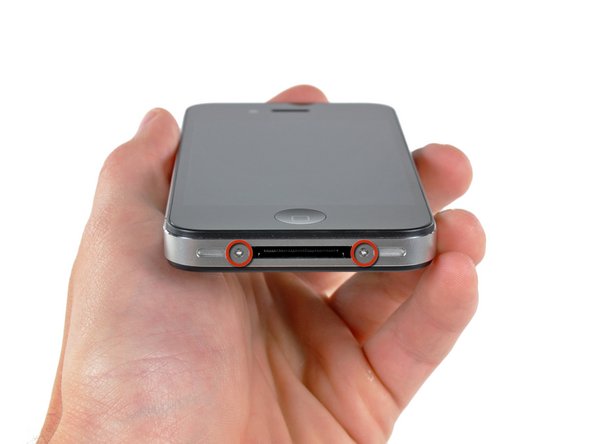
    • Your iPhone 4 rear cover may have either two #000 Phillips screws or Apple's 5-Point "Pentalobe" screws (second image). Check which screws you have, and ensure you also have the correct screwdriver in order to remove them.

    • Remove the two 3.6 mm Pentalobe or Phillips #000 screws next to the dock connector.

    • Be sure the driver is well seated when removing Pentalobe screws, they are very easy to strip.

    Спросите у FixBot
  2. iPhone 4 Headphone Jack & Volume Control Cable Replacement: шаг 2, изображение 1 из 2 iPhone 4 Headphone Jack & Volume Control Cable Replacement: шаг 2, изображение 2 из 2
    • Push the rear panel toward the top edge of the iPhone.

    • The panel will move about 2 mm.

    Спросите у FixBot
  3. iPhone 4 Headphone Jack & Volume Control Cable Replacement: шаг 3, изображение 1 из 1
    • Pinch the rear panel with your fingers and lift it away from the iPhone. Alternatively, use a Small Suction Cup .

    • Be careful not to damage the plastic clips attached to the rear panel.

    • If you are installing a new rear panel, be sure to remove the plastic protective sticker from the inside of the camera lens and the sticker from the large black area near the lens.

    Спросите у FixBot
  4. iPhone 4 Headphone Jack & Volume Control Cable Replacement, Battery: шаг 4, изображение 1 из 1
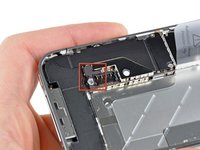
    • Remove the single 2.5 mm Phillips screw securing the battery connector to the logic board.

    • Some devices may have two screws, one of which holds down the contact pad which is located above the screw indicated in red in the photo.

    Спросите у FixBot
  5. iPhone 4 Headphone Jack & Volume Control Cable Replacement: шаг 5, изображение 1 из 1
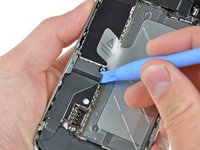
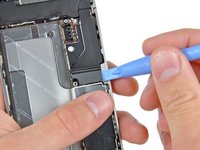
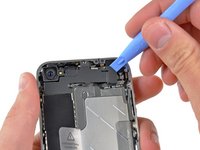
    • Use a plastic opening tool to gently pry the battery connector up from its socket on the logic board.

    • Pry from the top and bottom of the connector bracket—there isn't as much of an overhang on the sides, and you may damage the connector.

    • Be very careful to only pry up on the battery connector and not the socket on the logic board. If you pry up on the logic board socket, you may break it entirely.

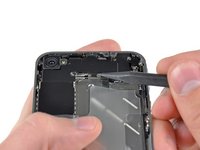
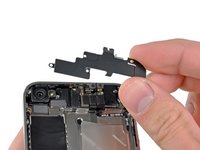
    • Remove the metal clip covering the antenna connector.

    Спросите у FixBot
  6. iPhone 4 Headphone Jack & Volume Control Cable Replacement: шаг 6, изображение 1 из 3 iPhone 4 Headphone Jack & Volume Control Cable Replacement: шаг 6, изображение 2 из 3 iPhone 4 Headphone Jack & Volume Control Cable Replacement: шаг 6, изображение 3 из 3
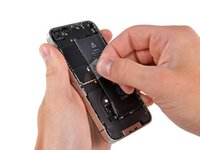
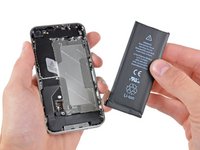
    • Use the clear plastic pull tab to gently lift the battery out of the iPhone.

    • If the tab breaks before the battery is freed, apply a few drops of high concentration (over 90%) isopropyl alcohol under the edge of the battery. Wait about one minute for the alcohol solution to weaken the adhesive. Carefully slide a spudger under the battery tab to release the adhesive.

    • Prying in other places may cause damage. Don't try to forcefully lever the battery out. If needed, apply a few more drops of alcohol to further weaken the adhesive. Never deform or puncture the battery with your pry tool.

    • If there's any alcohol solution remaining in the phone, carefully wipe it off or allow it to air dry before installing your new battery.

    • If your replacement battery came in a plastic sleeve, remove it before installation by pulling it away from the the ribbon cable.

    • Before reconnecting the battery connector, be sure the contact clip (shown in red) is properly positioned next to the battery connector.

    • Before reassembly, clean metal-to-metal contact points with a de-greaser such as windex. The oils from your fingers have the potential to cause wireless interference issues.

    • Perform a hard reset after reassembly. This can prevent several issues and simplify troubleshooting.

    Спросите у FixBot
  7. iPhone 4 Headphone Jack & Volume Control Cable Replacement, Logic Board: шаг 7, изображение 1 из 2 iPhone 4 Headphone Jack & Volume Control Cable Replacement, Logic Board: шаг 7, изображение 2 из 2
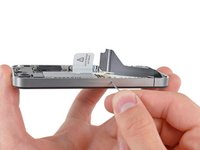
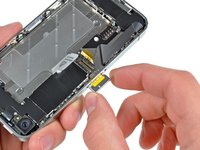
    • Use a SIM card eject tool or a paperclip to eject the SIM card and its holder.

    • This may require a significant amount of force.

    • Remove the SIM card and its holder.

    Спросите у FixBot
  8. iPhone 4 Headphone Jack & Volume Control Cable Replacement: шаг 8, изображение 1 из 2 iPhone 4 Headphone Jack & Volume Control Cable Replacement: шаг 8, изображение 2 из 2
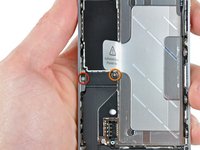
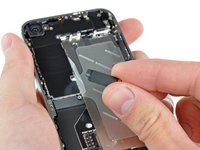
    • Remove the following two screws:

    • One 1.2 mm Phillips

    • One 1.6 mm Phillips

    • Remove the thin steel dock connector cable cover from the iPhone.

    • Before reassembly, be sure to clean all metal-to-metal contact points on the dock connector cable cover with a de-greaser such as windex. The oils on your fingers have the potential to cause wireless interference issues.

    Спросите у FixBot
  9. iPhone 4 Headphone Jack & Volume Control Cable Replacement: шаг 9, изображение 1 из 2 iPhone 4 Headphone Jack & Volume Control Cable Replacement: шаг 9, изображение 2 из 2
    • Use an iPod opening tool to gently pry the dock cable connector up off the logic board from both short ends of the connector.

    Спросите у FixBot
  10. iPhone 4 Headphone Jack & Volume Control Cable Replacement: шаг 10, изображение 1 из 2 iPhone 4 Headphone Jack & Volume Control Cable Replacement: шаг 10, изображение 2 из 2
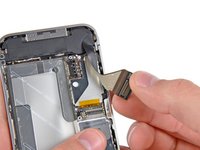
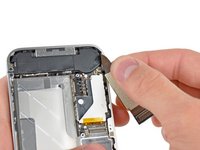
    • Carefully peel the dock ribbon cable off the logic board and the lower speaker enclosure.

    • Do not use excessive force to peel the dock ribbon cable off the logic board. Doing so may tear the cable.

    Спросите у FixBot
  11. iPhone 4 Headphone Jack & Volume Control Cable Replacement: шаг 11, изображение 1 из 1
    • Use a plastic opening tool to pry the lower antenna connector up off its socket on the logic board.

    Спросите у FixBot
  12. iPhone 4 Headphone Jack & Volume Control Cable Replacement: шаг 12, изображение 1 из 1
    • Remove the 1.9 mm Phillips screw securing the bottom of the logic board to the inner case.

    Спросите у FixBot
  13. iPhone 4 Headphone Jack & Volume Control Cable Replacement: шаг 13, изображение 1 из 1
    • Remove the following five screws securing the Wi-Fi antenna to the logic board:

    • One 2.3 mm Phillips

    • Two 1.6 mm Phillips

    • One 1.4 mm Phillips

    • One 4.8 mm Phillips

    • When re-assembling, start off with replacing the 4.8 mm Philips screw first, then the 2.3 mm. This is to ensure there is no mix-up, and avoid rendering the LCD and digitizer useless.

    • Also make sure to put the long 4.8 mm Philips back in correctly when reassembling. This is the ground for the Wi-Fi antenna and is often the culprit if you are having bad Wi-Fi reception after reassembly.

    Спросите у FixBot
  14. iPhone 4 Headphone Jack & Volume Control Cable Replacement: шаг 14, изображение 1 из 3 iPhone 4 Headphone Jack & Volume Control Cable Replacement: шаг 14, изображение 2 из 3 iPhone 4 Headphone Jack & Volume Control Cable Replacement: шаг 14, изображение 3 из 3
    • Use an iPod opening tool to slightly lift the top edge of the Wi-Fi antenna away from the logic board.

    • Use the tip of a spudger to pull the Wi-Fi retaining clips away from the inner frame.

    • Remove the Wi-Fi antenna from the iPhone. Make sure you don't lose the metal clips on the top of the cover where the 4.8mm screw attaches or the 4.8mm screw. That's the primary reason for abnormal Wi-Fi performance after the reassembly.

    • Before reassembly, be sure to clean all metal-to-metal contact points on the connector cover with a de-greaser such as Windex. The oils on your fingers have the potential to cause wireless interference issues. Do not clean the connectors themselves with Windex.

    Спросите у FixBot
  15. iPhone 4 Headphone Jack & Volume Control Cable Replacement: шаг 15, изображение 1 из 2 iPhone 4 Headphone Jack & Volume Control Cable Replacement: шаг 15, изображение 2 из 2
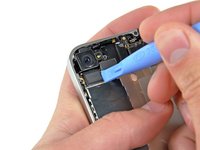
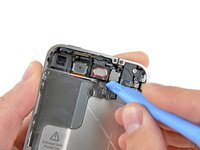
    • Use an iPod opening tool to carefully lift the rear camera connector up off its socket on the logic board.

    • Remove the rear camera.

    Спросите у FixBot
  16. iPhone 4 Headphone Jack & Volume Control Cable Replacement: шаг 16, изображение 1 из 2 iPhone 4 Headphone Jack & Volume Control Cable Replacement: шаг 16, изображение 2 из 2
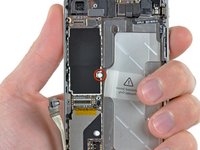
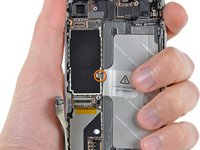
    • Remove the small circular white sticker (warranty sticker and water indicator) covering the screw near the battery pull tab.

    • Remove the 2.4 mm Phillips screw that was hidden underneath the sticker.

    Спросите у FixBot
  17. iPhone 4 Headphone Jack & Volume Control Cable Replacement: шаг 17, изображение 1 из 1
    • Use the edge of a plastic opening tool to gently pry the following connectors up and out of their sockets on the logic board:

    • Digitizer cable (pry from bottom)

    • LCD cable (pry from bottom)

    • Headphone jack/volume button cable (pry from top)

    • Top Microphone/sleep button cable (pry from top)

    • Front camera cable (pry from top)

    Спросите у FixBot
  18. iPhone 4 Headphone Jack & Volume Control Cable Replacement: шаг 18, изображение 1 из 1
    Инструмент, используемый на этом этапе:
    Standoff Screwdriver for iPhones
    $5.49
    • Remove the 4.8 mm standoff screw near the headphone jack.

    • Standoff screws are best removed using a standoff screwdriver or bit.

    • In a pinch, a small flathead screwdriver will do the job—but use extra caution to ensure it doesn't slip and damage surrounding components.

    • When reassembling the device, this standoff sets the height of the Wi-Fi shield removed in step 13. If not torqued down, the shield will be above the plane of the frame and the back will not slide into place in step 2. The shield should be flush with the headphone jack.

    • When reassembling the motherboard, ensure that its edge sits under the circled standoff, otherwise the screws will not fit.

    • When reassembling ensure that the small rubber spacer attached to the top of the motherboard is in place.

    • Without this part, the motherboard could damage the ribbon cables around it.

    Спросите у FixBot
  19. iPhone 4 Headphone Jack & Volume Control Cable Replacement: шаг 19, изображение 1 из 1
    • Carefully remove the logic board from the iPhone, minding any cables that may get caught.

    • Be careful not to damage the small gold prong (marked in red, near the top) as it's very fragile.

    • On reassembly, be careful not to trap the lower antenna cable beneath the logic board.

    Спросите у FixBot
  20. iPhone 4 Headphone Jack & Volume Control Cable Replacement, Front Facing Camera: шаг 20, изображение 1 из 2 iPhone 4 Headphone Jack & Volume Control Cable Replacement, Front Facing Camera: шаг 20, изображение 2 из 2
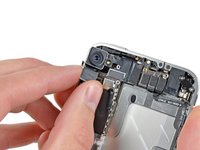
    • Use the edge of a plastic opening tool to lift the thin steel front camera retainer off the front camera.

    • Remove the front camera retainer.

    • During reassembly, position the clip's tabs on the outside of the receiving metal slots.

    Спросите у FixBot
  21. iPhone 4 Headphone Jack & Volume Control Cable Replacement: шаг 21, изображение 1 из 1
    Инструмент, используемый на этом этапе:
    Tweezers
    $4.99
    • Carefully lift the front facing camera out of the iPhone.

    • It may be helpful to use tweezers to reinstall the front camera retainer.

    Спросите у FixBot
  22. iPhone 4 Headphone Jack & Volume Control Cable Replacement, Headphone Jack & Volume Control Cable: шаг 22, изображение 1 из 2 iPhone 4 Headphone Jack & Volume Control Cable Replacement, Headphone Jack & Volume Control Cable: шаг 22, изображение 2 из 2
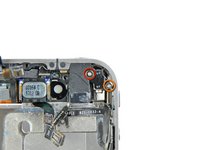
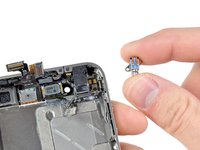
    • Remove the following two screws securing the vibrator to the inner frame:

    • One 6 mm Phillips screw

    • One 1.4 mm Phillips screw

    • Remove the vibrator from the inner case.

    Спросите у FixBot
  23. iPhone 4 Headphone Jack & Volume Control Cable Replacement: шаг 23, изображение 1 из 2 iPhone 4 Headphone Jack & Volume Control Cable Replacement: шаг 23, изображение 2 из 2
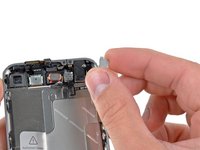
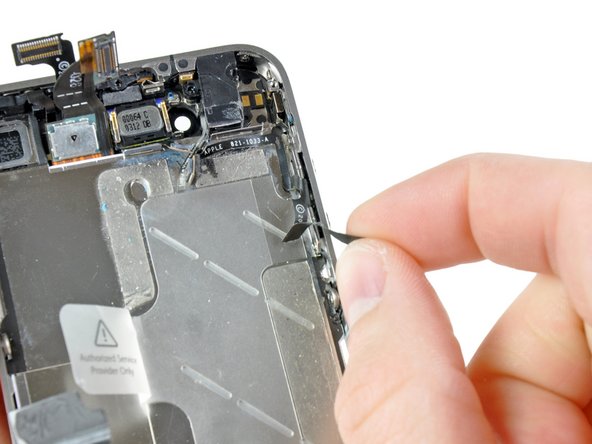
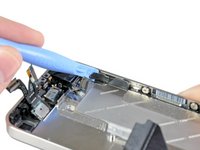
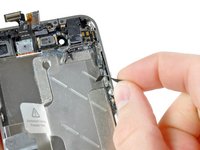
    • Use the edge of a plastic opening tool to peel the small strip of black tape off the back of the volume button bracket.

    • Peel the tape starting from the side nearest the top of the phone.

    • Carefully remove the remaining portion of tape off the small section of ribbon cable near the inside of the bottom volume button.

    Спросите у FixBot
  24. iPhone 4 Headphone Jack & Volume Control Cable Replacement: шаг 24, изображение 1 из 1
    • Remove the five Phillips screws securing the silent and volume button brackets to the outer case.

    • The screw directly below the silent switch is shorter than the others.

    • The left screw securing the volume control bracket is longer then the rest.

    Спросите у FixBot
  25. iPhone 4 Headphone Jack & Volume Control Cable Replacement: шаг 25, изображение 1 из 2 iPhone 4 Headphone Jack & Volume Control Cable Replacement: шаг 25, изображение 2 из 2
    Инструмент, используемый на этом этапе:
    Tweezers
    $4.99
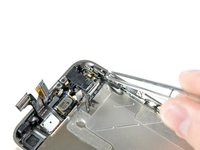
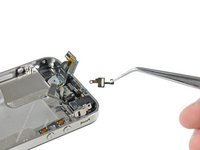
    • Use a pair of tweezers to carefully pull the silent switch and its bracket from the side of the outer case.

    • Don't try to completely remove the silent switch just yet.

    Спросите у FixBot
  26. iPhone 4 Headphone Jack & Volume Control Cable Replacement: шаг 26, изображение 1 из 1
    • Grab the headphone jack with a pair of tweezers and remove the assembly from the iPhone, being careful not to rip the thin ribbon cables.

    Спросите у FixBot
  27. iPhone 4 Headphone Jack & Volume Control Cable Replacement: шаг 27, изображение 1 из 1
    • If you are not replacing the headphone jack assembly with a new unit, skip this step.

    • Use the edge of a plastic opening tool to peel the electronic portion of the silent switch off its metal bracket.

    • Transfer the bracket to the new silent switch.

    • Repeat this procedure to peel the metal volume button bracket off the electronic portion of the volume buttons.

    • Transfer the volume button bracket to the new volume buttons.

    Спросите у FixBot
Заключение

To reassemble your device, follow these instructions in reverse order.

264 человек успешно провели ремонт по этому руководству.

Прикрепленные документы

13 Комментарии к руководству

In my opinion, the hardest part of this repair is bending and routing the flex cable, specifically around the headphone jack and cable connector. There is no picture or clear directions on how to do this anywhere that I can find. If done incorrectly, the flex will tear rendering your whole job a failure.

Isaac - Ответить Поделиться

tutorial worked perfect great stuff!!! im so pleased this was the first time i had ever opened my phone ...heck it was the first time i ever took the sim card out. A+++

corey - Ответить Поделиться

I agree with Guide and step27. The photos are lacking and a diagram for how to route the cable would be helpful. But after one mishap where I stabbed myself in the eye, all is functional and well in the iphone. No lacking steps, which is good.

NKO - Ответить Поделиться

This is ^!%# on earth... "difficult" must be changed to "extremely difficult"... the reason is the mutebutton-bracket.... you want 4 very small hands at the same time (my opinion)...

PHS - Ответить Поделиться

The part most difficult is to place all pieces without break the flat and after that turn the tinies screws. Now I'm happy with my iPhone working like new! Thank you iFixit ;)

William Fabricio - Ответить Поделиться

Добавить комментарий

Статистика просмотров:

За последние 24 часов: 2

За последние 7 дней: 42

За последние 30 дней: 154

За всё время: 505,443