Перейти к основному содержанию
Присоединяйся к сообществу ремонтников - Создай аккаунт

iPhone 5s Display Assembly Replacement

Архивированное руководство
Это руководство сохранено для исторических целей. Используйте его обновлённую версию, чтобы выполнить ремонт.

Выберете то, что вам нужно

  1. iPhone 5s Display Assembly Replacement, Display Assembly: шаг 1, изображение 1 из 1
    • Remove pentalobe screws with torx screwdriver.

  2. iPhone 5s Display Assembly Replacement: шаг 2, изображение 1 из 2 iPhone 5s Display Assembly Replacement: шаг 2, изображение 2 из 2
    • After using spudger or suction cup to lift screen. Be careful not to pull screen completely up. The touch id sensor flex cable is attached near the home button. There is a small metal clip that needs to be carefully pry'd off before removing flex cable connector.

  3. iPhone 5s Display Assembly Replacement: шаг 3, изображение 1 из 2 iPhone 5s Display Assembly Replacement: шаг 3, изображение 2 из 2
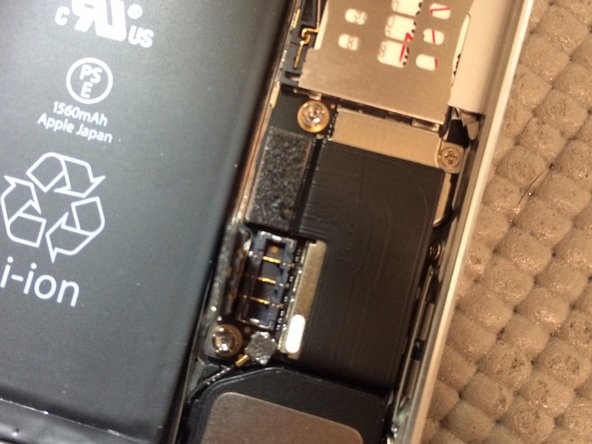
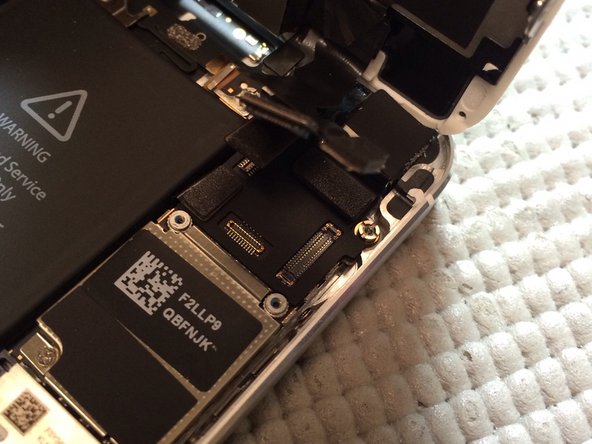
    • Disconnect battery before screen removal by removing 2 screws from shield. Once shield is removed, disconnect battery using nylon spudger. (DO NOT USE METAL TOOLS)

  4. iPhone 5s Display Assembly Replacement: шаг 4, изображение 1 из 3 iPhone 5s Display Assembly Replacement: шаг 4, изображение 2 из 3 iPhone 5s Display Assembly Replacement: шаг 4, изображение 3 из 3
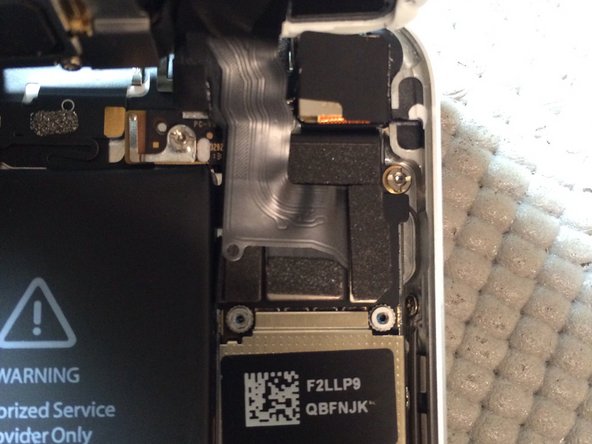
    • Remove four screws from shield covering display assembly connectors. Lift connectors using nylon spudger.

Заключение

Swap all parts from old display assembly to new assembly. Do not remove all at once, replace components one at a time. To reassemble your device, follow these instructions in reverse order.

57 человек успешно провели ремонт по этому руководству.

Fausto Lebron

Участник с: 10/25/13

4 119 Репутация

1 руководство автора

0 Комментарии к руководству

Добавить комментарий

Статистика просмотров:

За последние 24 часов: 0

За последние 7 дней: 0

За последние 30 дней: 0

За всё время: 32,718