Перейти к основному содержанию
Присоединяйся к сообществу ремонтников - Создай аккаунт

iVIEW-754TPC Camera Assembly Replacement

Выберете то, что вам нужно

    1. iVIEW-754TPC Camera Assembly Replacement, Rear Panel: шаг 1, изображение 1 из 3 iVIEW-754TPC Camera Assembly Replacement, Rear Panel: шаг 1, изображение 2 из 3 iVIEW-754TPC Camera Assembly Replacement, Rear Panel: шаг 1, изображение 3 из 3
      • Before disassembling your tablet, make sure it is powered off.

      • Use plastic opening tool to release the clips holding the device together. The clips will take a small amount of pressure to release. Once you have the plastic opening tool inserted, use a twisting action to release the clips. Start from bottom of device and work all the way around.

      Спросите у FixBot

      Добавить комментарий

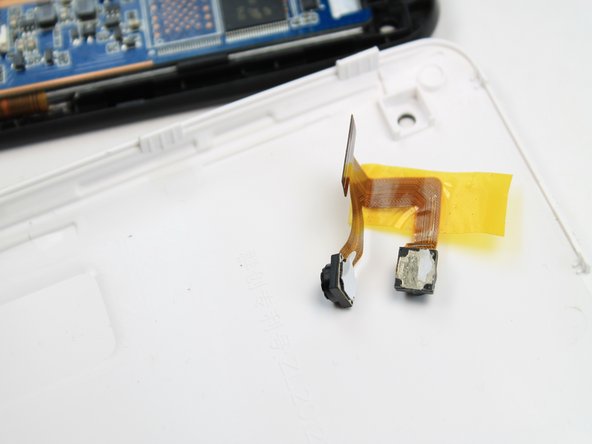
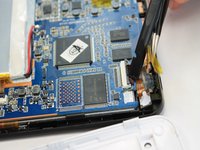
    1. iVIEW-754TPC Camera Assembly Replacement, Camera Assembly: шаг 2, изображение 1 из 3 iVIEW-754TPC Camera Assembly Replacement, Camera Assembly: шаг 2, изображение 2 из 3 iVIEW-754TPC Camera Assembly Replacement, Camera Assembly: шаг 2, изображение 3 из 3
      Инструмент, используемый на этом этапе:
      Tweezers
      $4.99
      • The camera module is located directly under the top right corner of the back cover.

      • Peel back the tape holding down the camera ribbon connector using a pair of tweezers.

      • As you peel the tape backward, the front facing camera may come out, this is not an issue.

      • If the front facing camera does not come out, gently lift it out with a pair of tweezers

      Спросите у FixBot

      Добавить комментарий

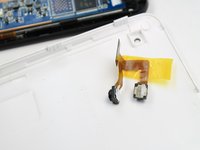
    2. iVIEW-754TPC Camera Assembly Replacement, Remove Camera: шаг 3, изображение 1 из 2 iVIEW-754TPC Camera Assembly Replacement, Remove Camera: шаг 3, изображение 2 из 2
      • Use a spudger to lift flap on top of the camera ZIF adapter.

      • At this point the camera module can be easily removed with a pair of tweezers.

      • During reassembly, make sure you put the ZIF adapter snugly back into its socket and secure the flap.

      Спросите у FixBot

      Добавить комментарий

Заключение

To reassemble your device, follow these instructions in reverse order.

Отменить: Я не выполнил это руководство.

Еще один человек закончил это руководство.

Robert Clark

Участник с: 01/21/15

1 065 Репутация

Автор 7 руководств

Команда

USF Tampa, Team 5-4, Brown Winter 2015 Участник USF Tampa, Team 5-4, Brown Winter 2015

USFT-BROWN-W15S5G4

4 членов

Автор 16 руководств

0 Комментарии к руководству

Добавить комментарий

Статистика просмотров:

За последние 24 часов: 2

За последние 7 дней: 11

За последние 30 дней: 28

За всё время: 520