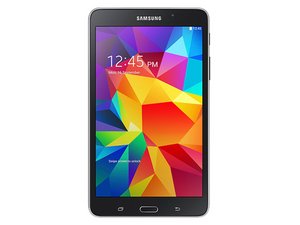

My Samsung Galaxy Tab 4's Screen Is Not Working..
My Tablet is on and the screen is just black with with blurry lines but I haven't been able to use the tablet for almost a year and it was new.
Это хороший вопрос?
Счет
3
Репутация: 47
 2
2
 1
1
My Tablet is on and the screen is just black with with blurry lines but I haven't been able to use the tablet for almost a year and it was new.
Это хороший вопрос?
Репутация: 103,4к
18
200
 308
308
You can try a hard reset this will take you back to new all your data and apps will be lost but at least you should have a working tablet
http://www.technipages.com/galaxy-tab-4-...
This is a walk through on haw to do it. Good Luck
Был ли этот ответ полезен?
Screen is not working touch is not working anymore how can I reset it and if I try to reset it with on off button it sucks it can't reset or switch off my tab is galaxy tab a9 plus
Репутация: 2,2к
8
27
1
If it’s almost a year, and it was new, it will be covered under a warrenty
Был ли этот ответ полезен?
За последние 24 часов: 0
За последние 7 дней: 6
За последние 30 дней: 8
За всё время: 5,577


3 Комментариев
It didn't work :( the screen lights up but there's nothing on the screen except the white lines and black everywhere else.
из Jessica Goode
same problem comes in my samsung tab..so what you do??
из Sandhya Sharma
If you can open and remove the back cover of the tablet (or ask a tech guy to open it), check the two cable connectors from the screen to the motherboard. One is the LCD and the other is the digitizer. I don't know which is which because I have seen them on tablets that were damages and disassembled. Maybe one of them is not well seated, so carefully press them down, and power the tablet on to check. You can do this without the back cover on and the battery reconnected.
из rayramirez