
Перейти к основному содержанию

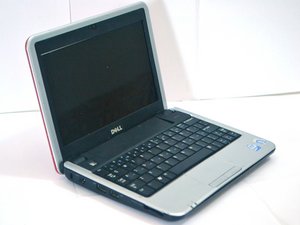
The Dell Inspiron 910 Laptop was released in 2008 as part of the Dell Mini Series of small, portable laptops.

How Can I Use My Computer Again?

This is the error message that I receive when I turn on my Dell Inspiron 910: A disk read error occurred, press Ctrl + Alt + Del to restart. When I follow those directions, I continue to get the same error message.

Отвечено! Посмотреть ответ У меня та же проблема

Это хороший вопрос?

Счет 1
Добавить комментарий

2 Ответов

Выбранное решение

Boot to your system disk and select system repair. If this does not work you may need to format and reinstall your operating system. You should be able to boot to your system disk by tapping F12 after you turn on the computer until a screen shows up that allows you to select your optical drive as the boot device. Good luck

Был ли этот ответ полезен?

Счет 2

2 Комментариев:

Добавить комментарий

Mini 910 does not have an optical drive. One would have to download a windows iso file and install it on a bootable usb drive, then reinstall windows that way.

Был ли этот ответ полезен?

Счет 0
Добавить комментарий

Добавьте свой ответ

Regina буду вечно благодарен.
Статистика просмотров:

За последние 24 часов: 0

За последние 7 дней: 1

За последние 30 дней: 5

За всё время: 2,081