
Перейти к основному содержанию

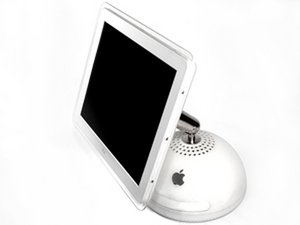
15 inch "Desk Lamp" iMac G4 700MHz M6498 PowerMac 4,2

Trying to reinstall OS

Hello everybody (again).

I previously posted about a fault with my g4 not turning on, which has now been sorted. But now I'm faced with another problem!

I bought it from eBay, faulty and the fault has been sorted. But now I don't have the login password and I'm having trouble reinstalling the OS. I have all of the original discs but when I insert the install disc and hold C nothing happens, it just loads up to the login screen. I'm using a Windows keyboard but that's never been a problem in the past. My guess is a faulty CD drive but before replacing that I was wondering if anybody has any tips for me? Maybe a way of creating a usb drive that I can install the OS from? Or another idea is to install the OS on an external drive and clone it to the internal drive, but I'd need directions on how to do this. I have plenty of iMacs and Macbooks lying around if that helps?!

I'd love for an answer to my problem as its in brand new condition and has every piece of original packaging, etc..

Thanks in advance

Ответ на этот вопрос У меня та же проблема

Это хороший вопрос?

Счет 1
1 Комментарий

It's a wired keyboard which is responsive in the login screen so I don't think that's the problem. I'm fairly sure I tried holding alt, but I'll give it another go tomorrow. Even if no CD is detected will holding alt load anything up? Or will it just boot as normal? Thanks for your help

из

Добавить комментарий

3 Ответов

Наиболее полезный ответ

Is it a wireless keyboard? My iMac will not go to the boot selection screen with a wireless keyboard. I have to plug in a wired one. Try to press and hold alt to get to the boot menu and then select the cd.

Был ли этот ответ полезен?

Счет 1
Добавить комментарий

Hi

You can install snow leopard on a usb

Maybe try that

Thanks

Был ли этот ответ полезен?

Счет 1

1 Комментарий:

Snow Leopard was an Intel only release, so that definitely will not work.

из

Добавить комментарий

From my experience working on these, it’s commonly the DVD/CD drive that goes bad, I’ve had to replace several of them.

  1. You could try is booting from a Firewire 400 external hard drive with OSX installed on it by holding down the alt/option key when starting up.
  2. Or you could optionally connect it to another Mac that also has a Firewire 400 port and put that Mac in “Target Disk Mode” by holding down the T key at boot.

I know this post is old, but this is for anyone else that might have this issue in the future as it might be of some use to them.

Был ли этот ответ полезен?

Счет 0

1 Комментарий:

yep, these era of machines will ONLY boot from firewire devices so using a USB drive is not possible. This behavior only changed recently as I recall because my 2008 late model MB Pro still would only boot from firewire devices

из

Добавить комментарий

Добавьте свой ответ

Andy буду вечно благодарен.
Статистика просмотров:

За последние 24 часов: 0

За последние 7 дней: 1

За последние 30 дней: 9

За всё время: 1,019
