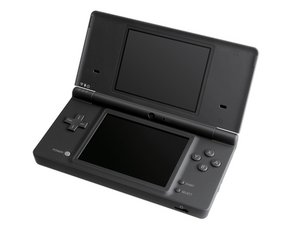
when i turn my dsi everything looks good but as soon as i press on one of the icons displaced on the screen it says "an error has occurred.press and hold the power button to turn the system off.please see the nintendo dsi manual for help troubleshooting." when i turn it back on it keeps doing it no matter how many times i do it. i hope you can help me with my problem. thank you!
Прокрутите эту тему, чтобы найти подходящее место для этого комментария. Затем нажмите "Прикрепить комментарий к этому сообщению", чтобы переместить его.
38 Комментариев
my DSi has the same problem and same response I looked on Youtube and it said it was because of the wireless thing inside the ds and u have to take it out but I didn't watch the rest of the video because there was a problem with that. I have a Hello Kitty sticker/skin on it, and I can't take it off because I've had it on there for years
the same thing with mine but i have a case that i can't take off so i can't fix my dsi at all. the video i watched showed that u have to take out the wireless thing also. sometimes i leave it for 1 day without turning it on and it works again
I have this problem too! I load up my DSI XL with my R4I in and load up my R4 and it says: "an error has occurred. press and the power button to turn the system off. please see nintendo dsi operations manual for help troubleshooting"
please please help me and tell me how to fix it because i have 999 on there :(
http://www.nintendo.com/consumer/downloa... for the manual. Just in case you should want to follow what it says and look it up:) Did you do a recent update on it? Just asking because newer DSi firmware blocks out third-party devices like the Action Replay or flash carts. You have to check the Action Replay website to see if there's any firmware update for the AR to bypass. BTW are you using something like Acekard? http://www.dsihacker.com/acekard-2i.php So let us know how it is going and if you need further help. Give us all your info so that we can find a solution to this....Good Luck
Прокрутите эту тему, чтобы найти подходящее место для этого комментария. Затем нажмите "Прикрепить комментарий к этому сообщению", чтобы переместить его.
1 Комментарий:
Buddy, I bought a Nintendo dsi prefix without checking it, it also gives this error, I don’t use the cartridge, only an 8GB memory card, don’t run the application, you can climb the menu, the error appears if Any application on the console. Please help, what needs to be done to make the console work normally?
Updated Your DSi to 1.4, Acekard 2i doesn’t work, A Guide to Fix It
Posted on : 28-09-2009 | By : Blueearthdigital | In : Uncategorized
22
So yep, you’ve updated your DSi to 1.4 and your Acekard 2i doen’t work. We can fix it. But be warned in the Highly, Highly, Highly Unlikely event of buggering up your Acekard 2i or the DS I will not be held responsible and proceed at own risk. If you do stuff it up I have One fix(from self experience).
1. Download this File, I did not create this file and I don’t know who did (Click Here) file from http://www.ndscardshop.co.uk/
2. Put these files on the Micro SD Card for your Acekard 2i.
3. If you have already updated your DSi to 1.4, your going to need an Original DS or a DS Lite and put the Acekard 2i in that, If you haven’t just put it in your DSi
4. If your using a Original DS or DS Lite, Go to Acekard 2i and browse to where you put the Files, your going to need to open the one entitled “ak2ifw_update_14_DSL.nds”, If your using a DSi open the Acekard 2i and browse to where you put the files, open the titled “ak2ifw_update_14_DSi.nds”
5. It will tell you to re-instert The Acekard 2i, so do that, It should tell you to press B then so do that, then it should ask you to press start so do it, now it will be changing how the DSi will recognize the Acekard 2i, Now DO NOT PRESS THE POWER BUTTON OR YOU WILL BRICK THE Acekard 2i. After it finishes it should tell you to power off the DS. Now Your Acekard 2i had been fixed! YAY!!
Holy Crap I’ve Bricked My Acekard 2i by pressing The Power Button while it tells you not to. What do I do?
(Here’s the Solution)
1. Your going to need a DS Lite or Original DS with any Flash Cart.
2. Put the Update file called “ak2ifw_update_14_DSL.nds” on The Flash Cart of any Sort.
3. Open the Update file you put on your Flash Cart.
4. When it Tell’s you to re-insert the Acekard 2i, take out the Flash Cart and insert the Bricked Acekard 2i(with update file)
5. Then Follow the Steps
6. Once it’s finished you’ve Un-Bricked The Acekard2i
Прокрутите эту тему, чтобы найти подходящее место для этого комментария. Затем нажмите "Прикрепить комментарий к этому сообщению", чтобы переместить его.
You should carefully remove the back and check to see if the wifi board is still attached. They usually only come loose if they fall or are banged around.
Прокрутите эту тему, чтобы найти подходящее место для этого комментария. Затем нажмите "Прикрепить комментарий к этому сообщению", чтобы переместить его.
You need a new wifi chip, the same happened to mine, its cheaper to buy the chip then take it to a shop like best buy or something, if you directly take it to the shop, you will get charged for the service and the chip, so buy the chip yourself. I ended paying $20 instead of $200 so i saved a lot if money.
Прокрутите эту тему, чтобы найти подходящее место для этого комментария. Затем нажмите "Прикрепить комментарий к этому сообщению", чтобы переместить его.
1 Комментарий:
its not the wifi card i took one from a working dsi to mine with the code and it didnt help and i put mine in the good dsi and nope still works fine
before replacing the card, try and push on the back of the DSi approx. where the wifi card is. If that doesn't work. open the DSi case then disconnect and re-seat the wifi card. That ended up working for me. I guess the connector was a little loose. The connector doesn't really have any kind of grab, it is just seated so the regular jostling that a portable game system goes through will eventually unseat it.
Прокрутите эту тему, чтобы найти подходящее место для этого комментария. Затем нажмите "Прикрепить комментарий к этому сообщению", чтобы переместить его.
As a temporary fix....If you just want to be able to play your Ds games after receiving this error...Just power on the DS...then go to settings...then turn OFF the WiFi option. (The wifi light will go off) You won't be able to take full advantage of some of the other modes that rely on wifi on the Dsi but...you will be able to play your games again without opening up the back hardware of the device. -2F™
Прокрутите эту тему, чтобы найти подходящее место для этого комментария. Затем нажмите "Прикрепить комментарий к этому сообщению", чтобы переместить его.
2 Комментариев:
Just tried that it worked, then I turned wifi on, 20 minutes later, still working, thank you!!
if this error happens when you click on any icon even the settings then you ds has a faulty motherboard fullstop
Update (12/24/16)
blck screens white screen multicolour line your graphic card has gone or the screen connections are damaged (they are very flimsy tiny wires usually only happens when someone opens the screws and takes back off without knowing what they are doing
Прокрутите эту тему, чтобы найти подходящее место для этого комментария. Затем нажмите "Прикрепить комментарий к этому сообщению", чтобы переместить его.
When you turn on the ds, a photo appears on top, if you click to activate the camera, it will appear, Dsi Camera, you press, and go to the photo gallery, after a few seconds, turn off the ds and you will be able to open the programs .
Прокрутите эту тему, чтобы найти подходящее место для этого комментария. Затем нажмите "Прикрепить комментарий к этому сообщению", чтобы переместить его.
Прокрутите эту тему, чтобы найти подходящее место для этого комментария. Затем нажмите "Прикрепить комментарий к этому сообщению", чтобы переместить его.
Прокрутите эту тему, чтобы найти подходящее место для этого комментария. Затем нажмите "Прикрепить комментарий к этому сообщению", чтобы переместить его.
2 Комментариев:
@annharris we will need to know exactly what is wrong with it. What does or does it not do?
@dan0 is our game console guru and I am certain he'll help you out.
This error usually happens due to corrupted system data, a faulty SD card, or a bad app/icon. First, power off your DSi completely, remove the SD card, and turn it on again. Try opening icons without the SD card inserted—if it works, back up and reformat the SD card or replace it. If the issue happens even without an SD card, hold A + B + X + Y while powering on to access the maintenance mode and reset settings. Also ensure the battery is seated properly. If nothing helps, the system firmware may be damaged—professional repair is required.
Прокрутите эту тему, чтобы найти подходящее место для этого комментария. Затем нажмите "Прикрепить комментарий к этому сообщению", чтобы переместить его.

 2
2  2
2  1
1 








38 Комментариев
my DSi has the same problem and same response I looked on Youtube and it said it was because of the wireless thing inside the ds and u have to take it out but I didn't watch the rest of the video because there was a problem with that. I have a Hello Kitty sticker/skin on it, and I can't take it off because I've had it on there for years
из Nalanie
the same thing with mine but i have a case that i can't take off so i can't fix my dsi at all. the video i watched showed that u have to take out the wireless thing also. sometimes i leave it for 1 day without turning it on and it works again
из animefreak 164
i can't update it or else nothin will work
из animefreak 164
my ds is a japanese version so i can't fix it properly but when my uncle said something was deleted
из clarkmiles
I have this problem too! I load up my DSI XL with my R4I in and load up my R4 and it says: "an error has occurred. press and the power button to turn the system off. please see nintendo dsi operations manual for help troubleshooting"
please please help me and tell me how to fix it because i have 999 on there :(
из Alan
Показать ещё 33 комментариев