
ΠŸΠ΅Ρ€Π΅ΠΉΡ‚ΠΈ ΠΊ основному ΡΠΎΠ΄Π΅Ρ€ΠΆΠ°Π½ΠΈΡŽ
ΠŸΡ€ΠΈΡΠΎΠ΅Π΄ΠΈΠ½ΡΠΉΡΡ ΠΊ сообщСству Ρ€Π΅ΠΌΠΎΠ½Ρ‚Π½ΠΈΠΊΠΎΠ² - Π‘ΠΎΠ·Π΄Π°ΠΉ Π°ΠΊΠΊΠ°ΡƒΠ½Ρ‚

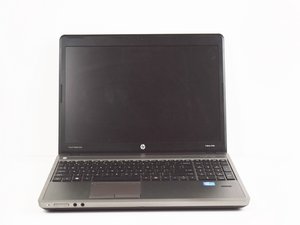
This HP model was released in 2012. Upgrades include a anti-glare 15.6" screen and a finger print reader.

bootmgr image is corrupted. the system cannot boot

yesterday i have reinstalled windows 7 professional and was working fine till midnight but today i am getting below errors in my laptop while starting.

1. bootmgr image is corrupted. the system cannot boot

2.Boot Device not found

3.Werfault.exe error

4.taskhost.exe error

screenshot attached for reference.

ΠžΡ‚Π²Π΅Ρ‚ Π½Π° этот вопрос Π£ мСня Ρ‚Π° ΠΆΠ΅ ΠΏΡ€ΠΎΠ±Π»Π΅ΠΌΠ°

Π­Ρ‚ΠΎ Ρ…ΠΎΡ€ΠΎΡˆΠΈΠΉ вопрос?

Π‘Ρ‡Π΅Ρ‚ 0
3 ΠšΠΎΠΌΠΌΠ΅Π½Ρ‚Π°Ρ€ΠΈΠ΅Π²

after fresh installation still same problem..

ΠΈΠ·

There is no screenshot. Are you sure you posted it?

ΠΈΠ·

check the below link for screenshots..

https://www.dropbox.com/sh/cvp50tjg5huds...

ΠΈΠ·

Π”ΠΎΠ±Π°Π²ΠΈΡ‚ΡŒ ΠΊΠΎΠΌΠΌΠ΅Π½Ρ‚Π°Ρ€ΠΈΠΉ

2 ΠžΡ‚Π²Π΅Ρ‚ΠΎΠ²

НаиболСС ΠΏΠΎΠ»Π΅Π·Π½Ρ‹ΠΉ ΠΎΡ‚Π²Π΅Ρ‚

get a windows cd(any version) . Click repair option when you boot with the cd (don't click install).

Click Advanced options and select cmd.

Run the following command- bootrec /fixmbr

Reboot. if still not working you will need to clean install your windows ie. delete all the partitions and make new one. It can be done with the Custom installation option while installing windows.

Π‘Ρ‹Π» Π»ΠΈ этот ΠΎΡ‚Π²Π΅Ρ‚ ΠΏΠΎΠ»Π΅Π·Π΅Π½?

Π‘Ρ‡Π΅Ρ‚ 2

1 ΠšΠΎΠΌΠΌΠ΅Π½Ρ‚Π°Ρ€ΠΈΠΉ:

thanks... already started taking backup from HDD so that i can fully format and create new partition.

ΠΈΠ·

Π”ΠΎΠ±Π°Π²ΠΈΡ‚ΡŒ ΠΊΠΎΠΌΠΌΠ΅Π½Ρ‚Π°Ρ€ΠΈΠΉ

bootmgr image is corrupt. the system cannot boot.

Π‘Ρ‹Π» Π»ΠΈ этот ΠΎΡ‚Π²Π΅Ρ‚ ΠΏΠΎΠ»Π΅Π·Π΅Π½?

Π‘Ρ‡Π΅Ρ‚ 0
Π”ΠΎΠ±Π°Π²ΠΈΡ‚ΡŒ ΠΊΠΎΠΌΠΌΠ΅Π½Ρ‚Π°Ρ€ΠΈΠΉ

Π”ΠΎΠ±Π°Π²ΡŒΡ‚Π΅ свой ΠΎΡ‚Π²Π΅Ρ‚

Sushil Π±ΡƒΠ΄Ρƒ Π²Π΅Ρ‡Π½ΠΎ Π±Π»Π°Π³ΠΎΠ΄Π°Ρ€Π΅Π½.
Бтатистика просмотров:

Π—Π° послСдниС 24 часов: 2

Π—Π° послСдниС 7 Π΄Π½Π΅ΠΉ: 10

Π—Π° послСдниС 30 Π΄Π½Π΅ΠΉ: 30

Π—Π° всё врСмя: 1,459
