Перейти к основному содержанию
Присоединяйся к сообществу ремонтников - Создай аккаунт

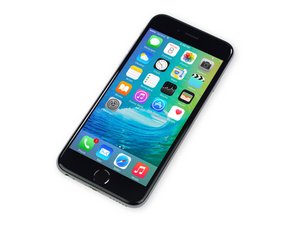
Дата выхода 25 сентября 2015 г. Модель A1688 / A1633. Ремонт данного устройства схож с предыдущими моделями, требующий отвертки и инструменты для вскрытия. Доступен в версиях GSM или CDMA; с 16, 64 или 128 ГБ памяти; в цветах: Серебристый, Золотой, «Серый космос» и «Розовое золото».

No touch function after backlight repair (Advanced!)

Hi, this is my first question here.

I own a repair shop and do repairs on iPhone's for at last 3 years.

Now i got a iPhone 6s that drives me CRAZY!!!

A customer brought it in for a backlight damage, as always i checked the FL4211 for damage, none to bee seen also no burning, after i took of the CPU shield and the D4021 was a bit raised so i replaced it, after that the backlight came on and worked like a charm.

BUT, after the initial boot, the image on the screen was full of a pattern i have seen before, namely when you turn on a iPhone 6/6plus without the U2402 on. Vertical lines with some kind of checkered pattern.

I replaced 3 screens, cleaned the FPC, restored with latest os, nothing changed.

After i measured the "PP1V8_TOUCH_CONN" and here i found a open circuit, i made a strap on the "FL4209" and after that everything was in order with that line.

Still no touch function, i measured the following lines:

  • "SPI_AP_TO_TOUCH_CS_L";
  • "SPI_AP_TO_TOUCH_SCLK";
  • "SPI_AP_TO_TOUCH_MOSI";
  • "SPI_TOUCH_TO_AP_MISO";
  • "TOUCH_TO_AP_INT_L";
  • "AP_TO_TOUCH_CLK32K_RESET_L".

All of them give me a ~0.420V voltage drop to ground, no open circuit on any of them!

Also i mesured the "PP5V1_TOUCH_VDDH" when the phone was on and i got the 5.1V on that line.

I cannot understand what the problem is? Where am i missing something? There is no mechanical damage to the board, all SMD parts are in the right places.

Maybe someone has a ideea...

Thanks in advance.

D.

Отвечено! Посмотреть ответ У меня та же проблема

Это хороший вопрос?

Счет 0
Добавить комментарий

3 Ответов

Выбранное решение

Have you checked the Chestnut circuit? Beyond the 5V1 line, there is also the PP5V7_MESON_AVDDH

& PN5V7_LCM_MESON_AVDDN. There is also the PP1V8_TOUCH (Fl4209) line which also powers the touch functionality.

I would also check the AP_TO_TOUCH_RESET_L line (FL4134). Then there is the LCM_TO_OWL_BSYNC line (FL4230). There are lot's of Touch lines on page 42 of the schematic.

Был ли этот ответ полезен?

Счет 2
Добавить комментарий

Hi,

I have done some iPhone board work but I still don't know much but I know what if you search up STS telecom on Youtube he does lots of these problems. It's worth having a look.

Hope that helped

Был ли этот ответ полезен?

Счет 0

1 Комментарий:

Thank you but still did not find a solution to my problem...

из

Добавить комментарий

in my case i checked SPI_TOUCH_TO_AP_MISO and no value checked on another working board and there is a testpoint next to the cpu i could run a jumper from but my bord dont have value on the testpoint either so the last point is inside CPU so am stuck at this point

Block Image

Был ли этот ответ полезен?

Счет 0

1 Комментарий:

In my case in diode mode I get 0.001v = short to ground? I would reball CPU but it feels the CPU is shorted internally?

из

Добавить комментарий

Добавьте свой ответ

Dacian Bujor буду вечно благодарен.
Статистика просмотров:

За последние 24 часов: 0

За последние 7 дней: 2

За последние 30 дней: 11

За всё время: 1,569


