Перейти к основному содержанию
Присоединяйся к сообществу ремонтников - Создай аккаунт

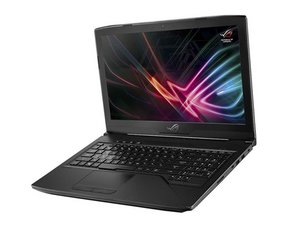
Repair and troubleshooting guides for the Asus Republic of Games Strix 15.6" gaming laptop with model number GL503VM-B17N13.

Laptop Keyboard not working

One day, I was going to go and play csgo on my laptop and my keyboard is no longer working, but is lit up. I really need help.

edit: I just a notification/answer and I tried it but my keyboards name wouldn’t pop up.

Ответ на этот вопрос У меня та же проблема

Это хороший вопрос?

Счет 1
1 Комментарий

did you fix it?

i changed the keyboard it was a mess but still not working I think its something in the mother board, =(

из

Добавить комментарий

2 Ответов

Наиболее полезный ответ

If your Asus keyboard driver is faulty, the Asus laptop keyboard not responding issue could crop up. You could uninstall it first and then reinstall it.

Step 1. Right-click Start and click Device Manager.

Step 2. Locate Keyboard and expand it.

Step 3. Right-click on the keyboard name and click Uninstall.

Step 4. Reboot your PC and Windows will reinstall the keyboard driver for you automatically.

If the above method works for nothing, otherwise check out post Methods to Fix Laptop Keyboard Not Working.

Make sure try one by one until it is working.

Был ли этот ответ полезен?

Счет 1
Добавить комментарий

After doing so much on the laptop via onscreen keyboard I actually took keyboard off the laptop. Saw that the connector strip had come loose. There is one for the mouse pad bit too. I had black screen of death. Had to open it. Blew out fluff. Got it oing but keboard didn't work afterwards as I'd disconnected the strip when I opened it. Connected again and now working

Был ли этот ответ полезен?

Счет 0
Добавить комментарий

Добавьте свой ответ

Savageraging Gamer буду вечно благодарен.
Статистика просмотров:

За последние 24 часов: 1

За последние 7 дней: 11

За последние 30 дней: 48

За всё время: 10,969

