
Перейти к основному содержанию
Присоединяйся к сообществу ремонтников - Создай аккаунт

How to remove the battery?

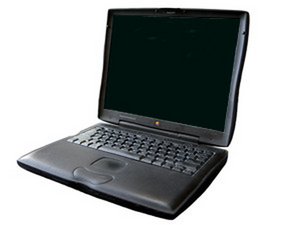
How does one go about removing the battery? there seems to be a button on it but pushing it has no effect other than making the green lights go on, I've seen a great how-to on other computers and was hoping there was one for this old lady as-well.

Отвечено! Посмотреть ответ У меня та же проблема

Это хороший вопрос?

Счет 0
Добавить комментарий

1 ответ

Выбранное решение

On the front edge of the case is a lever. Pull the lever and slide out the battery. The lever on the other side is for removing your optical drive although some people put a battery in both sides for more battery time. URL for a drawing is http://forums.macrumors.com/showthread.p... Go to number 5. Ralph

URL for this unit PowerBook G3 Lombard

Был ли этот ответ полезен?

Счет 3

2 Комментариев:

The green lights indicate charge level of the battery. Ralph

из

Thanks, that did it.

из

Добавить комментарий

Добавьте свой ответ

Bill буду вечно благодарен.
Статистика просмотров:

За последние 24 часов: 0

За последние 7 дней: 3

За последние 30 дней: 11

За всё время: 3,799