Перейти к основному содержанию

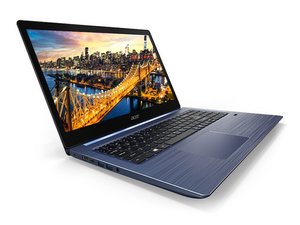
Slim, lightweight and stylish, the Swift 3 is the ideal laptop for working on the move. The latest NVIDIA® GPU, Intel® CPU and long battery life are housed inside a choice of displays: an elegantly silver chassis with a 13.5” 3:2 ratio 2256x1504 IPS VertiView Display or the vivid colors of a 14” 16:9 FHD IPS display.

No Bootable Device Problem

I currently have an Acer Swift 3 SF315-52 Laptop. I restarted the computer to fix an application bug, but when I tried to boot it up, it gave me a “No Bootable Device” Error. I looked into possible fix’s on the internet and most of them recommend changing the Boot Mode from UEFI to Legacy. However, this option is grayed out for me and I cannot change it. I have attempted to change many other settings in the bios to change the boot mode, but I have still not figured it out. Does anybody know how to fix this?

Ответ на этот вопрос У меня та же проблема

Это хороший вопрос?

Счет 0
Добавить комментарий

1 ответ

I would try booting from a flash drive with Windows on it and possibly run a disk check. Sounds like your boot disk may be either corrupted or the Windows installation got corrupted data and that requires a complete wipe of the drive through a disk partitioning app and a clean install of Windows. Hope this helps!

Был ли этот ответ полезен?

Счет 0
Добавить комментарий

Добавьте свой ответ

Ash буду вечно благодарен.
Статистика просмотров:

За последние 24 часов: 0

За последние 7 дней: 1

За последние 30 дней: 9

За всё время: 1,108
