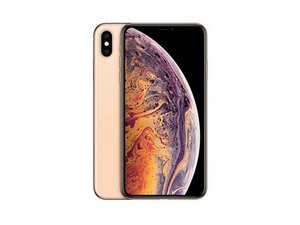
Дата выпуска: 21 сентября 2018 г. Модели: A1921, A2101, A2102 и A2104 / Доступен в версиях GSM или CDMA / eSIM или nano-SIM / 64, 256 или 512 ГБ / Серебристый, золотистый или «серый космос» (произносится «iPhone 10 S Max»).
Probably phone got a bit of water through the scratches in the screen, and i've got userspace watchdog timeout problem the log files is saying something like that
{"bug_type":"210","timestamp":"2022-12-06 13:25:03.48 +0300","os_version":"iPhone OS 13.3 (17C54)","incident_id":"2CADE8A7-61C4-4F43-B8D4-BAA1BD14762F"}
"build" : "iPhone OS 13.3 (17C54)",
"product" : "iPhone11,6",
"kernel" : "Darwin Kernel Version 19.2.0: Mon Nov 4 17:46:11 PST 2019; root:xnu-6153.60.66~39\/RELEASE_ARM64_T8020",
"panicString" : "panic(cpu 3 caller 0xfffffff016b99bf8): userspace watchdog timeout: no successful checkins from com.apple.thermalmonitord since wake\nservice returned not alive with context : is_alive_func returned unhealthy : current ffc6ffffffffffff, mask 33ffffffffdff, expected 33ffffffffdff\nservice: com.apple.backboardd, total successful checkins since wake (180 seconds ago): 19, last successful checkin: 0 seconds
was trying to connect another charging port but nothing changed :(
Прокрутите эту тему, чтобы найти подходящее место для этого комментария. Затем нажмите "Прикрепить комментарий к этому сообщению", чтобы переместить его.
"panic(cpu 0 caller 0xfffffff01665d564): userspace watchdog timeout: no successful checkins from thermalmonitord (2 induced crashes) in 205 seconds\nservice returned not alive with context : is_alive_func returned unhealthy : current 6ffffffffffff, mask 37ffffffffdff, expected 37ffffffffdff. SD: 0 BC: 0 RC: 0 BS: 1, Missing sensor(s): Prs0 \nservice: backboardd, total successful checkins in 903 seconds: 86, last successful checkin: 0 seconds ago\nservice: SpringBoard, total successful checkins in 876 seconds: 85, last successful checkin: 0 seconds ago\nservice: mediaserverd, total successful checkins in 903 seconds: 87, last successful checkin: 0 seconds ago\nservice: audiomxd, total successful checkins in 903 seconds: 87, last successful checkin: 0 seconds ago\nservice: logd, total successful checkins in 903 seconds: 87, last successful checkin: 0 seconds ago\nservice: thermalmonitord (2 induced crashes), total successful checkins in
@digitalemporium Prs0 is the pressure sensor associated with the barometric pressure port at the bottom of the phone. It's mounted on the lightning port flex cable assembly, so that's the part you'll need to replace to fix the problem.
As was already mentioned, the panic you linked generally points to some thermal sensors that are failing to check in. But not always. If there are other panics, they may give us more data to go off of. Just like any other sort of mystery, or science experiment, more data is generally better. You can use paste bin to post the full panics and link them back here so we can get a look at them without it cluttering up the original post.
Also, if you have not done a software update yet, or restore (via recovery mode is best since it will be less likely to restart in the middle) I would give that a go.
You mention in your question that there may have been water that got in through scratches in the screen. Scratches? Or actual cracks? I will also mention that despite the water resistant rating of the phone, this resistance degrades over time so even if the screen was intact, it’s possible liquid got into the phone. If there is a chance that was the case, first thing I would do is look for any signs of liquids inside. Finding out where or if there was any liquid damage is going to give you the best clues.
Also, when you’re testing, are you fully reassembling the phone? Connecting just certain components? The XS Max needs both a good power button cable and a good charge port assembly to avoid this problem.
Прокрутите эту тему, чтобы найти подходящее место для этого комментария. Затем нажмите "Прикрепить комментарий к этому сообщению", чтобы переместить его.
4 Комментариев:
please help me, my phone keeps on restarting every 30mins - 1hr and the panic log shows.
"panicString": "panic (cpu 1 caller Oxfffffff0151ed138): userspace watchdog timeout:no successful checkins from SpringBoard in 180 seconds\SpringBoard has not exited since first loaded nservice: backboardd. total successful checkins in 3357 seconds:333, last successful checkin: 0 seconds ago\service: SpringBoard, total successful checkins in 3330 seconds: 313, last successful checkin: 180 seconds ago\nservice: mediaserverd, total successful checkins in 3357 seconds: 317, last successful checkin: 150 seconds ago\nservice: loqd, total successful checkins in 3357 seconds:
315, last successful checkin: 180 seconds ago\service: thermalmonitord, total successful checkins in 3357 seconds: 317, last successful checkin: 130 seconds ago\nservice: runningboardd, total successful checkins in 3357 seconds: 315, last successful checkin: 180 seconds ago|nservice: wifid, total successful checkins in 3357 seconds: 318,
@gyle soliza This panic has been showing up rather often recently with some of the early builds of iOS 16. The solution in my experience has been to reset the phone to factory settings. I would also try and update to iOS 16.2 if you haven't already. I haven't heard any reports as to whether to resolves the issue. But it's very likely software related.
I dunno, guys; thermalmonitord is a 'daemon'; i.e., a task that runs in the background and, as the name implies, it's job is to keep an eye on the thermal sensors. However, in most cases where the direct communication with the sensor has failed, it will tell you which sensor it was that it can't talk to.
In this case, though, what I'm seeing is that trying to talk to the thermal monitor daemon failed; the call to ask it for information returned a status of "not alive" after it failed it's periodic check in. So in this case it's the software that checks the sensors that has failed, rather than one of the sensors it's supposed to be checking.
That is specifically a software problem, not a hardware one, so replacing hardware won't fix that problem except indirectly. The things is, we don't know why thermalmonitord crashed; it could be corrupted firmware, bad NAND memory, or some other hardware factor we don't know about.
So whenever you have something you know to be a software error such as this, the first thing to do is to do a restore or update of the operating system in order to replace any corrupted storage with a good copy. After that, you check the phone and see if it's working again; if not, then you have to start looking at hardware issues.
@flannelist Alisha, you're obviously experienced in iOS/Linux internals; what do you think?
Прокрутите эту тему, чтобы найти подходящее место для этого комментария. Затем нажмите "Прикрепить комментарий к этому сообщению", чтобы переместить его.
2 Комментариев:
@dadibrokeit, I think (reading back my answer) that I worded myself wrong. Thermalmonitord is indeed a daemon (like just about anything that ends with a d), and it’s job is monitoring sensors.
I made the assumption that something was left out of the posted panic, as there are a few sections on the thermalmonitord I’d expect to see, that I don’t. Like SD, BC, RC, etc. and the specific sensor, like PRS0, MIC2, ++
@geirandersen I had to actually pull up a panic to check the exact order of the verbiage, because I might also have made a similar determination at least with regards to the necessary data being omitted from the snippet of the panic that’s present.
I think a software update in this case (or restore if data isn’t necessary) via iTunes would be a reasonable start. Otherwise, I would want to see if other panics read the same way. I’m gonna throw my own answer in the ring so I can get all the data I want in there, but I think both of these thoughts are sound. But I think we’re still missing a crucial bit of data.
@jakebravo Your Phone is saying it’s not getting any data back from thermalmonitord, which is a sensor on the charge port / flex assembly.
Did you try swapping to a replacement (3rd party) assembly? It was a little unclear in question. I know some of the 3rd party ones come without the sensors, which is why it can cause issues with replacement parts.
Прокрутите эту тему, чтобы найти подходящее место для этого комментария. Затем нажмите "Прикрепить комментарий к этому сообщению", чтобы переместить его.
6 Комментариев:
i've just connect new flex cable, not install it to the phone
Прокрутите эту тему, чтобы найти подходящее место для этого комментария. Затем нажмите "Прикрепить комментарий к этому сообщению", чтобы переместить его.
8 Комментариев:
Diaz Julian, Yes, it can be a software issue. After making sure you have a good backup, use iTunes or a Mac to wipe an restore your phone. Then do a new evaluation.
I have been to 7 places and all of them said different things the last one said it’s probably my storage need to be replaced by a new one but I’m not sure but most of them suggest to restore the iPhone but I’m worried it will keep restarting even in recovery mode, will it happen? also, could you tell me how to backup my iPhone if my iPhone keep restarting itself? Thank you 🙏🏼
Diaz Julian, How often does your boot loop occur? Is it a 3 minute (180 sec) loop? If that is the case, then getting a backup can be tricky. It’s things like these that helps people realise the importance of always having a backup. I personally use iCloud and I have my iPhones and iPads backed up every night automatically. The standard iCloud account covers a phone easily (storage wise) but since I have many, many devices daily backed up, I pay for extra storage.
If you have a 3 minute loop, you’ll have to find out what’s causing the loops. Find your latest panic log and upload the text of it to SourceBin (my personal preference) and post the link so we can inspect it.
I’ll add this in it’s own comment, as it’s fairly long.
The first thing is to do a software restore (assuming you have a current backup)
Next suspect is a charge port flex assembly as this is a high % perpetrator
You could have I2C battery lines issue (difficult to diagnose unless you have access to the schematics and have experience in electronics diagnosing)
You should install this gem CoconutBattery on a Mac and connect the iPhone to the Mac. It can tell a lot about the battery installed, that is important to know. Battery issues can be a cause for boot loops.
In my opinion is a software issue because after these restarts started I replaced my battery and the charging flex, but this still happens. Please help. Will reset help?
Прокрутите эту тему, чтобы найти подходящее место для этого комментария. Затем нажмите "Прикрепить комментарий к этому сообщению", чтобы переместить его.

 3
3  1
1 
 44
44 


3 Комментариев
Thank you! i'll try out to find OEM part
из Jake Bravo
o meu aparelho apresenta o seguinte erro
"panic(cpu 0 caller 0xfffffff01665d564): userspace watchdog timeout: no successful checkins from thermalmonitord (2 induced crashes) in 205 seconds\nservice returned not alive with context : is_alive_func returned unhealthy : current 6ffffffffffff, mask 37ffffffffdff, expected 37ffffffffdff. SD: 0 BC: 0 RC: 0 BS: 1, Missing sensor(s): Prs0 \nservice: backboardd, total successful checkins in 903 seconds: 86, last successful checkin: 0 seconds ago\nservice: SpringBoard, total successful checkins in 876 seconds: 85, last successful checkin: 0 seconds ago\nservice: mediaserverd, total successful checkins in 903 seconds: 87, last successful checkin: 0 seconds ago\nservice: audiomxd, total successful checkins in 903 seconds: 87, last successful checkin: 0 seconds ago\nservice: logd, total successful checkins in 903 seconds: 87, last successful checkin: 0 seconds ago\nservice: thermalmonitord (2 induced crashes), total successful checkins in
qual seria o erro apresentado
из Digitalemporium
@digitalemporium Prs0 is the pressure sensor associated with the barometric pressure port at the bottom of the phone. It's mounted on the lightning port flex cable assembly, so that's the part you'll need to replace to fix the problem.
из Jerry Wheeler