
ΠŸΠ΅Ρ€Π΅ΠΉΡ‚ΠΈ ΠΊ основному ΡΠΎΠ΄Π΅Ρ€ΠΆΠ°Π½ΠΈΡŽ
ΠŸΡ€ΠΈΡΠΎΠ΅Π΄ΠΈΠ½ΡΠΉΡΡ ΠΊ сообщСству Ρ€Π΅ΠΌΠΎΠ½Ρ‚Π½ΠΈΠΊΠΎΠ² - Π‘ΠΎΠ·Π΄Π°ΠΉ Π°ΠΊΠΊΠ°ΡƒΠ½Ρ‚

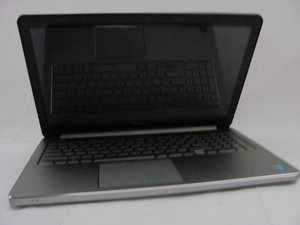
How we can change speaker?

how we can change speaker

ΠžΡ‚Π²Π΅Ρ‚ Π½Π° этот вопрос Π£ мСня Ρ‚Π° ΠΆΠ΅ ΠΏΡ€ΠΎΠ±Π»Π΅ΠΌΠ°

Π­Ρ‚ΠΎ Ρ…ΠΎΡ€ΠΎΡˆΠΈΠΉ вопрос?

Π‘Ρ‡Π΅Ρ‚ 0
Π”ΠΎΠ±Π°Π²ΠΈΡ‚ΡŒ ΠΊΠΎΠΌΠΌΠ΅Π½Ρ‚Π°Ρ€ΠΈΠΉ

1 ΠΎΡ‚Π²Π΅Ρ‚

НаиболСС ΠΏΠΎΠ»Π΅Π·Π½Ρ‹ΠΉ ΠΎΡ‚Π²Π΅Ρ‚

Link to pdf of Dell Inspiron 15 3567 Service Manual

or

just online

Prerequisites

  1. Remove the battery.
  2. Follow the procedure from step 1 to step 3 in β€œRemoving the optical drive”.
  3. Remove the keyboard.
  4. Follow the procedure from step 1 to step 7 in β€œRemoving the base cover”.

Procedure

  1. Disconnect the speaker cable from the system board.
  2. Peel off the tape that secures the speaker cable to the palm-rest assembly.
  3. Note the speaker-cable routing and lift the speakers, along with the speaker cable, off the palm-rest assembly.

Π‘Ρ‹Π» Π»ΠΈ этот ΠΎΡ‚Π²Π΅Ρ‚ ΠΏΠΎΠ»Π΅Π·Π΅Π½?

Π‘Ρ‡Π΅Ρ‚ 1
Π”ΠΎΠ±Π°Π²ΠΈΡ‚ΡŒ ΠΊΠΎΠΌΠΌΠ΅Π½Ρ‚Π°Ρ€ΠΈΠΉ

Π”ΠΎΠ±Π°Π²ΡŒΡ‚Π΅ свой ΠΎΡ‚Π²Π΅Ρ‚

Bahun Don Π±ΡƒΠ΄Ρƒ Π²Π΅Ρ‡Π½ΠΎ Π±Π»Π°Π³ΠΎΠ΄Π°Ρ€Π΅Π½.
Бтатистика просмотров:

Π—Π° послСдниС 24 часов: 0

Π—Π° послСдниС 7 Π΄Π½Π΅ΠΉ: 0

Π—Π° послСдниС 30 Π΄Π½Π΅ΠΉ: 6

Π—Π° всё врСмя: 195