
Перейти к основному содержанию
Присоединяйся к сообществу ремонтников - Создай аккаунт

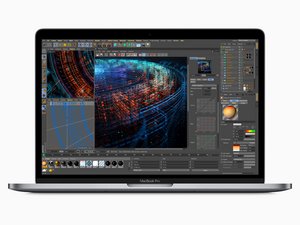
Released in July 2018, the 15" MacBook Pro, model A1990, features a 15.4 inch LED-Backlight display with True Tone technology, TouchID, and up to 6 Core i9 Processor.

Need help diagnosing display issues

My 2018 MacBook Pro display is shpwing flickering green and red lines, and occaionally blacks out or has a block pattern. I cannot locate any cracks in the screen, and the laptop has not been dropped since I have owned it. Graphics display perfectly when using Airplay to cast to my TV. Does this seem to indicate a display cable issue, or should I be looking at replacing the screen? Thanks in advance for the help.

Отвечено! Посмотреть ответ У меня та же проблема

Это хороший вопрос?

Счет 0
Добавить комментарий

2 Ответов

Выбранное решение

This is most likely due to a failing display flex cable, which unfortunately is integrated into the display assembly. This is a common design problem with these models (2016-2018ish Pros). Unfortunately you'll need to replace the display assembly to repair the device. Sorry!

Был ли этот ответ полезен?

Счет 1

1 Комментарий:

That’s what I thought originally, I just needed some confirmation before I under the process. I already bought a replacement display as simply, I just had not installed it. If there was any other options, I wanted to explore that first. Thanks a bunch!

из

Добавить комментарий
Block Image

Saludos que me recomienda MacBook Pro 2018 15 pulgadas modelo a1990

Был ли этот ответ полезен?

Счет 0
Добавить комментарий

Добавьте свой ответ

Tanya Robinson буду вечно благодарен.
Статистика просмотров:

За последние 24 часов: 0

За последние 7 дней: 10

За последние 30 дней: 26

За всё время: 164