
Перейти к основному содержанию
Присоединяйся к сообществу ремонтников - Создай аккаунт

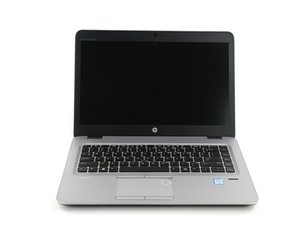
Repair information for the HP EliteBook 840 G3. This Hewlett-Packard laptop is designed for enterprise usage.

My display is glitching

I don't know if the problem is with the display or the RAM I will try to connect a external monitor later. When I am using the laptop while glitch screen it seems to get worse but it doesn't seem to compromise with the performance I hope it is an easy fix i think it's the problem with the display because few days ago I was carrying the laptop in my bagpack which was heavily packed

Отвечено! Посмотреть ответ У меня та же проблема

Это хороший вопрос?

Счет 0
1 Комментарий

@arzaanali "glitching" i really not anything that describes what issues you are having. You do want to go ahead and give a better description of what the issues with your screen are.

из

Добавить комментарий

2 Ответов

Выбранное решение

Hi @arzaanali

Try this....

go to:

https://ftp.ext.hp.com/pub/caps-softpaq/...

Use HP Image Assistant (HPIA)

to download the correct drivers and bios update on your pc.

Run the tool and click Analyze

Allow for some time to capture system configuration,

and install all packages that was listed on it.

Был ли этот ответ полезен?

Счет 2

1 Комментарий:

I HATE HP the next day the glitching problem was solved but today the laptop is not starting when I plugged it in the capslock button and the power button keeps blinking pls help

из

Добавить комментарий

My laptop display is glitching, likely due to physical pressure while in a tightly packed backpack, and although performance remains unaffected, I suspect a display issue and plan to test with an external monitor.

Был ли этот ответ полезен?

Счет 1
Добавить комментарий

Добавьте свой ответ

Arzaan Ali буду вечно благодарен.
Статистика просмотров:

За последние 24 часов: 1

За последние 7 дней: 6

За последние 30 дней: 23

За всё время: 216