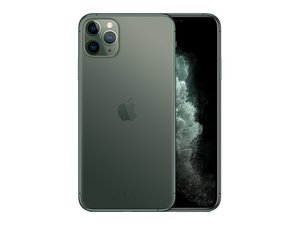
Выпущенный 20 сентября 2019 года, этот самый большой и дорогой смартфон Apple оснащен OLED-дисплеем диагональю 6,5 дюйма, системой камер с тремя объективами и значительно увеличенным временем автономной работы. Преемник iPhone XS Max.
After changing screen and earpiece assembly from IFixIt, the face id is not available. I put the old earpiece in, face ID works (but earpiece is still broke. I have tried two different (NEW-replacement) earpiece assemblies. I still get the Face ID Failure.
Прокрутите эту тему, чтобы найти подходящее место для этого комментария. Затем нажмите "Прикрепить комментарий к этому сообщению", чтобы переместить его.
This issue is 100% on Apple. They have paired the earpiece speaker assembly to the motherboard using a proprietary encryption algorithm. If the data from the front sensor assembly doesn't match that in the phone, it disables Face ID. No matter how many parts you buy, it will never work unless it is re-paired by Apple, who is the only one that can do it. And of course, it won't work with aftermarket parts, only genuine Apple parts.
In general the only way to get Face ID to work with a new earpiece speaker assembly is to buy a new screen from Apple and pay them to replace it. Their replacement screens come with the earpiece speaker assembly already attached, and as part of the repair process they will pair the new assembly to your phone, reenabling Face ID.
It's not all bad news though. If the problem is only with the speaker itself and nothing else is wrong with the assembly, it is possible to replace just the speaker and keep the rest of the assembly, meaning your Face ID will still work. Since the speaker isn't paired, replacing it doesn't affect your Face ID.
While there isn't an iFixit guide to that repair, I wrote a guide for the iPhone X based on a YouTube video that shows that same repair on your exact phone.
However, the two phones are similar enough that the iPhone X guide will work for your phone as well. All you have to do is follow the iPhone 11 Pro Max Screen Replacement guide up to Step 26, where you flip over the earpiece speaker.
Doing this requires a very small spot of soldering, but otherwise is actually easier than replacing the earpiece speaker assembly, since you don't have to actually remove it from the screen.
Hope this information helps; let us know how it all turns out for you, as your experience may well help the next person who comes along with the same problem.
Прокрутите эту тему, чтобы найти подходящее место для этого комментария. Затем нажмите "Прикрепить комментарий к этому сообщению", чтобы переместить его.


 160
160  89
89  156
156 

