
Перейти к основному содержанию
Присоединяйся к сообществу ремонтников - Создай аккаунт

MacBook Pro Trackpad randomly clicking without me tapping.

MacBook Pro 2018 randomly clicking without me tapping, just hover around a page and its starts clicking randomly, opening the wrong links and pages. This happened after I replaced the battery.

Ответ на этот вопрос У меня та же проблема

Это хороший вопрос?

Счет 0

3 Комментариев:

Can you narrow down which model you have. Different series used different tech and parts! Go to About this Mac and tell us what is tells you size, year and model name

из

Well I will suggest you to checkout the following video: https://www.reddit.com/r/macbookpro/comm...

из

MacBook Pro A1989 model

из

Добавить комментарий

1 ответ

This series uses a tapic engine which is dependent on a capacitance feedback of your finger. An oily trackpad can mess up the sensor and over doing the cleaning fluid can creep under the trackpad messing it up as well.

Using a clean micro fiber cloth spay a small amount of countertop cleaner onto the cloth (never the system) and wipe the trackpad surface. See if that helps.

If not, that aims us to a bad trackpad. Luckily it's one of the easier ones to replace! Here's the guide Замена трекпада в MacBook Pro 13" с Touch Bar 2018 года and here's the needed part MacBook Pro 13" (A1706, A1708, A1989, A2159) Trackpad

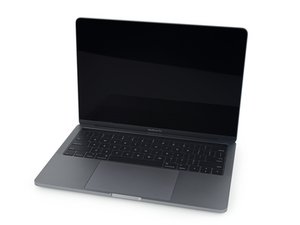
Replace a scratched or malfunctioning trackpad compatible with a model A1706, A1708, A1989, or A2159 MacBook Pro 13" with Retina Display. Изображение

Товар

MacBook Pro 13" (A1706, A1708, A1989, A2159) Trackpad

$29.99

Был ли этот ответ полезен?

Счет 0
Добавить комментарий

Добавьте свой ответ

George Elei буду вечно благодарен.
Статистика просмотров:

За последние 24 часов: 0

За последние 7 дней: 0

За последние 30 дней: 9

За всё время: 100
