
ΠŸΠ΅Ρ€Π΅ΠΉΡ‚ΠΈ ΠΊ основному ΡΠΎΠ΄Π΅Ρ€ΠΆΠ°Π½ΠΈΡŽ
ΠŸΡ€ΠΈΡΠΎΠ΅Π΄ΠΈΠ½ΡΠΉΡΡ ΠΊ сообщСству Ρ€Π΅ΠΌΠΎΠ½Ρ‚Π½ΠΈΠΊΠΎΠ² - Π‘ΠΎΠ·Π΄Π°ΠΉ Π°ΠΊΠΊΠ°ΡƒΠ½Ρ‚

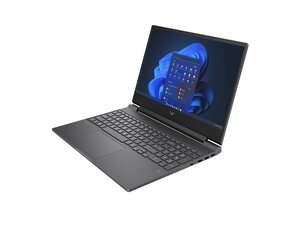
Repair guides and disassembly information for the Victus series of gaming laptops by HP.

Mouse pad is stuck

My mouse pad is stuck and the left click is constantly pressed which makes the pad unusable

ΠžΡ‚Π²Π΅Ρ‚ Π½Π° этот вопрос Π£ мСня Ρ‚Π° ΠΆΠ΅ ΠΏΡ€ΠΎΠ±Π»Π΅ΠΌΠ°

Π­Ρ‚ΠΎ Ρ…ΠΎΡ€ΠΎΡˆΠΈΠΉ вопрос?

Π‘Ρ‡Π΅Ρ‚ 1
Π”ΠΎΠ±Π°Π²ΠΈΡ‚ΡŒ ΠΊΠΎΠΌΠΌΠ΅Π½Ρ‚Π°Ρ€ΠΈΠΉ

1 ΠΎΡ‚Π²Π΅Ρ‚

НаиболСС ΠΏΠΎΠ»Π΅Π·Π½Ρ‹ΠΉ ΠΎΡ‚Π²Π΅Ρ‚

@ghost47490 start off by checking and adjusting the settings for your touchpad.

Through Windows Settings:

  • Press Windows key + I to open Settings.
  • Go to Devices and select Touchpad from the left-hand menu.
  • Adjust Touchpad sensitivity using the dropdown menu.
  • You can also customize gestures, scrolling and zoom settings here.

Through Control Panel:

  • Open the Control Panel.
  • Go to Mouse.
  • Click the Touchpad tab (this may vary depending on your driver) and find the options to adjust sensitivity or other settings.

If none of that will make a difference I would consider removing and checking the touchpad for and physical damage and/or replacing it. Use the HP Victus Maintenance And Service Guide and on page 59 it tells you how to work on it.

Π‘Ρ‹Π» Π»ΠΈ этот ΠΎΡ‚Π²Π΅Ρ‚ ΠΏΠΎΠ»Π΅Π·Π΅Π½?

Π‘Ρ‡Π΅Ρ‚ 1
Π”ΠΎΠ±Π°Π²ΠΈΡ‚ΡŒ ΠΊΠΎΠΌΠΌΠ΅Π½Ρ‚Π°Ρ€ΠΈΠΉ

Π”ΠΎΠ±Π°Π²ΡŒΡ‚Π΅ свой ΠΎΡ‚Π²Π΅Ρ‚

Ghost Π±ΡƒΠ΄Ρƒ Π²Π΅Ρ‡Π½ΠΎ Π±Π»Π°Π³ΠΎΠ΄Π°Ρ€Π΅Π½.
Бтатистика просмотров:

Π—Π° послСдниС 24 часов: 2

Π—Π° послСдниС 7 Π΄Π½Π΅ΠΉ: 7

Π—Π° послСдниС 30 Π΄Π½Π΅ΠΉ: 45

Π—Π° всё врСмя: 691
