
Перейти к основному содержанию
Присоединяйся к сообществу ремонтников - Создай аккаунт

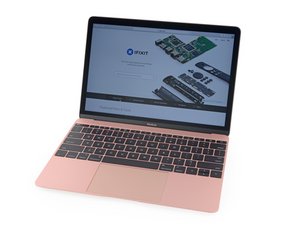
Updated version of the 2016 Retina MacBook. Model A1534, EMC 3099. Now features faster Kaby Lake processors up to 1.4 GHz Core i7 with Turbo Boost up to 3.6 GHz and up to 50 percent faster SSD, and supports up to twice the memory.

removing back cover to replace battery

My Macbook air only has 8 screws - all of the videos show 10 screws.

I have removed all of the screws and go to remove the back and it does not lift off so nice and easy - looks like there is a catch about halfway on both right and left side. Do I force it open?

Update (01/22/26)

Okay - so first of all it was not a Macbook Air - it was a Macbook. I took a picture of the writing on the back and was able to zoom in and find the model and EMC number.

Once you get the screws out there are 2 clips - one on each side that are a bit stubborn...but you get them unclipped and you got it.

I also had the wrong battery....so wait for now

Thanks for the feedback

Pat

Ответ на этот вопрос У меня та же проблема

Это хороший вопрос?

Счет 0
Добавить комментарий

1 ответ

Наиболее полезный ответ

Hello, can you double check the model of MacBook that you have? Some of the older models pre 2020 have 10 screws. Try to find a model number/year if you can.

Был ли этот ответ полезен?

Счет 1
Добавить комментарий

Добавьте свой ответ

Pbmacsodak буду вечно благодарен.
Статистика просмотров:

За последние 24 часов: 1

За последние 7 дней: 2

За последние 30 дней: 10

За всё время: 83