
Перейти к основному содержанию
Присоединяйся к сообществу ремонтников - Создай аккаунт

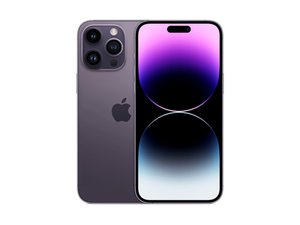
Флагманский смартфон Apple высшего класса 2022 года. Выпущенный 16 сентября, iPhone 14 Pro Max оснащен 6,7-дюймовым дисплеем ProMotion OLED, новым чипом A16 Bionic, тройной основной камерой и поддержкой 5G. Преемник iPhone 13 Pro Max.

Why is my screen flickering after recent update?

Screen Flickers every time while closing apps

Ответ на этот вопрос У меня та же проблема

Это хороший вопрос?

Счет 0
Добавить комментарий

1 ответ

If your iPhone 14 Pro screen is flickering after a recent update, ******it’s most likely due to a software glitch related to the update, but there are a few other possible causes too. Here’s a clear breakdown of why this happens and what you can do about it:

  1. Software bugs from the update;
  2. Display features interacting strangely with the new software;
  3. Incompatible or unoptimized apps;
  4. System background processes;
  5. Rare hardware triggers

Things that usually fix it:

  1. Restart the phone (sounds basic, but it helps more than you’d think).
  2. Check for another iOS update — Apple often releases quick bug-fix updates.
  3. Go to Settings → Display & Brightness and try turning True Tone off.
  4. Go to Settings → Accessibility → Display & Text Size and turn Auto-Brightness off.
  5. If it happens only in certain apps, update or delete those apps.

When to worry:

  • The flicker is constant, even on the lock screen
  • You see lines, green flashes, or blackouts
  • It started after a drop, water exposure, or screen replacement

In those cases, it could be a hardware issue and worth having Apple check it.

Был ли этот ответ полезен?

Счет 0
Добавить комментарий

Добавьте свой ответ

Araf буду вечно благодарен.
Статистика просмотров:

За последние 24 часов: 6

За последние 7 дней: 34

За последние 30 дней: 180

За всё время: 1,054
