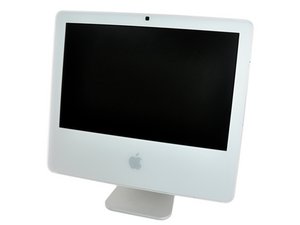

Why is mac so slow
how to speed up my mac
Это хороший вопрос?
Счет
0
Репутация: 503к
 35
35
 347
347
 977
977
To start with you likely need to do some HDD housecleaning! A HDD can quickly get its data fragmented across the sectors causing the drive to work harder trying to piece the App or Data back into a readable chunk!
Think of it this way you have a string which you've strung a bunch of colorful beads. But you need to replace a given color for a different one of course undoing the string carefully not altering the order of the beads only swapping out the one color would be tedious! That's about what your drive is doing. But here it's more of reusing the freed space placing another data block within it which might be smaller or even larger so other spaces need to be used overtime the drive gets bogged down which is likely a good portion of your issue.
The second is not having enough free space on the drive, so depending on the drives size the OS needs needs to limit it's virtual RAM use as well as cache and then depending on the App it to can get bogged down as the scratch (temp) space it needs is not available.
So what to do?
To start off you need to make a full backup to make sure you don't loose anything, next setup an external bootable drive which you can run Disk Utility from (if you still have the OS installer disks you might be able to use it if it's the same version your system it currently running). Next is getting a good HDD drive repair App which might be hard as the older OS your system is running is quite old many companies have moved on. But give these folks a try Drive Genius you'll need ask for the version based on what your systems OS is. But before you can run the defragmentation tool you'll need to free up space getting rid of old stuff. A good file clean up tool can make quick work of it, again the version of your OS can be an issue here.
Lastly... Upgrading both RAM maximize it and you might want to upgrade the HDD but be careful here! The version of SATA this system has wouldn't run most of the current drives being made! You need a drive which supports SATA II (3.0 Gbps) not the current SATA III (6.0 Gbps) drive standard.
Был ли этот ответ полезен?
Репутация: 1,1к
21
8
6
Hello, @saulramire80866
Linux it. That is probably the best way to speed it up without doing any hardware work. Back up your data before you do so happen to want to put Linux on it. Otherwise, if possible, try to give us the exact release date and variant so that we can help you with upgrading the internals.
Был ли этот ответ полезен?
While the older hardware can struggle mostly because of storage slop. Changing to a new OS would not the first action as the person likely has a lot of Apps and data that wouldn't work under the Linux OS.
@danj That is very true. I now have a Omarchy MacBook, and certain apps can't run on it.
Репутация: 1к
18
10
33
Perform a quick restart, as background apps and programs can slowly eat away at your RAM and thus lower your operating speed. If that doesn't seem to fix anything, this is an almost 10-year-old system, so I would strongly consider an upgrade to a newer system. The core duo is beans on toast by today's standards, and a newer CPU would help to speed up modern-day tasks that this Mac can't handle quite well.
Был ли этот ответ полезен?
True this is an old system, but I won't be so quick to discount its usefulness.
Most likely it hasn't had the needed TLC to keep it in good order. Just like one's home overtime clutter builds up! You take the trash out but how often do you do a good top to bottom clean out of old stuff collecting dust that has no purpose any more. The same holds for computers it's just more hidden as you don't see it, only suffer from it.
Depending on the persons needs maybe this is a good enough system. In any case upgrading the processor is not really possible, at best it would be time to get a newer system, even used!
За последние 24 часов: 1
За последние 7 дней: 5
За последние 30 дней: 48
За все время: 48



