Введение
A micro SD card is important when storing information on your device. This guide will explain how to install a micro SD card into your Amazon Fire Max 11 or replace an existing one if it is faulty or slow.
Выберете то, что вам нужно
-
-
-
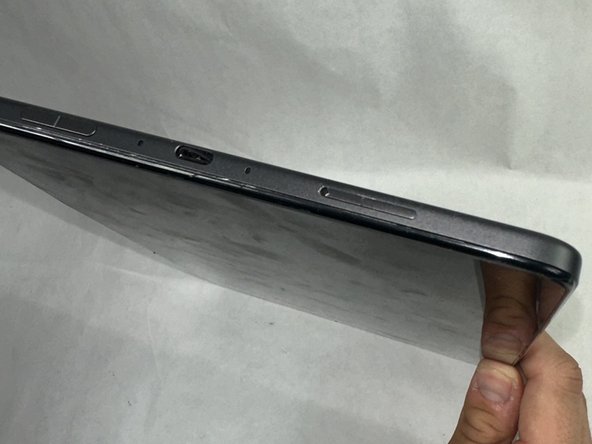
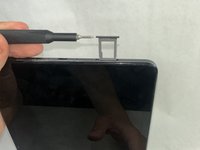
Press a SIM card tray pin (or a paper clip if you do not have the pin) into the hole in the side of the SIM card tray to eject the tray.
-
-
-
Remove the existing SIM card from the device.
-
Close the SIM card tray.
-

 Спросите у FixBot


To reassemble your device, follow these instructions in reverse order. Take your e-waste to an R2 or e-Stewards certified recycler.
Отменить: Я не выполнил это руководство.
Еще один человек закончил это руководство.

Команда

UMass Dartmouth, Team 1-3, Konn Spring 2024 Участник UMass Dartmouth, Team 1-3, Konn Spring 2024
UMASSD-KONN-S24S1G3
4 членов
Автор 4 руководств
