Этот перевод был сделан машиной и пока не проверен человеком. Говорите на этом языке? Просмотрите его.

Замена батареек в Apple Wireless Keyboard

Последнее обновление 18 авг 2026 г.
Просмотров: 122 тыс.
Просмотр статистики:
- За последние 24 часа:
- 14
- За последние 7 дней:
- 97
- За последние 30 дней:
- 504
- За все время:
- 122 319
Комментарии: 8
3 комментариев к шагам, 5 комментариев к инструкции.
Перейти к комментариям инструкцииЗавершено: 35 36
35 пользователей отметили эту инстркукцию как "завершенное". Вы будете следующим?
36 пользователей отметили эту инструкцию как "завершенное". В том числе и Вы — отличная работа!
Избранные: 20 21
20 эта инструкция понравилась многим пользователям (и они подписались на нее). Вы будете следующим?
21 эта инструкция понравилось многим пользователям (и они подписались на нее), в том числе и Вам!
Предлагаемое руководство
Эта инструкция была специально выделена сотрудниками iFixit.
Руководство, предоставленное сообществом
Это руководство было создано членом нашего сообщества. Сотрудники iFixit не имеют к нему отношения.
Введение
Перейти к шагу 1 ↓В этом руководстве показано, как заменить батарейки в клавиатуре Apple Wireless Keyboard.
Выберете то, что Вам нужно
Инструменты

-
-
-
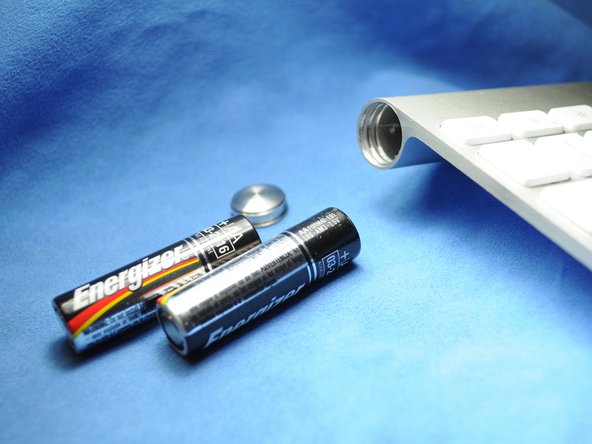
Используйте монету, чтобы снять крышку батарейного отсека.
 Спросите у FixBot
-
-
-
Вставьте две (три в предыдущем поколении) новые батарейки типа AA в батарейный отсек. Убедитесь, что положительный и отрицательный контакты расположены в правильном направлении.
-
-
-

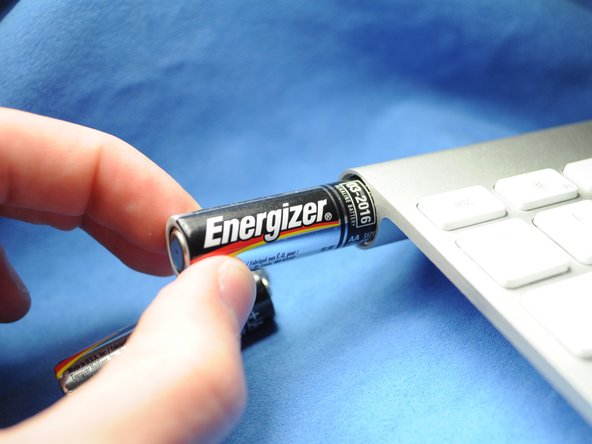

Для сборки устройства выполните эти действия в обратном порядке.
Отменить: Я не выполнил это руководство.
35 человек успешно провели ремонт по этому руководству.


5 Комментарии к руководству
This works great - as long as the batteries inside did not leak and create a permanent seal for the cap. I managed to get the keyboard working again by removing the batteries through the electronics compartment (remove grey center cover, slide electronics out). It did take some effort (including driving a screw into the stuck battery and yanking it out with pliers) to remove the stuck batteries and all the remains of the leakage, but I ended up with a working keyboard. Only thing is that I need to use the 'backdoor' every time my batteries need replacing, since the battery cover is permanently sealed...
Also have a perma sealed battery cover. Poured vinegar in from middle and let soak over night. Wanna drill into coin slot to try and remove cover but need to get batteries out first. Can I just remove the one screw from logic board and disconnect ribbon cable, to have it slide out the power button end? How careful w cable? Looks like it has 2 tiny clips, do these need to be addressed or can I just pry it off?
Warm the area where battery screw cover is in a stream of hot water from the faucet. Be careful not to get water into the keyboard or keys. The warmth will sometimes expand the aluminum enough to loosen the screw cover. Worked for mine.
Thanks!
worked well. Had to push old battery out from electronics cover area. Keyboard working again :)
It’s possible, but how can I get it? I am in somali country please help me
