Перейти к основному содержанию
Присоединяйся к сообществу ремонтников - Создай аккаунт

Asus X553MA-BPD07051 RAM Replacement

Выберете то, что вам нужно

  1. Asus X553MA-BPD07051 RAM Replacement, Battery: шаг 1, изображение 1 из 2 Asus X553MA-BPD07051 RAM Replacement, Battery: шаг 1, изображение 2 из 2
    • Use a Phillips #0 screwdriver (PH0 bit) to remove the four 5.0 mm screws that are securing the bottom of the laptop.

    • Use a Phillips #0 screwdriver (PH0 bit) to remove the six 11.0 mm screws that are securing the bottom of the laptop.

    Спросите у FixBot
  2. Asus X553MA-BPD07051 RAM Replacement: шаг 2, изображение 1 из 1
    • Lift the edges of the keyboard using the plastic iFixit opening tool and raise the keyboard slightly to see the inside of the laptop.

    • Do not lift the keyboard too high as the keyboard is connected to the motherboard by two ribbon connectors that must be detached.

    Спросите у FixBot
  3. Asus X553MA-BPD07051 RAM Replacement: шаг 3, изображение 1 из 2 Asus X553MA-BPD07051 RAM Replacement: шаг 3, изображение 2 из 2
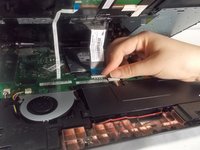
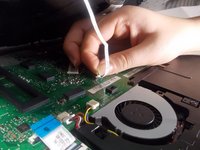
    • Lift back the clip on the ribbon tape, and pull the tape out in order to remove the keyboard from the laptop.

    • Remove both pieces of the ribbon tape connecting the keyboard to the motherboard.

    Спросите у FixBot
  4. Asus X553MA-BPD07051 RAM Replacement: шаг 4, изображение 1 из 1
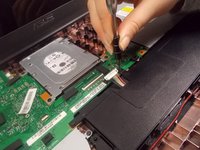
    • Remove the bundled cable connector attaching the battery to the motherboard with the plastic iFixit opening tool.

    • Make sure that you do not remove the entire connector by applying too much force. Only the white plastic connector should be removed from the metal part on the motherboard. Lift white part upwards to remove.

    Спросите у FixBot
  5. Asus X553MA-BPD07051 RAM Replacement: шаг 5, изображение 1 из 2 Asus X553MA-BPD07051 RAM Replacement: шаг 5, изображение 2 из 2
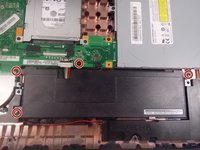
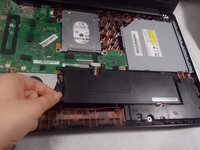
    • Use Phillips #0 screwdriver (PH0 bit) to remove the four 6.0 mm screws attaching the battery to the laptop.

    Спросите у FixBot
  6. Asus X553MA-BPD07051 RAM Replacement: шаг 6, изображение 1 из 2 Asus X553MA-BPD07051 RAM Replacement: шаг 6, изображение 2 из 2
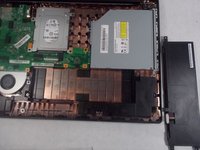
    • Lift the battery up and remove it completely from the laptop.

    Спросите у FixBot
  7. Asus X553MA-BPD07051 RAM Replacement, Hard Drive: шаг 7, изображение 1 из 2 Asus X553MA-BPD07051 RAM Replacement, Hard Drive: шаг 7, изображение 2 из 2
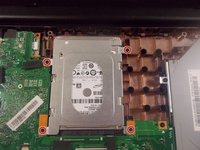
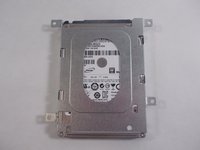
    • Use a Phillips #0 screwdriver (PH0 bit) to remove the four 6.0 mm screws that are securing the hard drive.

    Спросите у FixBot
  8. Asus X553MA-BPD07051 RAM Replacement: шаг 8, изображение 1 из 2 Asus X553MA-BPD07051 RAM Replacement: шаг 8, изображение 2 из 2
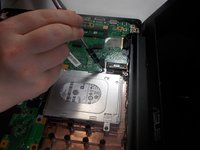
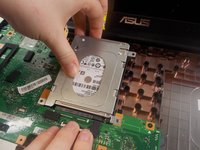
    • Lift the hard drive up and pull it towards the screen so that it disconnects from the motherboard.

    • Use caution when disconnecting the hard drive from the motherboard, so that neither connector gets broken.

    Спросите у FixBot
  9. Asus X553MA-BPD07051 RAM Replacement, Optical Drive: шаг 9, изображение 1 из 2 Asus X553MA-BPD07051 RAM Replacement, Optical Drive: шаг 9, изображение 2 из 2
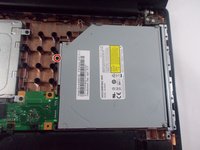
    • Use a Phillips #0 screwdriver (PH0 bit) to remove the one 6.0 mm screw holding in the optical drive.

    Спросите у FixBot
  10. Asus X553MA-BPD07051 RAM Replacement: шаг 10, изображение 1 из 2 Asus X553MA-BPD07051 RAM Replacement: шаг 10, изображение 2 из 2
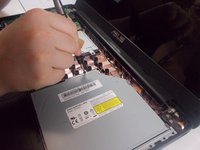
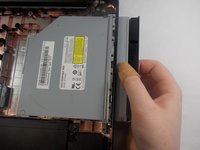
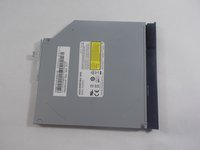
    • Gently slide the optical drive out from the motherboard.

    Спросите у FixBot
  11. Asus X553MA-BPD07051 RAM Replacement, Motherboard: шаг 11, изображение 1 из 3 Asus X553MA-BPD07051 RAM Replacement, Motherboard: шаг 11, изображение 2 из 3 Asus X553MA-BPD07051 RAM Replacement, Motherboard: шаг 11, изображение 3 из 3
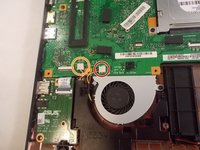
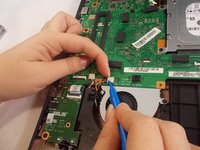
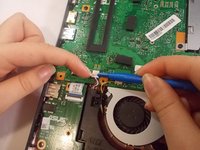
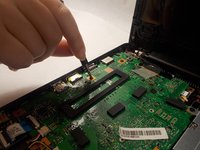
    • Remove the bundled cable connector that connects the fan to the motherboard using the plastic iFixit opening tool.

    • Remove the bundled cable connector that attaches the audio to the motherboard with the plastic iFixit opening tool.

    Спросите у FixBot
  12. Asus X553MA-BPD07051 RAM Replacement: шаг 12, изображение 1 из 2 Asus X553MA-BPD07051 RAM Replacement: шаг 12, изображение 2 из 2
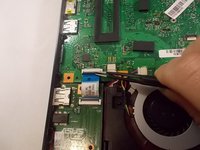
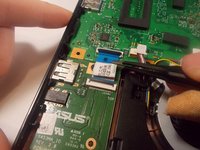
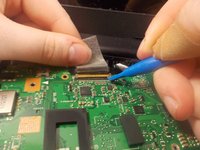
    • Lift the metal clip holding the ZIF connector ribbon down.

    • Pull the ribbon out from the connector, away from the motherboard.

    Спросите у FixBot
  13. Asus X553MA-BPD07051 RAM Replacement: шаг 13, изображение 1 из 2 Asus X553MA-BPD07051 RAM Replacement: шаг 13, изображение 2 из 2
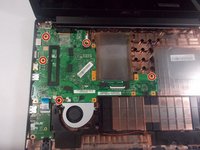
    • Use a Phillips #0 screwdriver (PH0 bit) to remove the five 6.0 mm screws attaching the motherboard to the base of the laptop.

    Спросите у FixBot
  14. Asus X553MA-BPD07051 RAM Replacement: шаг 14, изображение 1 из 1
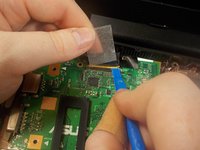
    • Remove the tape from the motherboard.

    Спросите у FixBot
  15. Asus X553MA-BPD07051 RAM Replacement: шаг 15, изображение 1 из 2 Asus X553MA-BPD07051 RAM Replacement: шаг 15, изображение 2 из 2
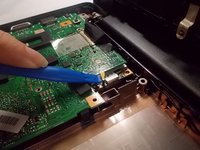
    • Lift the metal clips holding the ZIF connector down.

    • Push the gold metal connector away from the motherboard.

    • Be careful not to break the connector.

    Спросите у FixBot
  16. Asus X553MA-BPD07051 RAM Replacement: шаг 16, изображение 1 из 2 Asus X553MA-BPD07051 RAM Replacement: шаг 16, изображение 2 из 2
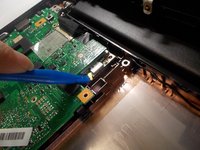
    • Lift the coaxial connector from the wifi chip with the plastic iFixit opening tool.

    Спросите у FixBot
  17. Asus X553MA-BPD07051 RAM Replacement: шаг 17, изображение 1 из 3 Asus X553MA-BPD07051 RAM Replacement: шаг 17, изображение 2 из 3 Asus X553MA-BPD07051 RAM Replacement: шаг 17, изображение 3 из 3
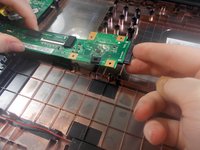
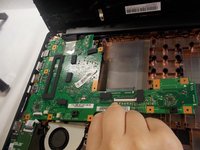
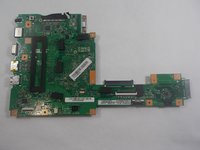
    • Lift the motherboard to remove it fully.

    • Do not pull too hard, the motherboard should come off easily once it has been separated from the base of the laptop.

    Спросите у FixBot
  18. Asus X553MA-BPD07051 RAM Replacement, RAM: шаг 18, изображение 1 из 3 Asus X553MA-BPD07051 RAM Replacement, RAM: шаг 18, изображение 2 из 3 Asus X553MA-BPD07051 RAM Replacement, RAM: шаг 18, изображение 3 из 3
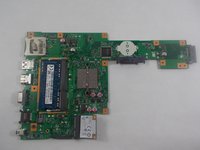
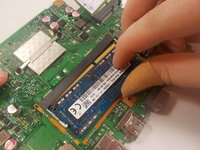
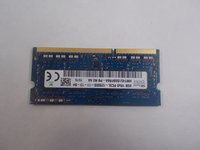
    • Remove the RAM by lifting and pulling it up from the back of the motherboard.

    Спросите у FixBot
Заключение

To reassemble your device, follow these instructions in reverse order.

2 человек успешно провели ремонт по этому руководству.

Stephanie DeCarvalho

Участник с: 10/21/19

949 Репутация

Автор 5 руководств

Команда

UMass Dartmouth, Team S1-G4, Botvin Fall 2019 Участник UMass Dartmouth, Team S1-G4, Botvin Fall 2019

UMASSD-BOTVIN-F19S1G4

3 членов

Автор 5 руководств

0 Комментарии к руководству

Добавить комментарий

Статистика просмотров:

За последние 24 часов: 2

За последние 7 дней: 7

За последние 30 дней: 67

За всё время: 2,644