Перейти к основному содержанию
Присоединяйся к сообществу ремонтников - Создай аккаунт

ClickN Kids Tablet Speaker Replacement

Выберете то, что вам нужно

    1. ClickN Kids Tablet Speaker Replacement, Speaker: шаг 1, изображение 1 из 1
      Спросите у FixBot

      Добавить комментарий

    2. ClickN Kids Tablet Speaker Replacement: шаг 2, изображение 1 из 1
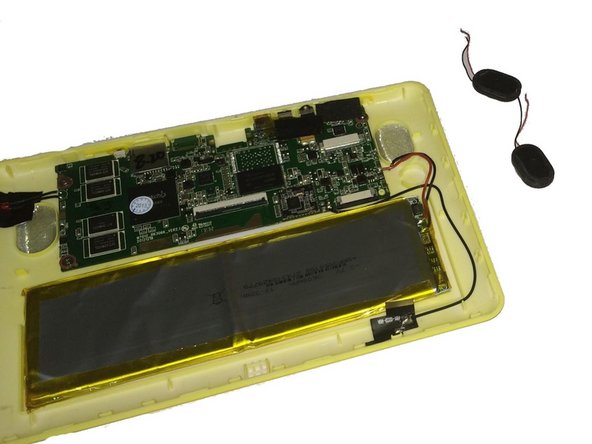
      • Have someone who knows how to solder to do this step.

      • Be careful not to damage the motherboard or other parts in the device.

      • Desolder the wires connecting the speakers to the motherboard from the contact points on the motherboard.

      Спросите у FixBot

      Добавить комментарий

    3. ClickN Kids Tablet Speaker Replacement: шаг 3, изображение 1 из 1
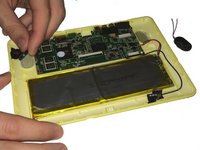
      • The speaker is held down with a strong adhesive.

      • Pry the first speaker out of its holding place with a plastic opening tool or spudger.

      Спросите у FixBot

      Добавить комментарий

    4. ClickN Kids Tablet Speaker Replacement: шаг 4, изображение 1 из 2 ClickN Kids Tablet Speaker Replacement: шаг 4, изображение 2 из 2
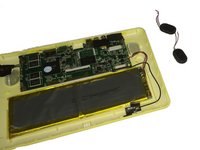
      • Pry the second speaker out of its holding place with a plastic opening tool or spudger.

      Спросите у FixBot

      Добавить комментарий

Заключение

To reassemble your device, follow these instructions in reverse order.

Отменить: Я не выполнил это руководство.

Kevin Finney

Участник с: 03/22/15

562 Репутация

Автор 4 руководств

Команда

Baylor, Team 4-4, Williams Spring 2015 Участник Baylor, Team 4-4, Williams Spring 2015

BU-WILLIAMS-S15S4G4

3 членов

Автор 8 руководств

0 Комментарии к руководству

Добавить комментарий

Статистика просмотров:

За последние 24 часов: 1

За последние 7 дней: 5

За последние 30 дней: 21

За всё время: 796