Этот перевод был сделан машиной и пока не проверен человеком. Говорите на этом языке? Просмотрите его.
Введение
Для выполнения этого руководства вам потребуется разобрать устройство и воспользоваться паяльником, чтобы заменить аккумулятор.
Перед тем как приступить к разборке, обязательно выключите устройство. Невыполнение этого требования может привести к повреждению.
Выберете то, что вам нужно
-
-
-
Используйте пластиковый инструмент для открывания, чтобы вытолкнуть карту microSD из разъема microSD.
 Спросите у FixBot
-
-
-
Используйте пластиковый медиатор, чтобы отстегнуть пластиковую переднюю панель от пластиковой задней крышки. Чтобы начать процесс, вставьте медиатор в слот для карты MicroSD.
-
-
-
-
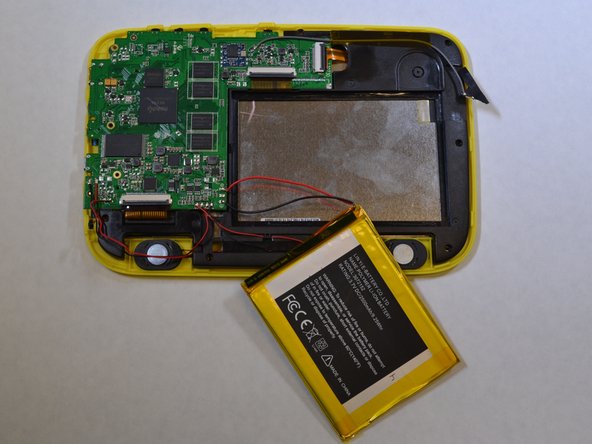
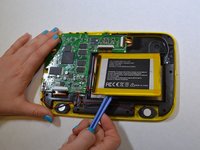
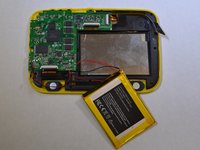
Аккумулятор приклеен к черному пластику. Используйте пластиковую лопатку, чтобы поддеть и отделить аккумулятор от черного пластика.
-
-
-
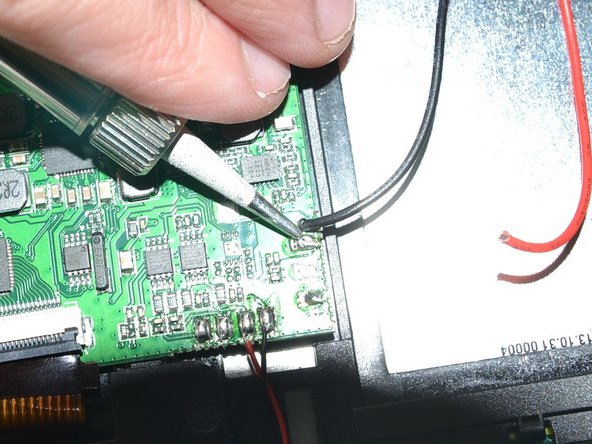
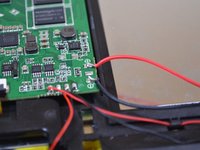
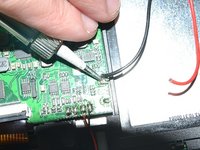
С помощью паяльника отпаяйте красный и черный провода, идущие от аккумулятора к логической плате.
-
Советы по пайке можно найти здесь.
-
-



Для сборки устройства выполните эти действия в обратном порядке.
Отменить: Я не выполнил это руководство.
Еще один человек закончил это руководство.


