Перейти к основному содержанию
Присоединяйся к сообществу ремонтников - Создай аккаунт

Conair Infiniti Pro Model 259NP Hot/Cold Button Replacement

Выберете то, что вам нужно

    1. Conair Infiniti Pro Model 259NP Hot/Cold Button Replacement, Back Panel: шаг 1, изображение 1 из 1
      • Caution: Unplug the hair dryer before attempting this guide. Leaving the device plugged in may result in electrocution and damage to the device.

      • Hold the hair dryer by the handle so that the back panel faces up.

      Спросите у FixBot

      Добавить комментарий

    2. Conair Infiniti Pro Model 259NP Hot/Cold Button Replacement: шаг 2, изображение 1 из 2 Conair Infiniti Pro Model 259NP Hot/Cold Button Replacement: шаг 2, изображение 2 из 2
      • Remove the two 15.875 mm Phillips #2 screws from the back panel.

      Спросите у FixBot

      Добавить комментарий

    3. Conair Infiniti Pro Model 259NP Hot/Cold Button Replacement: шаг 3, изображение 1 из 3 Conair Infiniti Pro Model 259NP Hot/Cold Button Replacement: шаг 3, изображение 2 из 3 Conair Infiniti Pro Model 259NP Hot/Cold Button Replacement: шаг 3, изображение 3 из 3
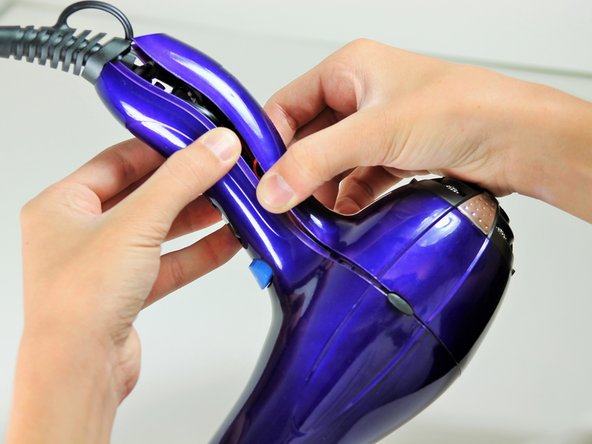
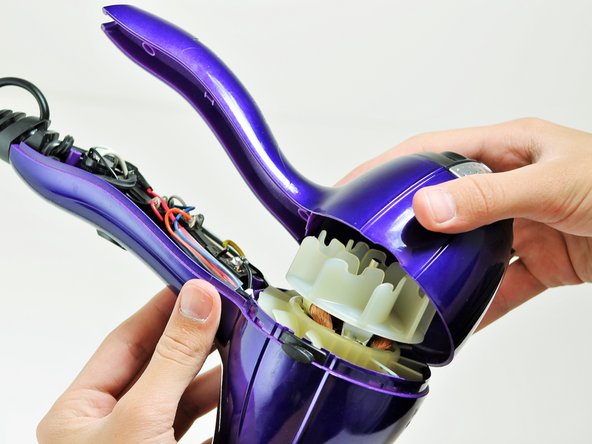
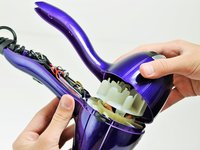
      • Starting from where the cord attaches to the handle, pull apart the two plastic panels.

      • Continue separating the back panel, working along the seam.

      • With moderate force, completely remove the back panel from the hair dryer.

      Спросите у FixBot

      Добавить комментарий

    1. Conair Infiniti Pro Model 259NP Hot/Cold Button Replacement, Fan Motor Assembly: шаг 4, изображение 1 из 2 Conair Infiniti Pro Model 259NP Hot/Cold Button Replacement, Fan Motor Assembly: шаг 4, изображение 2 из 2
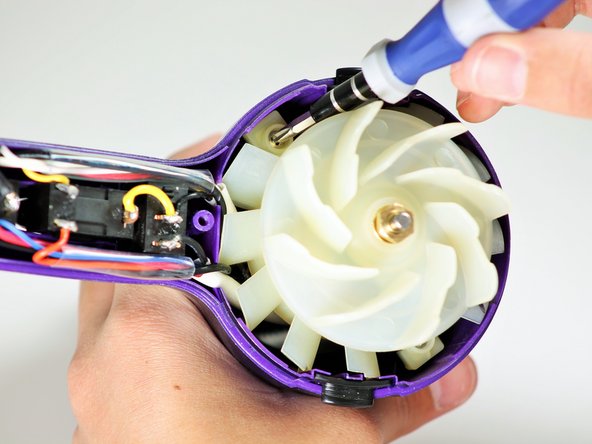
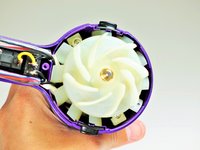
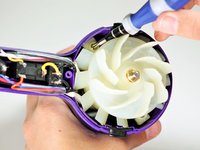
      • Hold the hair dryer by the nozzle so that the handle points to the left.

      • Remove the two 1-inch Phillips #2 screws from the back of the fan motor.

      Спросите у FixBot

      Добавить комментарий

    2. Conair Infiniti Pro Model 259NP Hot/Cold Button Replacement: шаг 5, изображение 1 из 3 Conair Infiniti Pro Model 259NP Hot/Cold Button Replacement: шаг 5, изображение 2 из 3 Conair Infiniti Pro Model 259NP Hot/Cold Button Replacement: шаг 5, изображение 3 из 3
      • Caution: If you recently used the hair dryer, wait at least 10 minutes before attempting this step. The heating element may still be very hot and can cause serious burns.

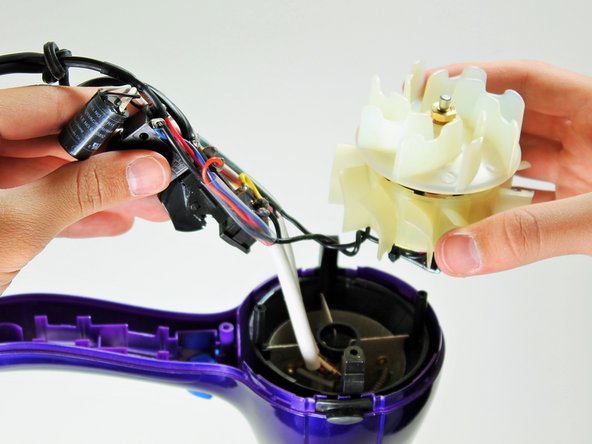
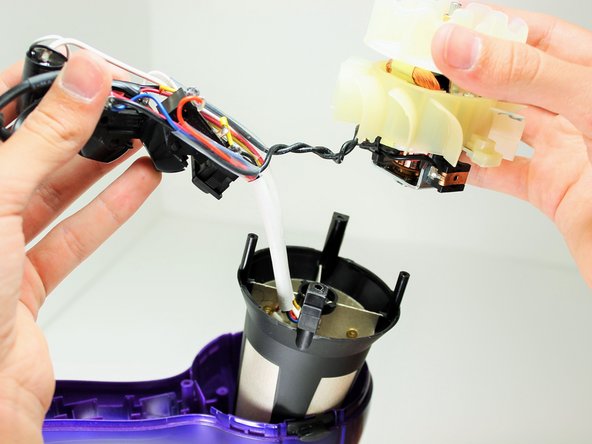
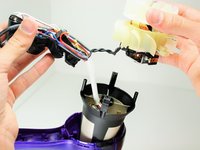
      • Pull on the back of the fan motor to gently lift the motor out of the hair dryer.

      • Lift the attached electrical wiring and heat shield completely out of the hair dryer.

      Спросите у FixBot

      Добавить комментарий

    1. Conair Infiniti Pro Model 259NP Hot/Cold Button Replacement, Hot/Cold Button: шаг 6, изображение 1 из 1
      • Caution: Do not attempt to open or tamper with the capacitor. You may suffer severe electrical shocks.

      • Hold the electrical switches so that the wires are facing upwards.

      Спросите у FixBot

      Добавить комментарий

    2. Conair Infiniti Pro Model 259NP Hot/Cold Button Replacement: шаг 7, изображение 1 из 1
      • Focus on the middle of the three buttons.

      • Desolder the button at the circled locations.

      • To reattach the new button, resolder at the same points. Be sure the wires connect to the correct locations.

      Спросите у FixBot

      Добавить комментарий

Заключение

To reassemble your device, follow these instructions in reverse order.

Отменить: Я не выполнил это руководство.

2 человек успешно провели ремонт по этому руководству.

Timothy Lo

Участник с: 04/22/14

1 214 Репутация

Автор 7 руководств

Команда

Cal Poly, Team 10-58, Amido Spring 2014 Участник Cal Poly, Team 10-58, Amido Spring 2014

CPSU-AMIDO-S14S10G58

4 членов

Автор 14 руководств

2 Комментарии к руководству

so where do you buy parts???

akatser1 - Ответить Поделиться

That's not a capacitor, that's an ion generator like this one https://www.goldmine-elec-products.com/p...

Shannon Carey - Ответить Поделиться

Добавить комментарий

Статистика просмотров:

За последние 24 часов: 2

За последние 7 дней: 12

За последние 30 дней: 49

За всё время: 5,303