Введение
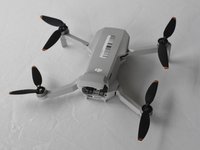
We are defining the DJI Mini 2 drone body as the top and bottom plastic panels of the drone. These panels are the blockaded between the insides of the drone and the outside world.
The drone body stores the inner electronic parts of the drone like the GPS, the Main Board, and the wires the drone uses. Damage to the drone body can cause the drone to be unstable in flight. If the body of the drone is damaged they will need to be replaced.
Выберете то, что вам нужно
-
-
-
Face the DJI Mini 2 away from you so that you are looking at the charging ports.
-
Use your finger to open up the back panel.
 Спросите у FixBot
-
-
-
Pinch the locking mechanism on the battery to release the lock.
-
Pull the battery straight out of the compartment.
-
-
-
-
-
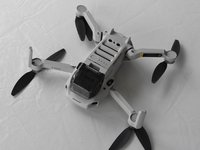
Unfold the wings of the drone.
-
Place the drone upside down on a flat surface.
-
-
-
-
Flip the drone back over.
-
Use a combination of the opening tool and your fingers to pry open the top panel of the drone along the seams.
-
-
-
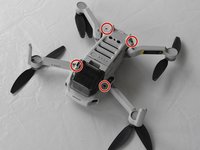
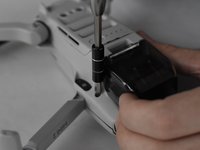
Remove the two 5 mm J000 screws located in the battery hatch and near the ports on the back of the drone.
-
-
-
Flip the drone over again.
-
Pry off the bottom panel of the drone using the opening tools and your fingers.
-
-






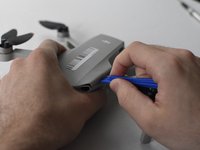
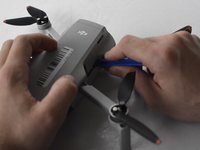
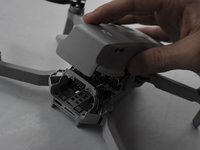


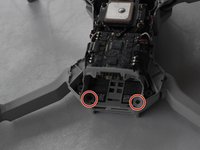
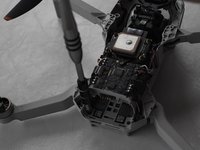


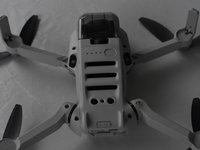
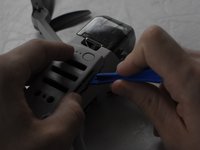
To reassemble your device, follow these instructions in reverse order.
Отменить: Я не выполнил это руководство.
13 человек успешно провели ремонт по этому руководству.

Команда

UMass Dartmouth, Team F-1, Gurgel Spring 2022 Участник UMass Dartmouth, Team F-1, Gurgel Spring 2022
UMASSD-GURGEL-S22SFG1
2 членов
Автор 20 руководств
4 Комментарии к руководству
Where to buy a new drone body ?
Same Q. Where to buy drone body? Please email me. Thanks
Look for it on Google directly or in Amazon there are websites dedicated to sell the hole body parts
Bonjour je suis novice ici j'aime beaucoup se que vous faites et je me demandais comment. M'inscrire ou vous rejoindre
