Перейти к основному содержанию
Присоединяйся к сообществу ремонтников - Создай аккаунт

DigiLand DL1010Q Battery Replacement

Выберете то, что вам нужно

    1. DigiLand DL1010Q Battery Replacement, Rear Case: шаг 1, изображение 1 из 1
      • With a J00 Philips head screwdriver, unscrew the two 4mm black screws located at the bottom of the device.

      • Before disassembling your device, be sure it is powered off.

      Спросите у FixBot

      Добавить комментарий

    2. DigiLand DL1010Q Battery Replacement: шаг 2, изображение 1 из 2 DigiLand DL1010Q Battery Replacement: шаг 2, изображение 2 из 2
      • Using a plastic opening tool, begin softly prying open device by first inserting it in between the front and back panels.

      • Continue prying the edges while moving around the device's perimeter until the back can be easily removed.

      Спросите у FixBot

      Добавить комментарий

    3. DigiLand DL1010Q Battery Replacement: шаг 3, изображение 1 из 1
      • Carefully lift back panel away from the body of the device.

      • Speaker wires are connected to both the front and back panel.

      Спросите у FixBot

      Добавить комментарий

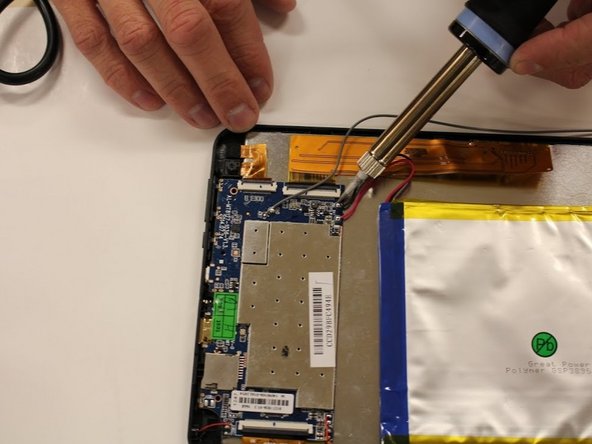
    1. DigiLand DL1010Q Battery Replacement, Battery: шаг 4, изображение 1 из 2 DigiLand DL1010Q Battery Replacement, Battery: шаг 4, изображение 2 из 2
      • Desolder positive and negative, red and black, wires from the mother board that are connected to the battery.

      • The soldering tool is hot, and will burn. For how to use a soldering tool follow the How to Solder Guide

      Спросите у FixBot

      Добавить комментарий

    2. DigiLand DL1010Q Battery Replacement: шаг 5, изображение 1 из 2 DigiLand DL1010Q Battery Replacement: шаг 5, изображение 2 из 2
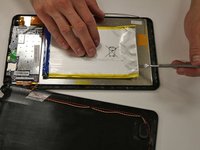
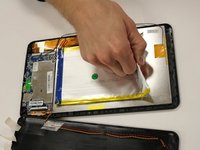
      • Using a metal spudger tool, wedge between battery and metal screen.

      • Follow the edge of the battery to loosen the glue.

      Спросите у FixBot

      Добавить комментарий

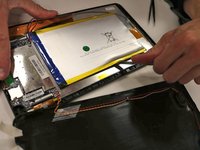
    3. DigiLand DL1010Q Battery Replacement: шаг 6, изображение 1 из 2 DigiLand DL1010Q Battery Replacement: шаг 6, изображение 2 из 2
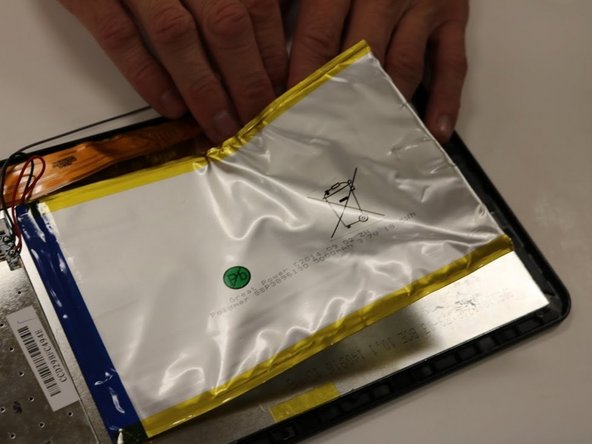
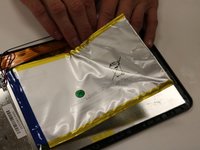
      • Once the glue is loosened, you should be able to pry off the battery from the screen.

      • Using your hands, pull up on the battery to pull battery off.

      • Pulling on the battery causes you to bend the battery. Bending the battery could cause it to break open. Battery fumes are toxic and unsafe.

      • The battery will be completely disconnected and you can set the battery aside in a safe place.

      Спросите у FixBot

      Добавить комментарий

Заключение

To reassemble your device, follow these instructions in reverse order.

Отменить: Я не выполнил это руководство.

Еще один человек закончил это руководство.

Faith Lebo

Участник с: 09/28/15

212 Репутация

1 руководство автора

Команда

Eastern Washington University, Team 1-5, Matresse Fall 2015 Участник Eastern Washington University, Team 1-5, Matresse Fall 2015

EWU-MATRESSE-F15S1G5

4 членов

Автор 13 руководств

3 Комментарии к руководству

the replacemet has 3 wires .where go the 3 wire?

javier perez - Ответить Поделиться

were can i buy a new  bettery

Theresa - Ответить Поделиться

Добавить комментарий

Статистика просмотров:

За последние 24 часов: 1

За последние 7 дней: 4

За последние 30 дней: 33

За всё время: 5,005