Введение
Follow this guide to replace the battery on a Sony DualShock 4 CUH-ZCT2 Playstation controller.
This guide will also work for the older CUH-ZCT1 model controller but be sure to order the JDM-030 battery, which has a different sized connector. You can check which model controller you have by referencing the sticker on the rear panel.
If your battery is swollen, take appropriate precautions.
Выберете то, что вам нужно
-
-
Use a Phillips screwdriver to remove the four 6.4 mm-long screws from the rear panel.
 Спросите у FixBot
-
-
-
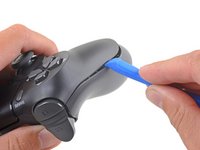
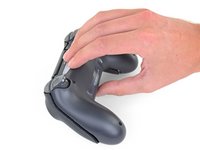
Insert an opening tool into the crease where the front and rear panel meet, starting from the outside edge of either handle.
-
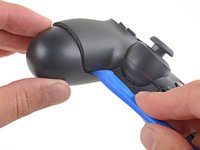
Gently pry the rear panel off of the front panel until they become partially separated.
-
-
-
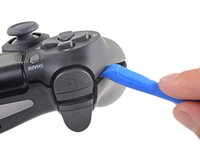
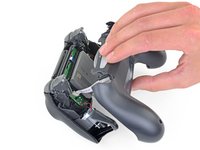
Use the opening tool to separate the panels by releasing the plastic clips around the perimeter of the controller.
-
-
-
-
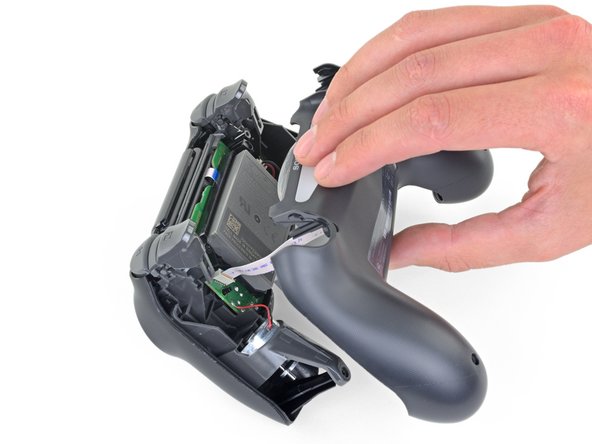
Lift the rear panel directly away from the controller.
-
-
Инструмент, используемый на этом этапе:Tweezers$4.99
-
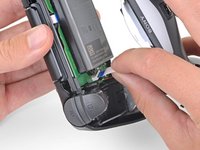
Use your fingers to gently pull the ribbon cable straight out of its connector on the motherboard.
-
-
Инструмент, используемый на этом этапе:Tweezers$4.99
-
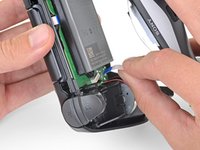
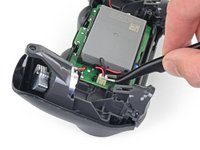
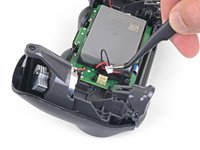
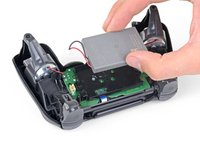
Use a pair of tweezers to pull the battery's power connector straight up from the motherboard.
-









To reassemble your device, follow the above steps in reverse order.
Take your e-waste to an R2 or e-Stewards certified recycler.
Repair didn’t go as planned? Check out our Answers community for troubleshooting help.
Отменить: Я не выполнил это руководство.
57 человек успешно провели ремонт по этому руководству.

7 Комментарии к руководству
For this DualShock 4 CHU-ZCT2U Battery Replacement, shouldn’t the battery model be JDM-040 and not JDM-030 for this controller. I ordered the battery listed but the connector was too large. So I believe this needs to be edited to match accordingly to avoid confusion and incorrect orders. Thanks!
Good catch! I just pulled apart the ZCT1U and ZCT2U models and you are right. I will fix this in the guide. Thank you!
Can perhaps someone tell me what exact connector does the original battery use ?
Just bought and the connector does not fit for the newer gen controllers. Dissapointing
Is there a conclusion to this? I force charged two batteries from two controllers (which died within the same day) in a known good controller (which has the larger battery connector which can accommodate the smaller ones) each for about three hours (~470mA/h) until they each showed a measured 4ish volts dry test. Once plugged back in neither worked either with the ps button or usb physical connect but funny each will “share” by holding the PS+Share button for a while, idk how to have it actually pair with my station any more. Even after using the reset button on the back. Haaaalp :). I’ll likely figure it out before someone responds to this but for the sake of anyone who can’t troubleshoot please post any answer if you have one, kThanksXO
