Введение
If your EVGA x17 gaming mouse wheel doesn’t seem to register any movement, use this guide to replace the scroll wheel.
A scroll wheel is usually made of hard plastic with a rubber cover and located in between the left and right mouse clickers. A scroll wheel is intended for scrolling on a device. An unresponsive scroll wheel may be caused by a faulty USB port or incorrect mouse settings. Please refer to the troubleshooting page to explore the alternatives. This issue could also be caused by a build up of dirt or dust.
Click here to visit our guide on how to disassemble and clean the mouse.
Выберете то, что вам нужно
-
-
-
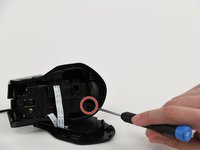
Use a Phillips #00 screwdriver to remove the 5 screws that secure the bottom panel.
-
-
-
Slowly slide a spudger into and around the bottom of the panel, prying until a "popping" sound is heard.
-
-
-
-
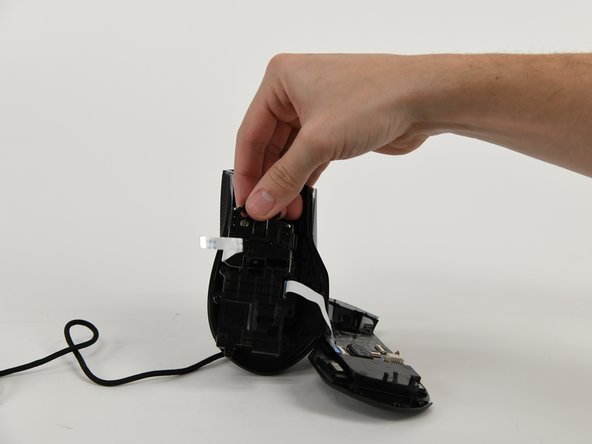
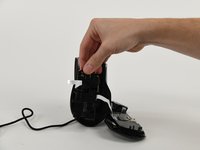
Remove smaller sized cross head screws from piece labeled AZAC001-A V1.0.
-
-
-
Carefully slide a spudger between the opaque plastic that holds the scroll wheel in place.
-
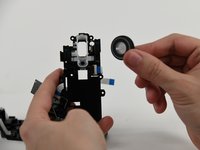
Pry the plastic away from the wheel, allowing for the scroll wheel to be removed.
-
-
-
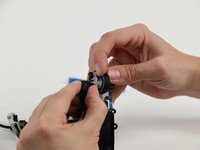
Remove scroll wheel cover and replace plastic wheel (or cover if that appears to be the issue).
-

 Спросите у FixBot




To reassemble your device, follow these instructions in reverse order.
Отменить: Я не выполнил это руководство.
Еще один человек закончил это руководство.

Команда

University of Colorado Denver, Team 1-4, Campeau Fall 2023 Участник University of Colorado Denver, Team 1-4, Campeau Fall 2023
UCDENVER-CAMPEAU-F23S1G4
7 членов
Автор 9 руководств
2 Комментарии к руководству
Is there a wheel that can be purchased that will fit or can be modified to fit for the replacement.
The only solution I've found so far is to 3D print the wheel. Now, my X17 mouse is working.
