Введение
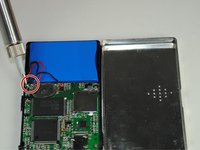
The battery in the GC-1020 device have two wires soldered (similar to being glued) to the logic board. It is fragile and needs to be handled with care.
Выберете то, что вам нужно
-
-
-
Unscrew the four screws (size: 3.175mm) on the left and right side of the Element Electronics GC-1020 device using the PH#0 screwdriver.
 Спросите у FixBot
-
-
-
-
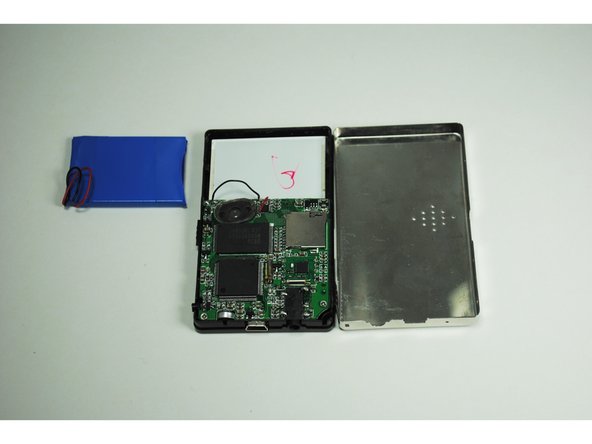
Carefully pull the back of the device (the silver portion) apart from the rest of the device.
-
-
-
-
-
Then remove the battery from the device through soldering the black and red wires connected to the motherboard.
-
-


To reassemble your device, follow these instructions in reverse order.
Отменить: Я не выполнил это руководство.
2 человек успешно провели ремонт по этому руководству.

Команда

University of Tampa, Team 1-4, Whiteside Fall 2015 Участник University of Tampa, Team 1-4, Whiteside Fall 2015
UT-WHITESIDE-F15S1G4
4 членов
Автор 15 руководств
