Перейти к основному содержанию
Присоединяйся к сообществу ремонтников - Создай аккаунт

Gateway MA6 Laptop Cooling Assembly Replacement

Выберете то, что вам нужно

    1. Gateway MA6 Laptop Cooling Assembly Replacement, Cooling Assembly: шаг 1, изображение 1 из 2 Gateway MA6 Laptop Cooling Assembly Replacement, Cooling Assembly: шаг 1, изображение 2 из 2
      • Loosen the seven 6 mm Phillips #0 screws on the back of the case.

      • Leave all the screws in the back plate and so you don't lose them.

      Спросите у FixBot

      Добавить комментарий

    2. Gateway MA6 Laptop Cooling Assembly Replacement: шаг 2, изображение 1 из 2 Gateway MA6 Laptop Cooling Assembly Replacement: шаг 2, изображение 2 из 2
      • Pull upwards on the top of the back cover to remove it.

      Спросите у FixBot

      Добавить комментарий

    3. Gateway MA6 Laptop Cooling Assembly Replacement: шаг 3, изображение 1 из 1
      • Remove the four 9 mm Phillips #0 screws from the cooling assembly.

      Спросите у FixBot

      Добавить комментарий

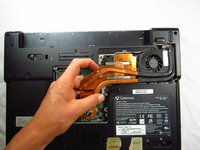
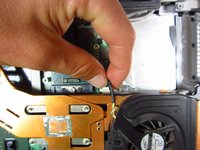
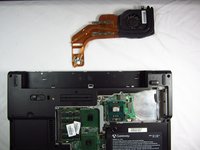
    4. Gateway MA6 Laptop Cooling Assembly Replacement: шаг 4, изображение 1 из 3 Gateway MA6 Laptop Cooling Assembly Replacement: шаг 4, изображение 2 из 3 Gateway MA6 Laptop Cooling Assembly Replacement: шаг 4, изображение 3 из 3
      • Gently and carefully remove the cooling assembly to avoid ripping the wire attaching it to the computer.

      • Gently flip the cooling fan assembly upside-down on the computer surface.

      • Carefully grab the wire attached to the computer and pull away from the port.

      • The cooling fan is now safe for removal.

      Спросите у FixBot

      Добавить комментарий

    5. Gateway MA6 Laptop Cooling Assembly Replacement: шаг 5, изображение 1 из 1
      • When reinstalling heat sink and fans clean off the old thermal paste from both the heat sink and the CPU and then add new paste to CPU

      • If your unfamiliar with applying thermal paste How to Apply Thermal Paste

      Спросите у FixBot

      Добавить комментарий

Заключение

To reassemble your device, follow these instructions in reverse order.

Отменить: Я не выполнил это руководство.

2 человек успешно провели ремонт по этому руководству.

Chris Naughton

Участник с: 04/07/14

727 Репутация

Автор 5 руководств

Команда

Cal Poly, Team 6-2, Forte Spring 2014 Участник Cal Poly, Team 6-2, Forte Spring 2014

CPSU-FORTE-S14S6G2

5 членов

Автор 66 руководств

0 Комментарии к руководству

Добавить комментарий

Статистика просмотров:

За последние 24 часов: 0

За последние 7 дней: 12

За последние 30 дней: 41

За всё время: 1,297