Перейти к основному содержанию
Присоединяйся к сообществу ремонтников - Создай аккаунт

GoPro Hero5 Black Motherboard Replacement

Выберете то, что вам нужно

    1. GoPro Hero5 Black Motherboard Replacement, Battery: шаг 1, изображение 1 из 3 GoPro Hero5 Black Motherboard Replacement, Battery: шаг 1, изображение 2 из 3 GoPro Hero5 Black Motherboard Replacement, Battery: шаг 1, изображение 3 из 3
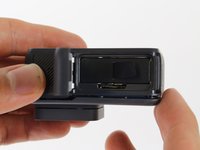
      • While pressing the button on the bottom of the GoPro, slide the battery door to the side to pop it open.

      Спросите у FixBot

      Добавить комментарий

    2. GoPro Hero5 Black Motherboard Replacement: шаг 2, изображение 1 из 3 GoPro Hero5 Black Motherboard Replacement: шаг 2, изображение 2 из 3 GoPro Hero5 Black Motherboard Replacement: шаг 2, изображение 3 из 3
      • Grab the plastic flap on the battery and pull the battery out.

      Спросите у FixBot

      Добавить комментарий

    1. GoPro Hero5 Black Motherboard Replacement, Back Housing: шаг 3, изображение 1 из 2 GoPro Hero5 Black Motherboard Replacement, Back Housing: шаг 3, изображение 2 из 2
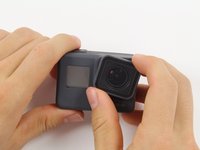
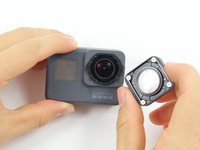
      • Pull and twist the lens cover right or left until it pops off.

      • The lens cover is secured tightly and might be difficult to twist off.

      Спросите у FixBot

      Добавить комментарий

    2. GoPro Hero5 Black Motherboard Replacement: шаг 4, изображение 1 из 1
      • This step is not necessary but will make the process of removing the faceplate much easier.

      • Refer to the iOpener instructions for how to heat up and use the iOpener.

      • Apply the heated iOpener to the front of the GoPro for a few minutes to melt the adhesive under the faceplate.

      • The heated iOpener is very hot and can burn your hands. Avoid burns by using towels or gloves to hold the iOpener.

      Спросите у FixBot

      Добавить комментарий

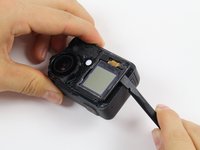
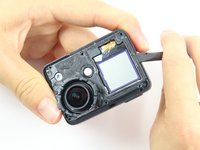
    3. GoPro Hero5 Black Motherboard Replacement: шаг 5, изображение 1 из 3 GoPro Hero5 Black Motherboard Replacement: шаг 5, изображение 2 из 3 GoPro Hero5 Black Motherboard Replacement: шаг 5, изображение 3 из 3
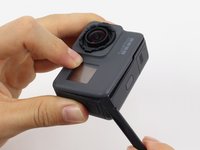
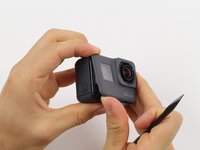
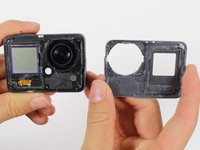
      • Starting with the edges, use the spudger to pry off the faceplate.

      • The faceplate is held down with adhesive and may take a while to get off.

      Спросите у FixBot

      Добавить комментарий

    4. GoPro Hero5 Black Motherboard Replacement: шаг 6, изображение 1 из 2 GoPro Hero5 Black Motherboard Replacement: шаг 6, изображение 2 из 2
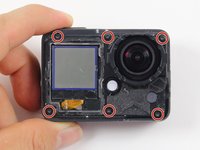
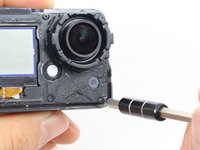
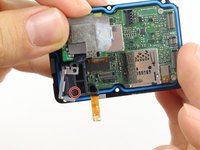
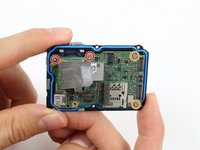
      • Remove the six T3 Torx screws.

      Спросите у FixBot

      Добавить комментарий

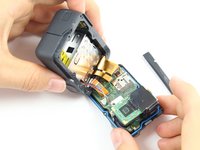
    5. GoPro Hero5 Black Motherboard Replacement: шаг 7, изображение 1 из 3 GoPro Hero5 Black Motherboard Replacement: шаг 7, изображение 2 из 3 GoPro Hero5 Black Motherboard Replacement: шаг 7, изображение 3 из 3
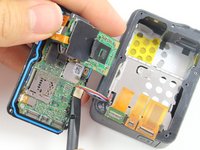
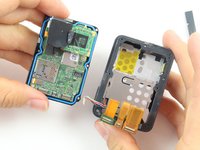
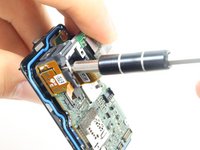
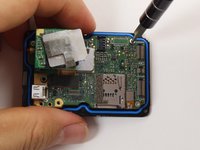
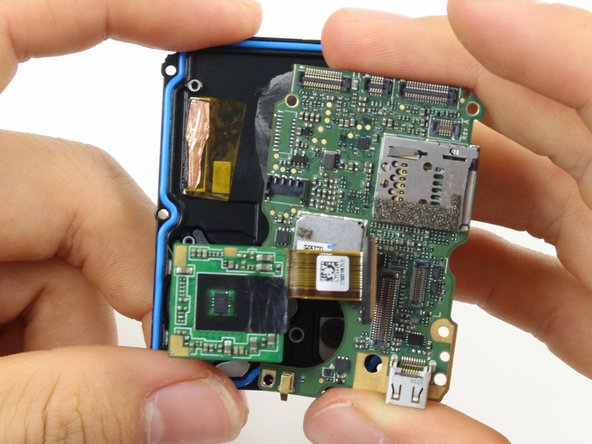
      • Be careful when pulling open the motherboard assembly as it is still connected to the back housing by four cables. The cables may break if stretched.

      • Using the spudger, slowly pry open the motherboard assembly from the LCD side of the GoPro.

      Спросите у FixBot

      Добавить комментарий

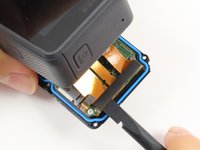
    6. GoPro Hero5 Black Motherboard Replacement: шаг 8, изображение 1 из 3 GoPro Hero5 Black Motherboard Replacement: шаг 8, изображение 2 из 3 GoPro Hero5 Black Motherboard Replacement: шаг 8, изображение 3 из 3
      • Use the flat end of a spudger to pry the three ribbon cables connected to the side of the motherboard.

      Спросите у FixBot

      Добавить комментарий

    7. GoPro Hero5 Black Motherboard Replacement: шаг 9, изображение 1 из 2 GoPro Hero5 Black Motherboard Replacement: шаг 9, изображение 2 из 2
      • Use the flat end of the spudger to pry the battery housing power cable straight up from its socket on the motherboard.

      Спросите у FixBot

      Добавить комментарий

    1. GoPro Hero5 Black Motherboard Replacement, Motherboard: шаг 10, изображение 1 из 1
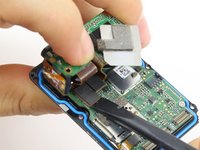
      • Use the flat end of the spudger to pry the black cover plate straight up from its socket on the motherboard.

      Спросите у FixBot

      Добавить комментарий

    2. GoPro Hero5 Black Motherboard Replacement: шаг 11, изображение 1 из 1
      Инструмент, используемый на этом этапе:
      Tweezers
      $4.99
      • Use the tweezers to pull the ribbon cable connector out of its white socket on the charging assembly board.

      Спросите у FixBot

      Добавить комментарий

    3. GoPro Hero5 Black Motherboard Replacement: шаг 12, изображение 1 из 2 GoPro Hero5 Black Motherboard Replacement: шаг 12, изображение 2 из 2
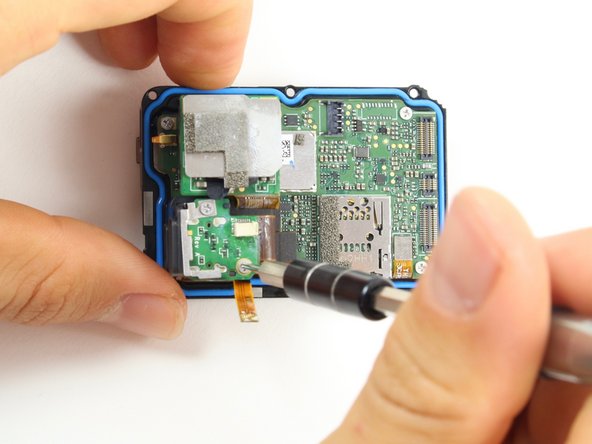
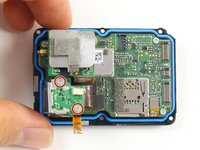
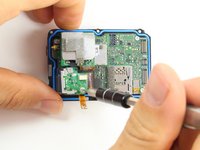
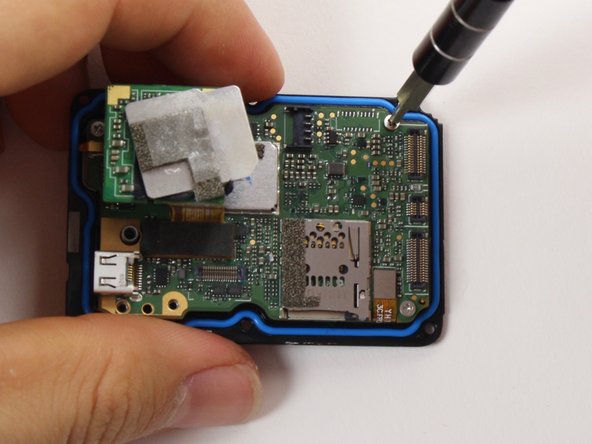
      • Remove the two #000 Phillips screw.

      Спросите у FixBot

      Добавить комментарий

    4. GoPro Hero5 Black Motherboard Replacement: шаг 13, изображение 1 из 2 GoPro Hero5 Black Motherboard Replacement: шаг 13, изображение 2 из 2
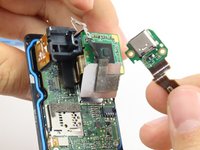
      • Use the flat end of the spudger to pry the charging port ribbon cable connector straight up from its socket on the motherboard.

      • Once the ribbon cable is disconnected from the motherboard. The charging port assembly should come right off.

      Спросите у FixBot

      Добавить комментарий

    5. GoPro Hero5 Black Motherboard Replacement: шаг 14, изображение 1 из 2 GoPro Hero5 Black Motherboard Replacement: шаг 14, изображение 2 из 2
      • Remove the 10mm #000 Phillips screw.

      Спросите у FixBot

      Добавить комментарий

    6. GoPro Hero5 Black Motherboard Replacement: шаг 15, изображение 1 из 1
      • Remove the charging assembly housing by pulling it straight up off the motherboard.

      Спросите у FixBot

      Добавить комментарий

    7. GoPro Hero5 Black Motherboard Replacement: шаг 16, изображение 1 из 2 GoPro Hero5 Black Motherboard Replacement: шаг 16, изображение 2 из 2
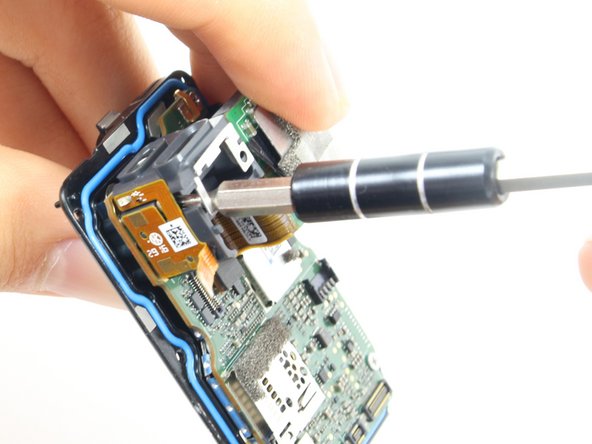
      • Remove the two 6mm #000 Phillips screws.

      • Remove the two 2mm #000 Phillips screws.

      Спросите у FixBot

      Добавить комментарий

    8. GoPro Hero5 Black Motherboard Replacement: шаг 17, изображение 1 из 1
      • Use the flat end of the spudger to pry the lens assembly ribbon cable connector straight up from its socket on the motherboard.

      Спросите у FixBot

      Добавить комментарий

    9. GoPro Hero5 Black Motherboard Replacement: шаг 18, изображение 1 из 1
      • Use the flat end of the spudger to pry the LCD screen ribbon cable connector straight up from its socket on the motherboard.

      Спросите у FixBot

      Добавить комментарий

    10. GoPro Hero5 Black Motherboard Replacement: шаг 19, изображение 1 из 3 GoPro Hero5 Black Motherboard Replacement: шаг 19, изображение 2 из 3 GoPro Hero5 Black Motherboard Replacement: шаг 19, изображение 3 из 3
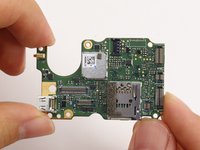
      • Use the flat end of the spudger to pry the motherboard off the midframe.

      • The motherboard is held onto the midframe with light adhesive and should come right off with a little force.

      Спросите у FixBot

      Добавить комментарий

Заключение

To reassemble your device, follow these instructions in reverse order.

Отменить: Я не выполнил это руководство.

20 человек успешно провели ремонт по этому руководству.

Christopher Adams

Участник с: 10/03/16

2 133 Репутация

Автор 5 руководств

Команда

Cal Poly, Team 18-6, Forte Fall 2016 Участник Cal Poly, Team 18-6, Forte Fall 2016

CPSU-FORTE-F16S18G6

4 членов

Автор 27 руководств

11 Комментарии к руководству

Hi

I took off only faceplate. Do you guys have an idea how to make it waterproof again? What can be used as an adhesive? Thanks

ramone4 - Ответить Поделиться
you can try silicone glue, although obviously there is no guarantee to what extent it would be waterproof.

mattatron4 - Ответить Поделиться
I think you better use an extra waterproof case to put your GP5 in it

Loic - Ответить Поделиться

I used this guide to replace the USB port in my GP5. Does anyone know of a good way to hold the face plate down once it’s been removed? Not looking to make it waterproof again, just trying to hold the faceplate down a little better.

Mario Wong - Ответить Поделиться

I would try either a silicone- or cyanoacrylate- (super glue) based adhesive. You can try to peel off the blue gasket and/or sand where the two pieces meet for better adhesion.

mattatron4 - Ответить Поделиться

Добавить комментарий

Статистика просмотров:

За последние 24 часов: 4

За последние 7 дней: 37

За последние 30 дней: 129

За всё время: 30,489