Перейти к основному содержанию
Присоединяйся к сообществу ремонтников - Создай аккаунт

GravityLight LED Replacement

Выберете то, что вам нужно

    1. GravityLight LED Replacement, Removing the Front Panel: шаг 1, изображение 1 из 2 GravityLight LED Replacement, Removing the Front Panel: шаг 1, изображение 2 из 2
      • Flip the GravityLight on its back and place it on a sturdy surface.

      • Unscrew the three 2cm Phillips #00 screws on the back of the GravityLight’s body.

      Спросите у FixBot

      Добавить комментарий

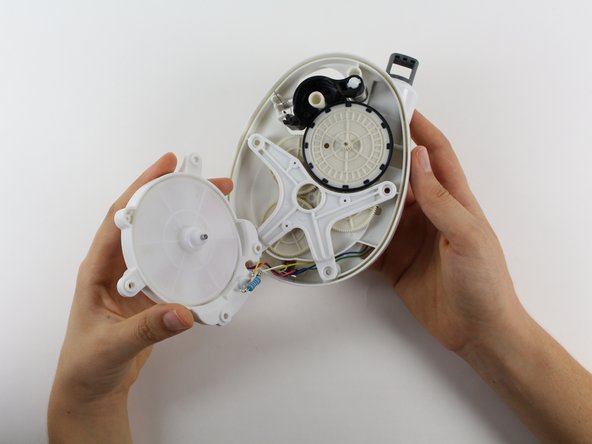
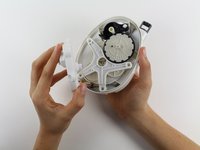
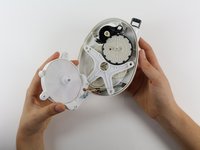
    2. GravityLight LED Replacement, Opening the Device Housing: шаг 2, изображение 1 из 1
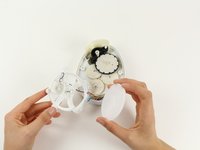
      • Some of the internal pieces may loosen or fall out during disassembly.

      • Firmly grasp both parts of the GravityLight body and pull them apart.

      Спросите у FixBot

      Добавить комментарий

    1. GravityLight LED Replacement, Removing the Back Panel Screws: шаг 3, изображение 1 из 1
      • Place the back panel, the larger of the two pieces, on a sturdy surface with its back down.

      • Unscrew the two 2cm Phillips 00 screws on the inside of the back panel.

      Спросите у FixBot

      Добавить комментарий

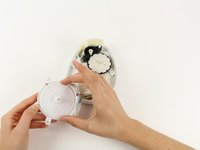
    2. GravityLight LED Replacement, Removing the LED Housing: шаг 4, изображение 1 из 2 GravityLight LED Replacement, Removing the LED Housing: шаг 4, изображение 2 из 2
      • Hold the LED housing in your hand, but do not separate it too far otherwise you will tear the wires.

      • Lift the LED housing away from the back panel.

      Спросите у FixBot

      Добавить комментарий

    3. GravityLight LED Replacement, Remove the White Gear from the LED Housing: шаг 5, изображение 1 из 2 GravityLight LED Replacement, Remove the White Gear from the LED Housing: шаг 5, изображение 2 из 2
      • Grab the outside of the large, white gear in the LED housing and pull the gear out of the housing.

      Спросите у FixBot

      Добавить комментарий

    4. GravityLight LED Replacement, Position the LED Housing: шаг 6, изображение 1 из 1
      • Set the LED housing flat on a sturdy surface so that the back of the LED and the wires are exposed.

      Спросите у FixBot

      Добавить комментарий

    5. GravityLight LED Replacement, Cut the Wires: шаг 7, изображение 1 из 1
      • Place the GravityLight's back panel aside.

      • Use the Flush Wire Cutter to cut both the purple wire and the red wire that connect to the LED.

      Спросите у FixBot

      Добавить комментарий

    6. GravityLight LED Replacement, Bend the LED Leads: шаг 8, изображение 1 из 1
      Инструмент, используемый на этом этапе:
      Tweezers
      $4.99
      • Take tweezers and bend the leads (the silver wires coming out of the bulb) so that the leads are straight.

      • The straight leads will make the LED easier to take out.

      Спросите у FixBot

      Добавить комментарий

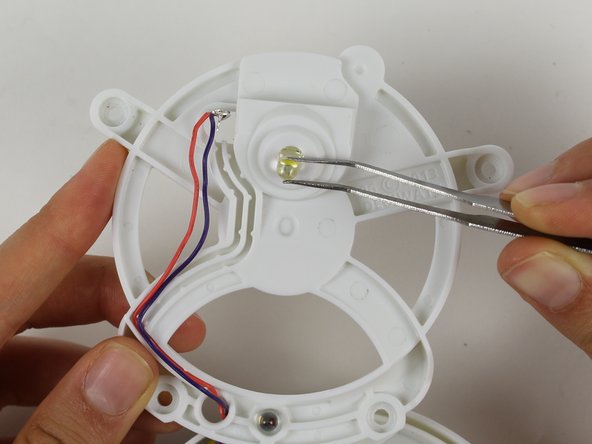
    7. GravityLight LED Replacement, Remove the LED: шаг 9, изображение 1 из 1
      • Flip the LED housing over.

      • Pull the LED out with tweezers.

      Спросите у FixBot

      Добавить комментарий

    8. GravityLight LED Replacement, Soldering the New LED: шаг 10, изображение 1 из 1
      • For reassembly: Flip the LED housing back over.

      • Put the new LED in its spot. Solder the red wire and the purple wire back onto the new leads.

      • Make sure that you pair each wire to the correct lead. If the LED still does not light, switch the wires on the leads.

      • For information on how to solder look here: Как паять и выпаивать соединения

      Спросите у FixBot

      Добавить комментарий

Заключение

To reassemble your device, follow these instructions in reverse order.

Отменить: Я не выполнил это руководство.

Brian Gouldsberry

Участник с: 09/26/14

201 Репутация

Автор 2 руководств

Команда

Cal Poly, Team 12-2, Forte Fall 2014 Участник Cal Poly, Team 12-2, Forte Fall 2014

CPSU-FORTE-F14S12G2

5 членов

Автор 7 руководств

0 Комментарии к руководству

Добавить комментарий

Статистика просмотров:

За последние 24 часов: 1

За последние 7 дней: 9

За последние 30 дней: 25

За всё время: 1,027