Перейти к основному содержанию
Присоединяйся к сообществу ремонтников - Создай аккаунт

HP Chromebook CB2L Motherboard Replacement

Выберете то, что вам нужно

    1. HP Chromebook CB2L Motherboard Replacement, Battery: шаг 1, изображение 1 из 2 HP Chromebook CB2L Motherboard Replacement, Battery: шаг 1, изображение 2 из 2
      • First flip your HP Chromebook CB2L over such that the bottom is facing upwards.

      • Next, using the plastic opening tool remove the blue panel.

      Спросите у FixBot

      Добавить комментарий

    2. HP Chromebook CB2L Motherboard Replacement: шаг 2, изображение 1 из 3 HP Chromebook CB2L Motherboard Replacement: шаг 2, изображение 2 из 3 HP Chromebook CB2L Motherboard Replacement: шаг 2, изображение 3 из 3
      • Using the Phillips #1 screwdriver, remove the six 1.2mm screws.

      • Gently pry off the white back panel using the plastic opening tool.

      Спросите у FixBot

      Добавить комментарий

    3. HP Chromebook CB2L Motherboard Replacement: шаг 3, изображение 1 из 1
      • Disconnect the battery input to the motherboard using the plastic opening tool

      Спросите у FixBot

      Добавить комментарий

    4. HP Chromebook CB2L Motherboard Replacement: шаг 4, изображение 1 из 1
      • Unscrew the four 1.2mm screws using the Phillips #1 screwdriver.

      Спросите у FixBot

      Добавить комментарий

    5. HP Chromebook CB2L Motherboard Replacement: шаг 5, изображение 1 из 1
      • Using the plastic opening tool remove the battery from the Chromebook.

      Спросите у FixBot

      Добавить комментарий

    1. HP Chromebook CB2L Motherboard Replacement, Speaker: шаг 6, изображение 1 из 1
      • Using the plastic opening tool lift the black tab.

      • Disconnect the blue and black strip from the motherboard.

      Спросите у FixBot

      Добавить комментарий

    2. HP Chromebook CB2L Motherboard Replacement: шаг 7, изображение 1 из 1
      • Use the Phillips #1 screwdriver to remove the four 1.2mm screws circled red.

      Спросите у FixBot

      Добавить комментарий

    3. HP Chromebook CB2L Motherboard Replacement: шаг 8, изображение 1 из 3 HP Chromebook CB2L Motherboard Replacement: шаг 8, изображение 2 из 3 HP Chromebook CB2L Motherboard Replacement: шаг 8, изображение 3 из 3
      • Gently pull the black wire to disconnect the audio port from the motherboard.

      • Disconnect the black wire connecting the speaker to the motherboard with caution.

      Спросите у FixBot

      Добавить комментарий

    4. HP Chromebook CB2L Motherboard Replacement: шаг 9, изображение 1 из 1
      • Use the plastic opening tool to remove the speaker from back panel.

      Спросите у FixBot

      Добавить комментарий

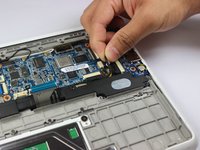
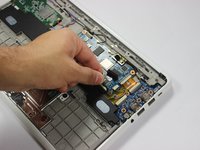
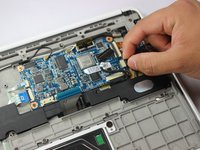
    1. HP Chromebook CB2L Motherboard Replacement, Motherboard: шаг 10, изображение 1 из 3 HP Chromebook CB2L Motherboard Replacement, Motherboard: шаг 10, изображение 2 из 3 HP Chromebook CB2L Motherboard Replacement, Motherboard: шаг 10, изображение 3 из 3
      • Disconnect the black wire which connects the audio port to the motherboard.

      • Use the plastic opening tool to lift the white tab.

      • Use the plastic opening tool to disconnect the gold strip which connects the audio port to the motherboard.

      Спросите у FixBot

      Добавить комментарий

    2. HP Chromebook CB2L Motherboard Replacement: шаг 11, изображение 1 из 2 HP Chromebook CB2L Motherboard Replacement: шаг 11, изображение 2 из 2
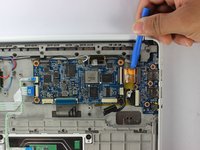
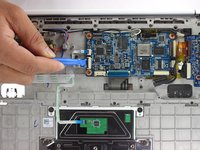
      • Lift the black tab using the plastic opening tool.

      • Remove the two white strips from the motherboard.

      Спросите у FixBot

      Добавить комментарий

    3. HP Chromebook CB2L Motherboard Replacement: шаг 12, изображение 1 из 2 HP Chromebook CB2L Motherboard Replacement: шаг 12, изображение 2 из 2
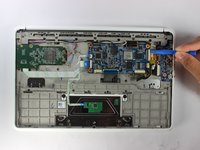
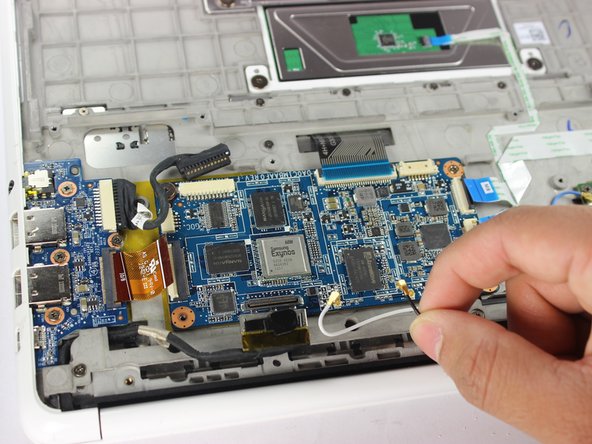
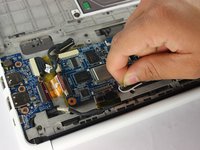
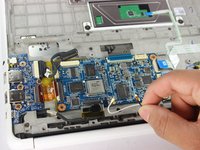
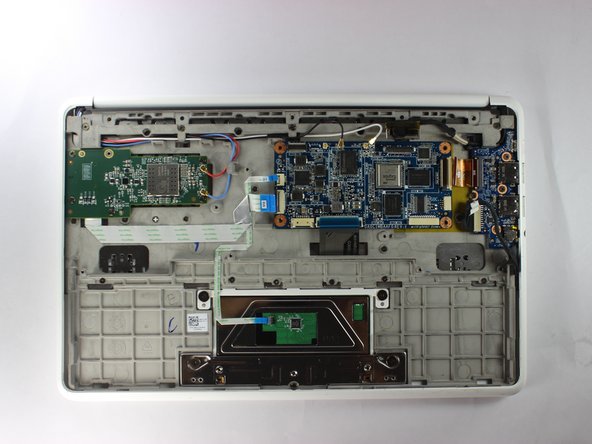
      • Lift the black and silver connector using plastic opening tool as shown.

      • Remove the white and black wires by rotating them counterclockwise and gently lifting them.

      Спросите у FixBot

      Добавить комментарий

    4. HP Chromebook CB2L Motherboard Replacement: шаг 13, изображение 1 из 3 HP Chromebook CB2L Motherboard Replacement: шаг 13, изображение 2 из 3 HP Chromebook CB2L Motherboard Replacement: шаг 13, изображение 3 из 3
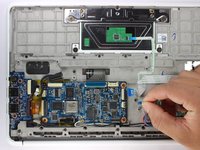
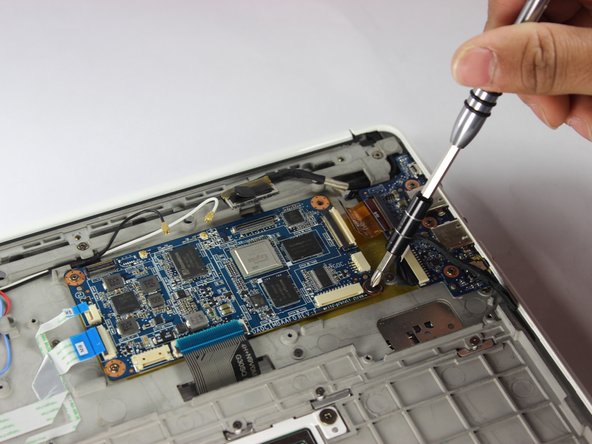
      • Remove the three 1.2mm screws using the Phillips #1 screwdriver.

      Спросите у FixBot

      Добавить комментарий

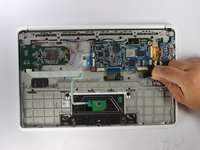
    5. HP Chromebook CB2L Motherboard Replacement: шаг 14, изображение 1 из 1
      • Using the plastic opening tool lift the motherboard out of the back panel.

      Спросите у FixBot

      Добавить комментарий

Заключение

To reassemble your device, follow these instructions in reverse order.

Отменить: Я не выполнил это руководство.

Gregory Hinkson

Участник с: 02/13/17

352 Репутация

Автор 3 руководств

Команда

USF Tampa, Team S2-G6, Lacy Spring 2017 Участник USF Tampa, Team S2-G6, Lacy Spring 2017

USFT-LACY-S17S2G6

3 членов

Автор 36 руководств

0 Комментарии к руководству

Добавить комментарий

Статистика просмотров:

За последние 24 часов: 2

За последние 7 дней: 9

За последние 30 дней: 30

За всё время: 979