Перейти к основному содержанию
Присоединяйся к сообществу ремонтников - Создай аккаунт

HTC Vive Facerest Midframe Replacement

Выберете то, что вам нужно

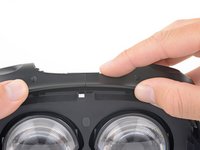
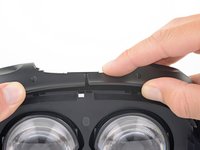
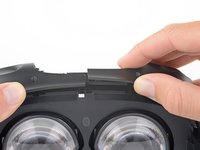
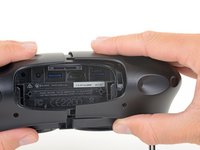
  1. HTC Vive Facerest Midframe Replacement, Open the cable compartment: шаг 1, изображение 1 из 3 HTC Vive Facerest Midframe Replacement, Open the cable compartment: шаг 1, изображение 2 из 3 HTC Vive Facerest Midframe Replacement, Open the cable compartment: шаг 1, изображение 3 из 3
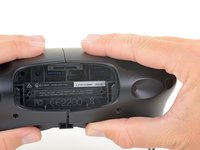
    • Be sure to power down and disconnect your Vive before beginning.

    • Place a finger on the top edge of the compartment cover assembly and slide the assembly toward the front of the Vive until it comes loose from the headset.

    • Lift the cover away from the headset and slide it up the cables until it's out of the way.

    Спросите у FixBot

    Добавить комментарий

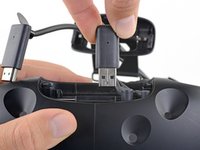
  2. HTC Vive Facerest Midframe Replacement, Unplug the HDMI cable: шаг 2, изображение 1 из 2 HTC Vive Facerest Midframe Replacement, Unplug the HDMI cable: шаг 2, изображение 2 из 2
    • Lift the HDMI cable straight up to unplug it from the headset.

    Спросите у FixBot

    Добавить комментарий

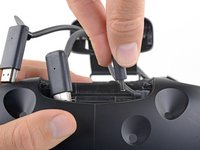
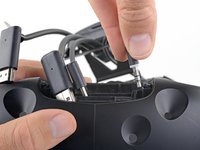
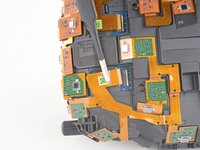
  3. HTC Vive Facerest Midframe Replacement, Unplug the remaining cables: шаг 3, изображение 1 из 3 HTC Vive Facerest Midframe Replacement, Unplug the remaining cables: шаг 3, изображение 2 из 3 HTC Vive Facerest Midframe Replacement, Unplug the remaining cables: шаг 3, изображение 3 из 3
    • Repeat the lifting and unplugging process with the remaining USB, power, and audio cables.

    Спросите у FixBot

    Добавить комментарий

  4. HTC Vive Facerest Midframe Replacement, Unscrew the head strap mounts: шаг 4, изображение 1 из 2 HTC Vive Facerest Midframe Replacement, Unscrew the head strap mounts: шаг 4, изображение 2 из 2
    • Be sure to power down and disconnect your Vive before beginning.

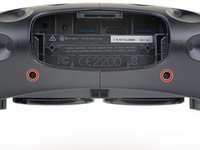
    • Use a T5 Torx driver to remove the two 12 mm-long screws securing the head strap mounts on either side of the headset.

    • For some devices, a T6 Torx driver may work better.

    • The mounts may fall off when the screws are removed, so be careful not to lose any parts.

    Спросите у FixBot

    Добавить комментарий

  5. HTC Vive Facerest Midframe Replacement, Remove the head strap mounts: шаг 5, изображение 1 из 3 HTC Vive Facerest Midframe Replacement, Remove the head strap mounts: шаг 5, изображение 2 из 3 HTC Vive Facerest Midframe Replacement, Remove the head strap mounts: шаг 5, изображение 3 из 3
    • Remove both head strap mounts.

    Спросите у FixBot

    Добавить комментарий

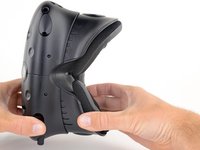
  6. HTC Vive Facerest Midframe Replacement, Remove the facerest: шаг 6, изображение 1 из 2 HTC Vive Facerest Midframe Replacement, Remove the facerest: шаг 6, изображение 2 из 2
    • Slide the facerest straight away from the headset to remove it.

    Спросите у FixBot

    Добавить комментарий

  7. HTC Vive Facerest Midframe Replacement, Unscrew the outer shell: шаг 7, изображение 1 из 3 HTC Vive Facerest Midframe Replacement, Unscrew the outer shell: шаг 7, изображение 2 из 3 HTC Vive Facerest Midframe Replacement, Unscrew the outer shell: шаг 7, изображение 3 из 3
    Инструмент, используемый на этом этапе:
    Tweezers
    $4.99
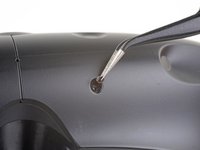
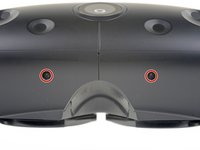
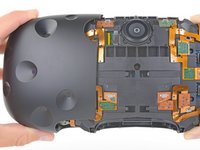
    • Use tweezers to remove the small stickers over the four screws securing the outer shell.

    • Use a T5 Torx driver to remove the four 3.4 mm-long screws securing the outer shell.

    Спросите у FixBot

    Добавить комментарий

  8. HTC Vive Facerest Midframe Replacement, Remove the outer shell: шаг 8, изображение 1 из 3 HTC Vive Facerest Midframe Replacement, Remove the outer shell: шаг 8, изображение 2 из 3 HTC Vive Facerest Midframe Replacement, Remove the outer shell: шаг 8, изображение 3 из 3
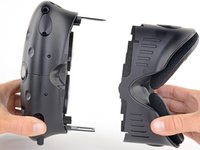
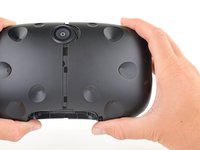
    • Grasp the top edge of the right half of the outer shell, behind the component cover and near the seam in the center. Pull it to the right and upward, away from the headset to release the clip securing that part of the shell.

    Спросите у FixBot

    Добавить комментарий

  9. HTC Vive Facerest Midframe Replacement: шаг 9, изображение 1 из 2 HTC Vive Facerest Midframe Replacement: шаг 9, изображение 2 из 2
    • Grasp the right half the outer shell and pull it to the right and toward the front of the headset in a twisting motion until you feel the clips on the front of the cover release.

    Спросите у FixBot

    Добавить комментарий

  10. HTC Vive Facerest Midframe Replacement: шаг 10, изображение 1 из 2 HTC Vive Facerest Midframe Replacement: шаг 10, изображение 2 из 2
    • Slide the right side of the outer shell to the right and off of the headset.

    Спросите у FixBot

    Добавить комментарий

  11. HTC Vive Facerest Midframe Replacement: шаг 11, изображение 1 из 2 HTC Vive Facerest Midframe Replacement: шаг 11, изображение 2 из 2
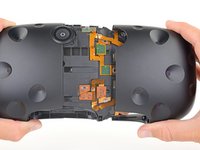
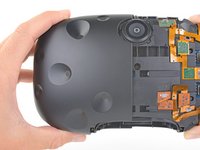
    • Repeat the last three steps for the left side of the outer shell and remove it.

    Спросите у FixBot

    Добавить комментарий

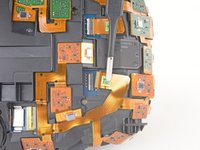
  12. HTC Vive Facerest Midframe Replacement, Disconnect the sensor array cables: шаг 12, изображение 1 из 3 HTC Vive Facerest Midframe Replacement, Disconnect the sensor array cables: шаг 12, изображение 2 из 3 HTC Vive Facerest Midframe Replacement, Disconnect the sensor array cables: шаг 12, изображение 3 из 3
    Инструмент, используемый на этом этапе:
    Tweezers
    $4.99
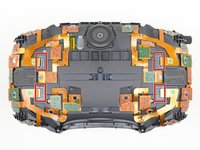
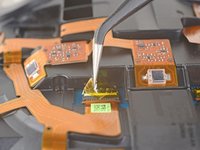
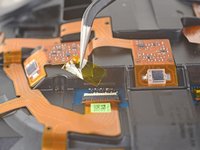
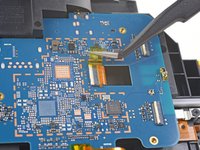
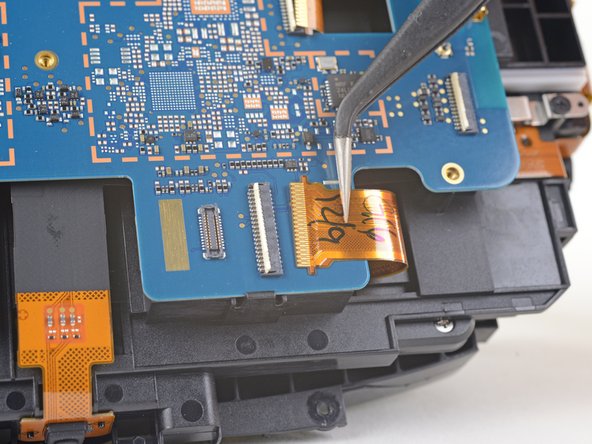
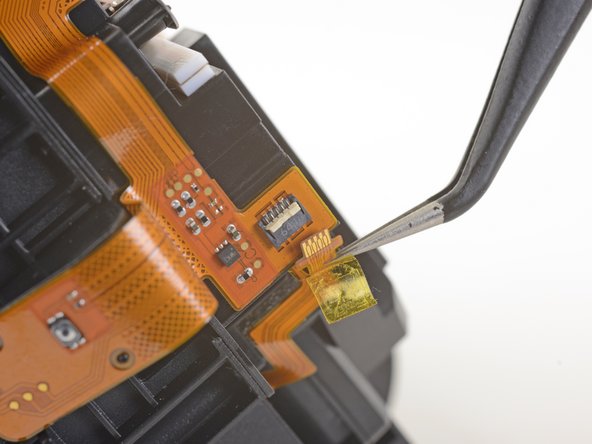
    • Use tweezers to remove the clear tape over all four of the sensor array cable connectors.

    Спросите у FixBot

    Добавить комментарий

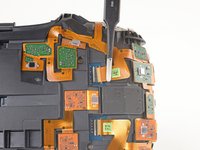
  13. HTC Vive Facerest Midframe Replacement: шаг 13, изображение 1 из 3 HTC Vive Facerest Midframe Replacement: шаг 13, изображение 2 из 3 HTC Vive Facerest Midframe Replacement: шаг 13, изображение 3 из 3
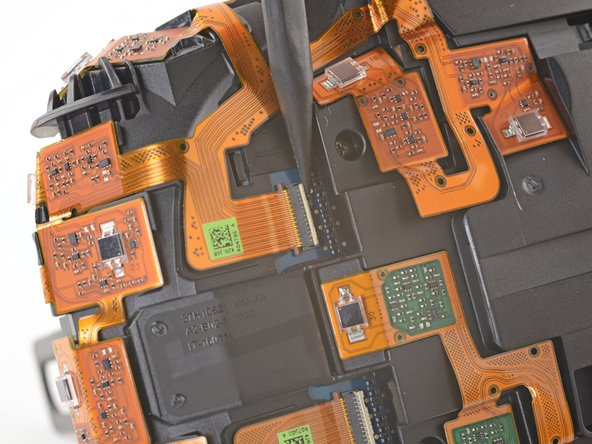
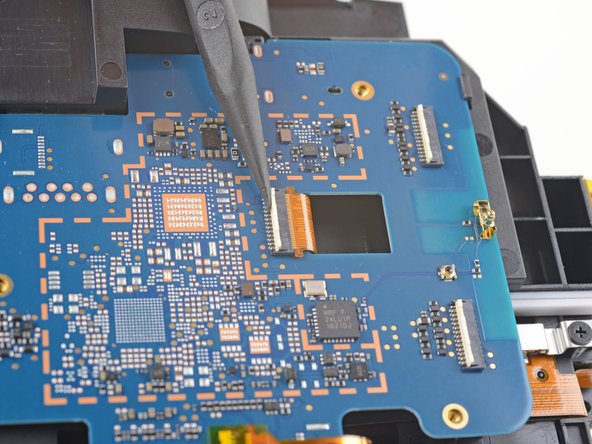
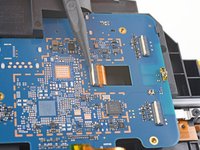
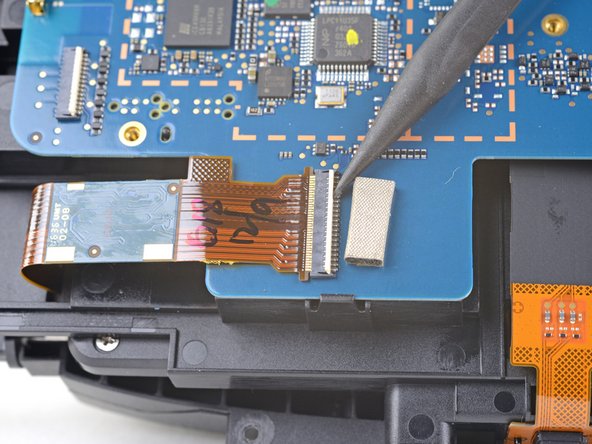
    • Use the pointed end of a spudger to flip up the small locking flap on one of the sensor array ZIF connectors.

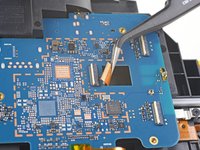
    • Slide the cable straight out of its socket on the motherboard.

    Спросите у FixBot

    Добавить комментарий

  14. HTC Vive Facerest Midframe Replacement: шаг 14, изображение 1 из 3 HTC Vive Facerest Midframe Replacement: шаг 14, изображение 2 из 3 HTC Vive Facerest Midframe Replacement: шаг 14, изображение 3 из 3
    • Repeat the previous step for the remaining three sensor array cables to disconnect the remaining cables.

    Спросите у FixBot

    Добавить комментарий

  15. HTC Vive Facerest Midframe Replacement: шаг 15, изображение 1 из 2 HTC Vive Facerest Midframe Replacement: шаг 15, изображение 2 из 2
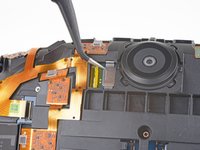
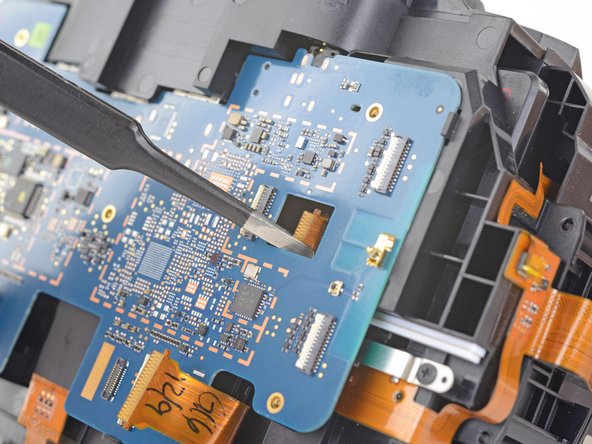
    • Use tweezers or a spudger to pry up the camera cable cover and remove it.

    Спросите у FixBot

    Добавить комментарий

  16. HTC Vive Facerest Midframe Replacement: шаг 16, изображение 1 из 2 HTC Vive Facerest Midframe Replacement: шаг 16, изображение 2 из 2
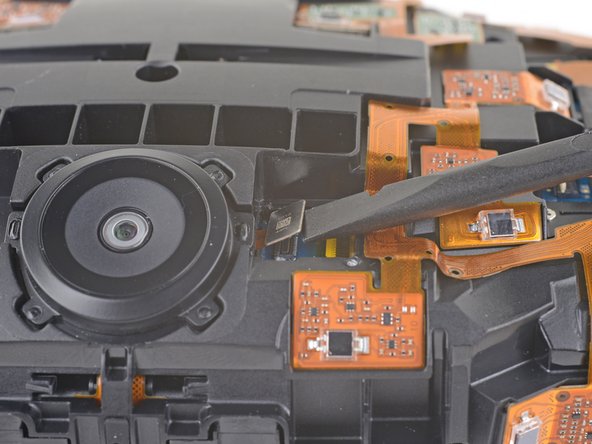
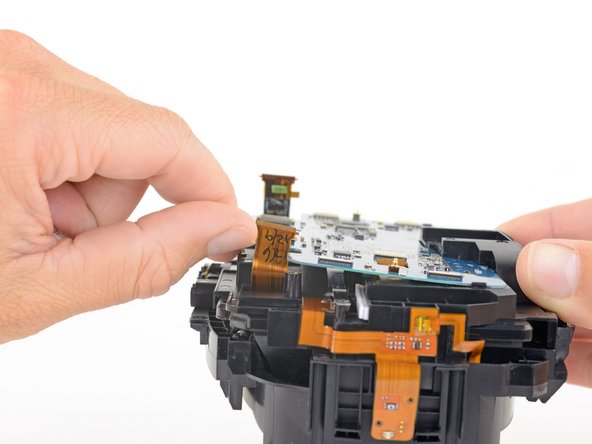
    • Use the flat end of a spudger to pry the camera cable connector straight up from its socket on the motherboard.

    Спросите у FixBot

    Добавить комментарий

  17. HTC Vive Facerest Midframe Replacement, Unscrew the sensor array: шаг 17, изображение 1 из 1
    • Use a PH000 driver to remove the five 3.9 mm screws securing the sensor array.

    Спросите у FixBot

    Добавить комментарий

  18. HTC Vive Facerest Midframe Replacement: шаг 18, изображение 1 из 1
    • Use a PH000 driver to remove the four 3.9 mm screws securing the sensor array.

    Спросите у FixBot

    Добавить комментарий

  19. HTC Vive Facerest Midframe Replacement: шаг 19, изображение 1 из 2 HTC Vive Facerest Midframe Replacement: шаг 19, изображение 2 из 2
    Инструмент, используемый на этом этапе:
    Phillips #000 Screwdriver
    $5.49
    • Use a PH000 driver to remove the four 3.9 mm screws securing the sensor array.

    • You'll need a narrow, long-shaft driver to reach these screws.

    Спросите у FixBot

    Добавить комментарий

  20. HTC Vive Facerest Midframe Replacement, Remove the sensor array: шаг 20, изображение 1 из 2 HTC Vive Facerest Midframe Replacement, Remove the sensor array: шаг 20, изображение 2 из 2
    • Lift the sensor array away from the headset to remove it.

    Спросите у FixBot

    Добавить комментарий

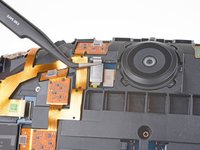
  21. HTC Vive Facerest Midframe Replacement, Disconnect the motherboard: шаг 21, изображение 1 из 3 HTC Vive Facerest Midframe Replacement, Disconnect the motherboard: шаг 21, изображение 2 из 3 HTC Vive Facerest Midframe Replacement, Disconnect the motherboard: шаг 21, изображение 3 из 3
    • Remove the tape covering the interconnect cable socket.

    • Use the point of a spudger to flip up the small locking flap on the cable socket.

    • Slide the interconnect cable straight out of its socket on the motherboard.

    Спросите у FixBot

    Добавить комментарий

  22. HTC Vive Facerest Midframe Replacement: шаг 22, изображение 1 из 3 HTC Vive Facerest Midframe Replacement: шаг 22, изображение 2 из 3 HTC Vive Facerest Midframe Replacement: шаг 22, изображение 3 из 3
    • Remove the tape covering the left OLED cable socket.

    • Use the point of a spudger to flip up the small locking flap on the cable socket.

    • Slide the left OLED cable straight out of its socket on the motherboard.

    Спросите у FixBot

    Добавить комментарий

  23. HTC Vive Facerest Midframe Replacement: шаг 23, изображение 1 из 3 HTC Vive Facerest Midframe Replacement: шаг 23, изображение 2 из 3 HTC Vive Facerest Midframe Replacement: шаг 23, изображение 3 из 3
    • Remove the tape covering the right OLED cable socket.

    • Use the point of a spudger to flip up the small locking flap on the cable socket.

    • Slide the right OLED cable straight out of its socket on the motherboard.

    Спросите у FixBot

    Добавить комментарий

  24. HTC Vive Facerest Midframe Replacement: шаг 24, изображение 1 из 2 HTC Vive Facerest Midframe Replacement: шаг 24, изображение 2 из 2
    Инструмент, используемый на этом этапе:
    Tweezers
    $4.99
    • Use a pair tweezers to slightly twist the interconnect cable and press it down until the tabs on either side of the cable clear the hole in the motherboard.

    • During reassembly, make sure to thread the interconnect cable through its slot in the motherboard.

    Спросите у FixBot

    Добавить комментарий

  25. HTC Vive Facerest Midframe Replacement, Remove the motherboard: шаг 25, изображение 1 из 3 HTC Vive Facerest Midframe Replacement, Remove the motherboard: шаг 25, изображение 2 из 3 HTC Vive Facerest Midframe Replacement, Remove the motherboard: шаг 25, изображение 3 из 3
    • Press the non-port-end of the motherboard toward the top of headset while hinging it away from the midframe to free it from the clips securing that end.

    • Slide the motherboard toward the bottom of the headset, over the clips, to remove it.

    • Take care not to snag any cables during removal.

    Спросите у FixBot

    Добавить комментарий

  26. HTC Vive Facerest Midframe Replacement, Disconnect the facerest midframe: шаг 26, изображение 1 из 3 HTC Vive Facerest Midframe Replacement, Disconnect the facerest midframe: шаг 26, изображение 2 из 3 HTC Vive Facerest Midframe Replacement, Disconnect the facerest midframe: шаг 26, изображение 3 из 3
    Инструмент, используемый на этом этапе:
    Tweezers
    $4.99
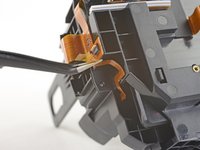
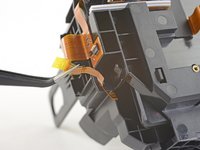
    • Use a pair of tweezers to peel back the plastic covering the eyepiece midframe cable socket.

    • Use the pointed end of a spudger to flip up the plastic locking flap on the socket.

    • Slide the cable straight out of its socket to remove it.

    Спросите у FixBot

    Добавить комментарий

  27. HTC Vive Facerest Midframe Replacement: шаг 27, изображение 1 из 2 HTC Vive Facerest Midframe Replacement: шаг 27, изображение 2 из 2
    • Gently peel the eyepiece midframe cable off of the facerest midframe.

    Спросите у FixBot

    Добавить комментарий

  28. HTC Vive Facerest Midframe Replacement, Unscrew the facerest midframe: шаг 28, изображение 1 из 1
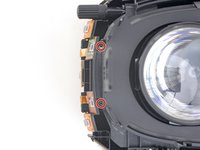
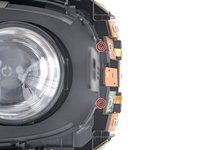
    • Use a PH000 driver to remove the four 3.9 mm screws securing the facerest midframe.

    Спросите у FixBot

    Добавить комментарий

  29. HTC Vive Facerest Midframe Replacement, Remove the facerest midframe: шаг 29, изображение 1 из 2 HTC Vive Facerest Midframe Replacement, Remove the facerest midframe: шаг 29, изображение 2 из 2
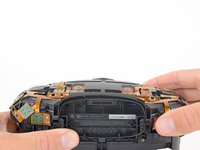
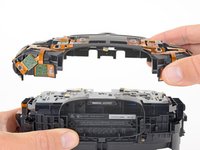
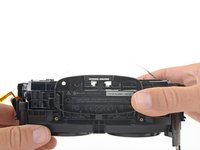
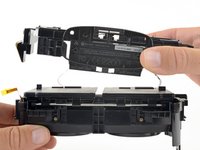
    • Lift the facerest midframe off of the eyepiece midframe.

    • Take care not to snag any cables during removal.

    Спросите у FixBot

    Добавить комментарий

Заключение

Compare your new replacement part to the original part—you may need to transfer remaining components or remove adhesive backings from the new part before installing.

To reassemble your device, follow the above steps in reverse order.

Take your e-waste to an R2 or e-Stewards certified recycler.

Repair didn’t go as planned? Check out our Answers community for troubleshooting help.

Отменить: Я не выполнил это руководство.

Еще один человек закончил это руководство.

Adam O'Camb

Участник с: 04/11/15

223 087 Репутация

Автор 416 руководств

0 Комментарии к руководству

Добавить комментарий

Статистика просмотров:

За последние 24 часов: 4

За последние 7 дней: 16

За последние 30 дней: 71

За всё время: 2,651