Перейти к основному содержанию
Присоединяйся к сообществу ремонтников - Создай аккаунт

Lexmark Intuition S505 Scanner Unit Replacement

Выберете то, что вам нужно

  1. Lexmark Intuition S505 Scanner Unit Replacement, Duplex Unit: шаг 1, изображение 1 из 1
    • Hold the button down with the flat end away from the printer. When you hear a click, the duplex unit can be removed from the printer.

    Спросите у FixBot
  2. Lexmark Intuition S505 Scanner Unit Replacement: шаг 2, изображение 1 из 2 Lexmark Intuition S505 Scanner Unit Replacement: шаг 2, изображение 2 из 2
    • Remove the duplex unit from the back of the printer with the duplex unit facing up.

    Спросите у FixBot
  3. Lexmark Intuition S505 Scanner Unit Replacement, Scanner Unit: шаг 3, изображение 1 из 1
    • Locate the two screw holes that connect the two cylindrical extensions from the top portion of the scanner unit to the printer.

    Спросите у FixBot
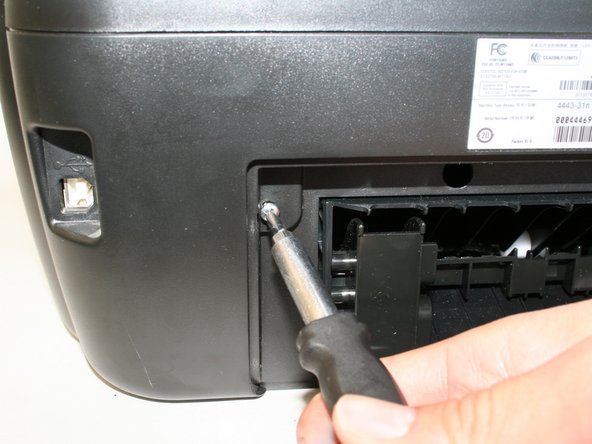
  4. Lexmark Intuition S505 Scanner Unit Replacement: шаг 4, изображение 1 из 1
    • Unscrew the two size#6 (5-mm head) Phillips 1-mm screws connecting the scanner unit to the printer.

    Спросите у FixBot
  5. Lexmark Intuition S505 Scanner Unit Replacement: шаг 5, изображение 1 из 1
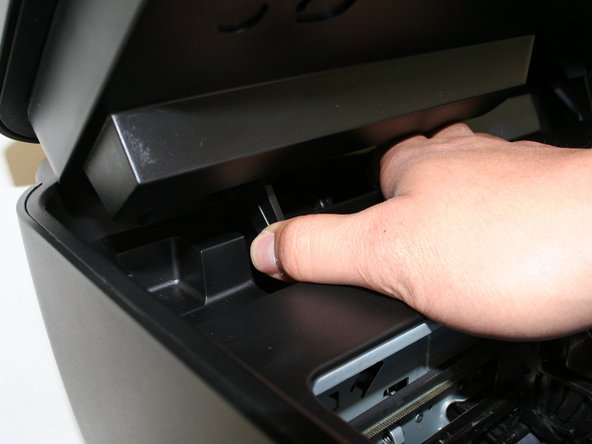
    • Raise and close the scanner unit to observe that the hinges lock in place when lifted.

    Спросите у FixBot
  6. Lexmark Intuition S505 Scanner Unit Replacement: шаг 6, изображение 1 из 2 Lexmark Intuition S505 Scanner Unit Replacement: шаг 6, изображение 2 из 2
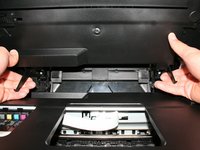
    • Firmly press the hinges inward toward the middle of the printer on both sides at the same time. The hinges should be easily lifted up and removed.

    Спросите у FixBot
  7. Lexmark Intuition S505 Scanner Unit Replacement: шаг 7, изображение 1 из 1
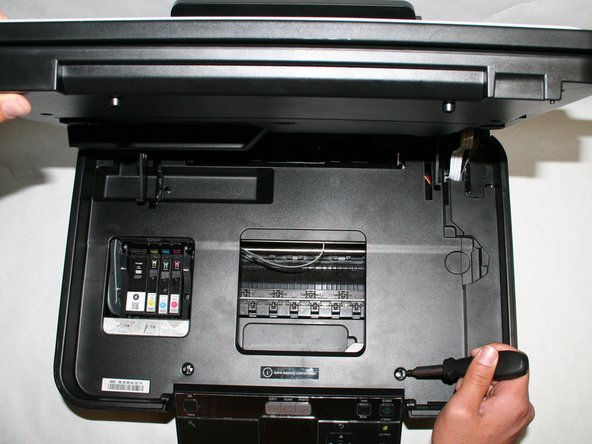
    • Locate the three screws connecting the plastic tray to the printer.

    Спросите у FixBot
  8. Lexmark Intuition S505 Scanner Unit Replacement: шаг 8, изображение 1 из 1
    • Remove the three size#6 (5-mm head) Phillips 1-mm screws connecting the scanner unit to the printer.

    Спросите у FixBot
  9. Lexmark Intuition S505 Scanner Unit Replacement: шаг 9, изображение 1 из 1
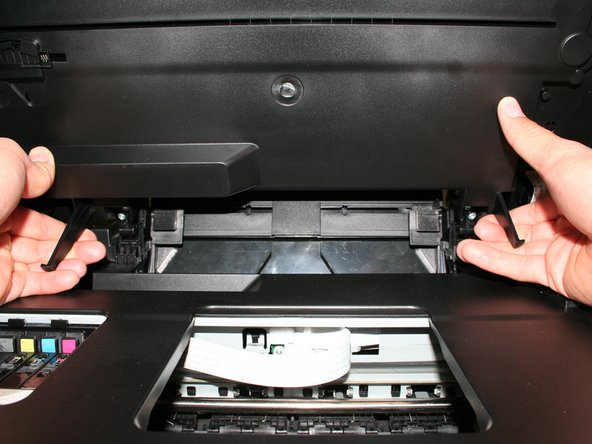
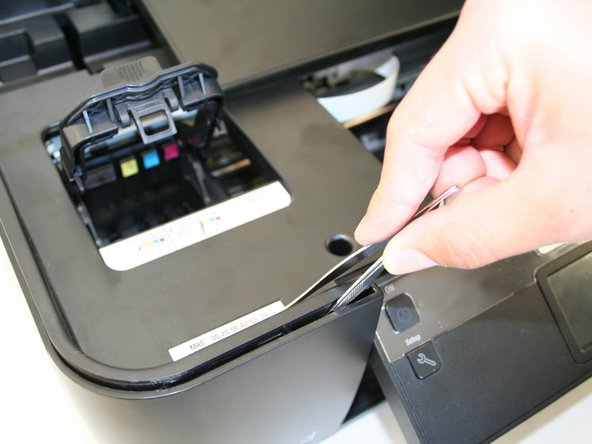
    • Remove the plastic cover by unlocking the plastic hinges at the inside edges of the printer. Use a plastic opening tool or a tweezer to slowly move in between the crease around the printer to unlock it.

    Спросите у FixBot
  10. Lexmark Intuition S505 Scanner Unit Replacement: шаг 10, изображение 1 из 2 Lexmark Intuition S505 Scanner Unit Replacement: шаг 10, изображение 2 из 2
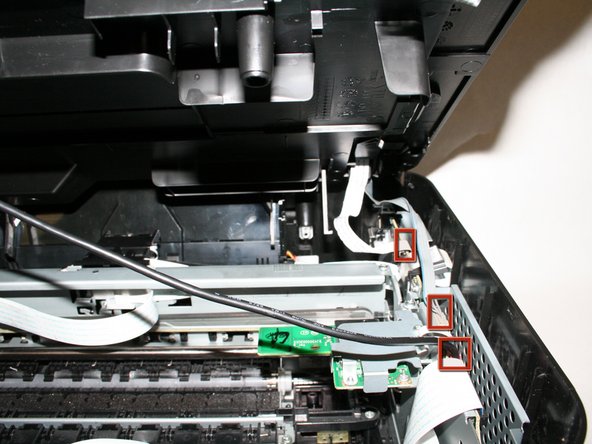
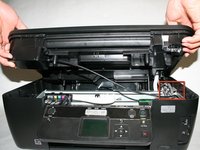
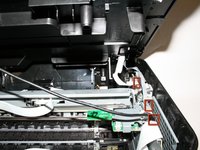
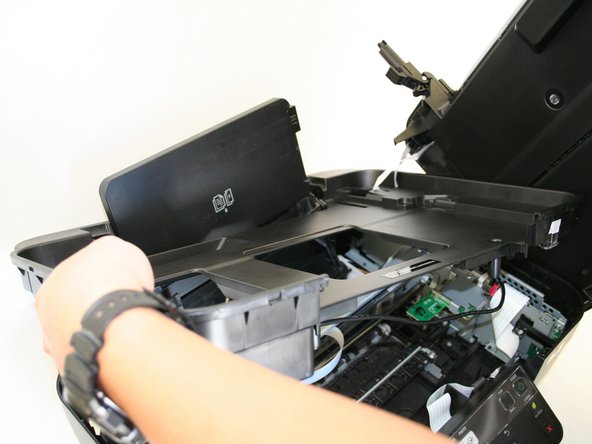
    • Slowly raise, but do not remove the plastic cover with the scanner unit so that it exposes the three cables connecting the scanner unit to the printer.

    Спросите у FixBot
  11. Lexmark Intuition S505 Scanner Unit Replacement: шаг 11, изображение 1 из 1
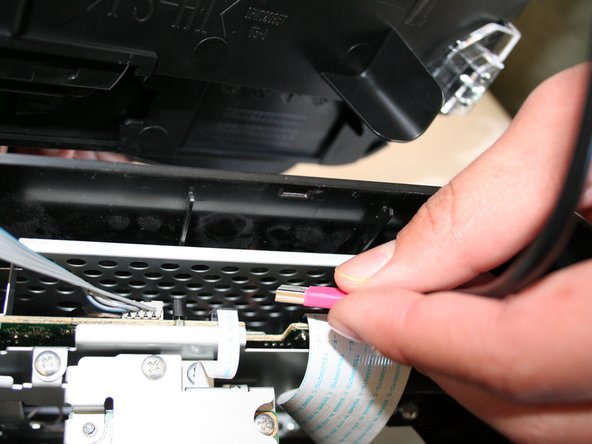
    • Carefully unplug the pink cable.

    Спросите у FixBot
  12. Lexmark Intuition S505 Scanner Unit Replacement: шаг 12, изображение 1 из 1
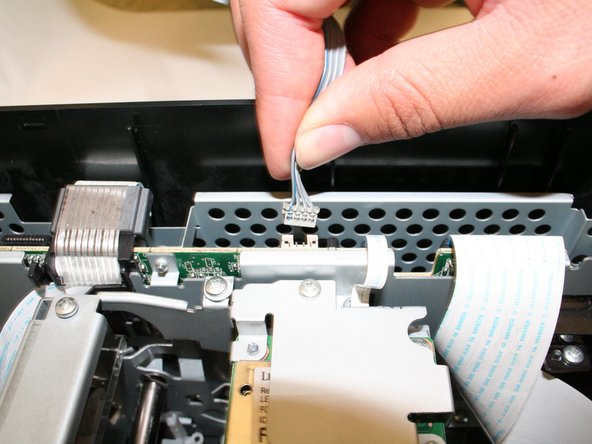
    • Carefully unplug the gray data cable.

    Спросите у FixBot
  13. Lexmark Intuition S505 Scanner Unit Replacement: шаг 13, изображение 1 из 1
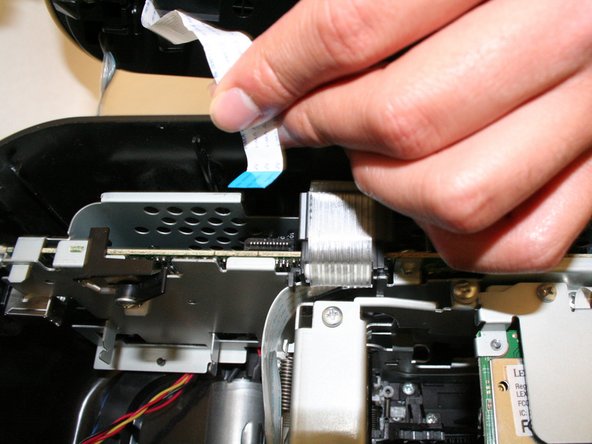
    • Carefully unplug the white ribbon data cable.

    Спросите у FixBot
  14. Lexmark Intuition S505 Scanner Unit Replacement: шаг 14, изображение 1 из 1
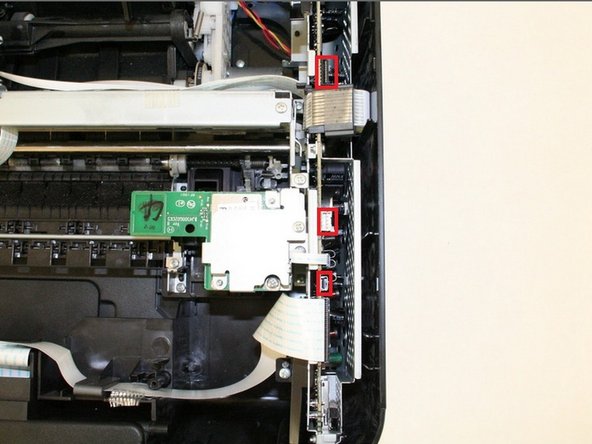
    • Locate the three ports for the cables from the scanner unit and make sure they are unplugged.

    Спросите у FixBot
  15. Lexmark Intuition S505 Scanner Unit Replacement: шаг 15, изображение 1 из 1
    • Remove the scanner unit with the plastic cover by lifting it up from the bottom portion of the printer.

    • Be careful with the paper tray and make sure it is evenly lifted through the rectangular hole in the plastic tray

    Спросите у FixBot
Заключение

To reassemble your device, follow these instructions in reverse order.

2 человек успешно провели ремонт по этому руководству.

Raymond

Участник с: 01/15/13

48 Репутация

Автор 2 руководств

Команда

Cal Poly, Team 18-38, Regan Winter 2013 Участник Cal Poly, Team 18-38, Regan Winter 2013

CPSU-REGAN-W13S18G38

4 членов

Автор 8 руководств

0 Комментарии к руководству

Добавить комментарий

Статистика просмотров:

За последние 24 часов: 1

За последние 7 дней: 13

За последние 30 дней: 83

За всё время: 1,657