Перейти к основному содержанию
Присоединяйся к сообществу ремонтников - Создай аккаунт

Motorola Moto G4 Plus Volume Buttons Replacement

Выберете то, что вам нужно

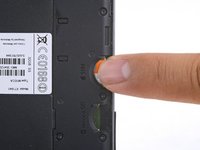
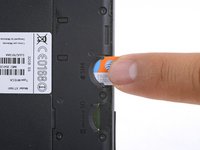
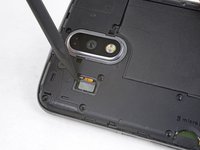
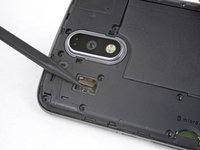
  1. Motorola Moto G4 Plus Volume Buttons Replacement, SIM Card: шаг 1, изображение 1 из 2 Motorola Moto G4 Plus Volume Buttons Replacement, SIM Card: шаг 1, изображение 2 из 2
    • Insert a fingernail or a spudger into the notch on bottom edge of the phone near the charging port.

    • Pry the back cover away from the body of the phone.

    Спросите у FixBot

    Добавить комментарий

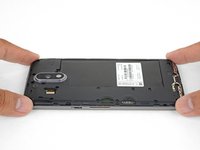
  2. Motorola Moto G4 Plus Volume Buttons Replacement: шаг 2, изображение 1 из 3 Motorola Moto G4 Plus Volume Buttons Replacement: шаг 2, изображение 2 из 3 Motorola Moto G4 Plus Volume Buttons Replacement: шаг 2, изображение 3 из 3
    • Continue to gently lift the back cover until all plastic clips have been released.

    • Remove the back cover.

    • To reinstall the back cover, align the cover over the body and gently press all around the edges until you feel the clips snap into place.

    Спросите у FixBot

    Добавить комментарий

  3. Motorola Moto G4 Plus Volume Buttons Replacement: шаг 3, изображение 1 из 2 Motorola Moto G4 Plus Volume Buttons Replacement: шаг 3, изображение 2 из 2
    • Slide out and remove the SIM card.

    Спросите у FixBot

    Добавить комментарий

  4. Motorola Moto G4 Plus Volume Buttons Replacement, Battery: шаг 4, изображение 1 из 1
    • Remove the nineteen 3.1 mm T3 screws securing the midframe.

    Спросите у FixBot

    Добавить комментарий

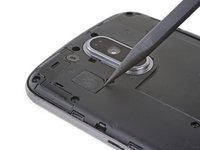
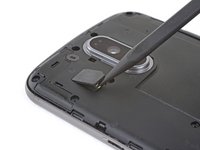
  5. Motorola Moto G4 Plus Volume Buttons Replacement: шаг 5, изображение 1 из 2 Motorola Moto G4 Plus Volume Buttons Replacement: шаг 5, изображение 2 из 2
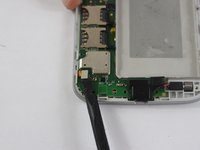
    • Use the point of a spudger to pry up the rubber cover over the camera flash connector.

    • Remove the rubber cover.

    Спросите у FixBot

    Добавить комментарий

  6. Motorola Moto G4 Plus Volume Buttons Replacement: шаг 6, изображение 1 из 2 Motorola Moto G4 Plus Volume Buttons Replacement: шаг 6, изображение 2 из 2
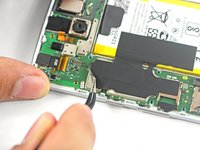
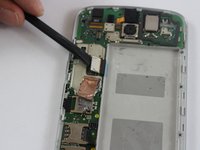
    • Use the point of a spudger to pry up and disconnect the camera flash connector.

    Спросите у FixBot

    Добавить комментарий

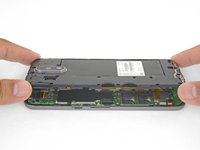
  7. Motorola Moto G4 Plus Volume Buttons Replacement: шаг 7, изображение 1 из 3 Motorola Moto G4 Plus Volume Buttons Replacement: шаг 7, изображение 2 из 3 Motorola Moto G4 Plus Volume Buttons Replacement: шаг 7, изображение 3 из 3
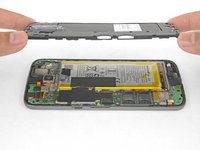
    • Loosen the midframe along the edges and lift it away from the body.

    • Remove the midframe.

    Спросите у FixBot

    Добавить комментарий

  8. Motorola Moto G4 Plus Volume Buttons Replacement: шаг 8, изображение 1 из 2 Motorola Moto G4 Plus Volume Buttons Replacement: шаг 8, изображение 2 из 2
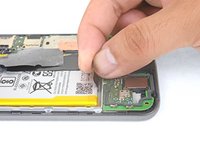
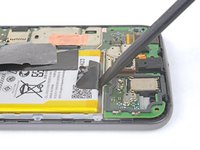
    • Be very careful not to puncture the battery with any sharp tools. A damaged lithium-ion battery can catch fire and/or explode.

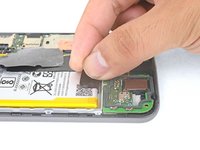
    • Peel up and remove the tape securing the battery wires.

    • Peel up and remove the black tape that bridges the battery and the phone.

    • While neither tape pieces are necessary for the operation of the phone, save them if they are in good condition for the reinstallation process.

    Спросите у FixBot

    Добавить комментарий

  9. Motorola Moto G4 Plus Volume Buttons Replacement: шаг 9, изображение 1 из 2 Motorola Moto G4 Plus Volume Buttons Replacement: шаг 9, изображение 2 из 2
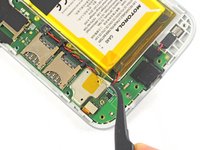
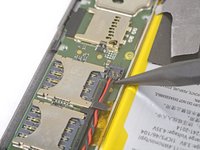
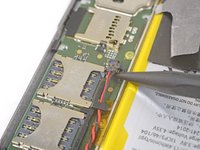
    • Slip the point of a spudger underneath the red and black battery wires and gently pry straight up.

    • Do not pull the plug out, or you will tear the board socket out. Be careful where you pry. Do not pry against the board socket.

    • During reassembly, align the connector in its socket, then press straight down to reconnect it.

    Спросите у FixBot

    Добавить комментарий

  10. Motorola Moto G4 Plus Volume Buttons Replacement: шаг 10, изображение 1 из 2 Motorola Moto G4 Plus Volume Buttons Replacement: шаг 10, изображение 2 из 2
    Инструмент, используемый на этом этапе:
    Tweezers
    $4.99
    • Use tweezers or your fingers to de-route the battery wires from the plastic brackets.

    Спросите у FixBot

    Добавить комментарий

  11. Motorola Moto G4 Plus Volume Buttons Replacement: шаг 11, изображение 1 из 3 Motorola Moto G4 Plus Volume Buttons Replacement: шаг 11, изображение 2 из 3 Motorola Moto G4 Plus Volume Buttons Replacement: шаг 11, изображение 3 из 3
    • Peel the black pull tab from battery and pull slowly but firmly to separate the battery from the frame.

    • A few drops of high concentration (90% or higher) isopropyl alcohol along each side may help soften the adhesive.

    • If the pull tab breaks, use a spudger to gently pry around the edges of the battery until it comes loose.

    • Don't deform or puncture the battery—it can catch fire and/or explode if damaged.

    • Never reinstall a damaged or deformed battery. Replace the battery.

    Спросите у FixBot

    Добавить комментарий

  12. Motorola Moto G4 Plus Volume Buttons Replacement: шаг 12, изображение 1 из 1
    Инструмент, используемый на этом этапе:
    Tesa 61395 Tape
    $8.95
    • Remove the battery.

    • To install a battery, orient the new battery such that the wires exit near the bottom of the phone, and the battery connector is on the motherboard side.

    • Clean off any adhesive residue which may prevent the battery from sitting flush against the frame. Use a few strips of adhesive included in the battery kit or some double-sided tape to secure the battery to the frame.

    Спросите у FixBot

    Добавить комментарий

  13. Motorola Moto G4 Plus Volume Buttons Replacement, Motherboard: шаг 13, изображение 1 из 2 Motorola Moto G4 Plus Volume Buttons Replacement, Motherboard: шаг 13, изображение 2 из 2
    Инструмент, используемый на этом этапе:
    Tweezers
    $4.99
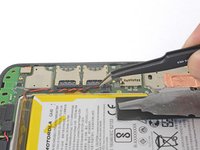
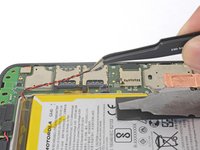
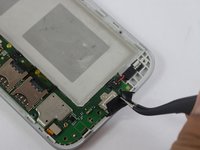
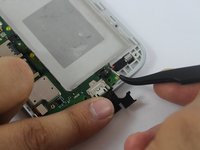
    • Using tweezers, lift up the black silicon piece connecting the motherboard to the front casing.

    • Using tweezers, remove the red and black cable connecting the motherboard to the front casing.

    Спросите у FixBot

    Добавить комментарий

  14. Motorola Moto G4 Plus Volume Buttons Replacement: шаг 14, изображение 1 из 2 Motorola Moto G4 Plus Volume Buttons Replacement: шаг 14, изображение 2 из 2
    • Using a spudger, remove the two metal pieces connecting the motherboard to the front casing.

    Спросите у FixBot

    Добавить комментарий

  15. Motorola Moto G4 Plus Volume Buttons Replacement: шаг 15, изображение 1 из 1
    • Using tweezers, remove the yellow film connecting the rear camera to the motherboard.

    • The film is connected by an adhesive, so it may take some jostling to remove.

    Спросите у FixBot

    Добавить комментарий

  16. Motorola Moto G4 Plus Volume Buttons Replacement: шаг 16, изображение 1 из 1
    • Remove two 4.0 mm T3 Torx screws connecting the motherboard to the front casing.

    Спросите у FixBot

    Добавить комментарий

  17. Motorola Moto G4 Plus Volume Buttons Replacement: шаг 17, изображение 1 из 1
    • Using a spudger, lift up and remove the motherboard.

    Спросите у FixBot

    Добавить комментарий

  18. Motorola Moto G4 Plus Volume Buttons Replacement, Volume Buttons: шаг 18, изображение 1 из 1
    Инструмент, используемый на этом этапе:
    Tweezers
    $4.99
    • Using tweezers, remove the volume buttons.

    Спросите у FixBot

    Добавить комментарий

Заключение

To reassemble your device, follow these instructions in reverse order.

Отменить: Я не выполнил это руководство.

3 человек успешно провели ремонт по этому руководству.

Sami Taha

Участник с: 02/20/17

151 Репутация

1 руководство автора

Команда

USF Tampa, Team S2-G6, Sullivan Spring 2017 Участник USF Tampa, Team S2-G6, Sullivan Spring 2017

USFT-SULLIVAN-S17S2G6

4 членов

Автор 22 руководств

0 Комментарии к руководству

Добавить комментарий

Статистика просмотров:

За последние 24 часов: 3

За последние 7 дней: 14

За последние 30 дней: 53

За всё время: 8,143