Перейти к основному содержанию
Присоединяйся к сообществу ремонтников - Создай аккаунт

NETGEAR WGT624 v3 Capacitor Replacement

Выберете то, что вам нужно

  1. NETGEAR WGT624 v3 Capacitor Replacement, Lower Case: шаг 1, изображение 1 из 1
    • Turn the device so that the bottom is facing up.

    Спросите у FixBot
    Добавить комментарий

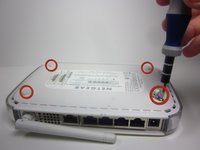
  2. NETGEAR WGT624 v3 Capacitor Replacement: шаг 2, изображение 1 из 3 NETGEAR WGT624 v3 Capacitor Replacement: шаг 2, изображение 2 из 3 NETGEAR WGT624 v3 Capacitor Replacement: шаг 2, изображение 3 из 3
    • Use the plastic opening tool to carefully lift the rubber stops in each corner.

    • Do not completely remove the rubber stops, because they are difficult to replace.

    Спросите у FixBot

    Добавить комментарий

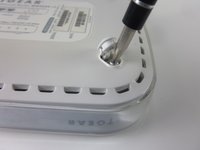
  3. NETGEAR WGT624 v3 Capacitor Replacement: шаг 3, изображение 1 из 2 NETGEAR WGT624 v3 Capacitor Replacement: шаг 3, изображение 2 из 2
    • Unscrew the 4 11.8 mm T-8 Torx screws from each corner of the device.

    Спросите у FixBot

    Добавить комментарий

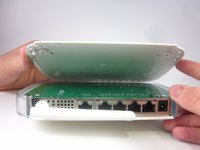
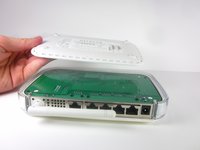
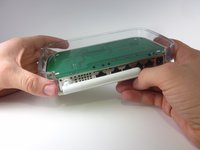
  4. NETGEAR WGT624 v3 Capacitor Replacement: шаг 4, изображение 1 из 2 NETGEAR WGT624 v3 Capacitor Replacement: шаг 4, изображение 2 из 2
    • Lift the lower case straight up from the rest of the router.

    Спросите у FixBot

    Добавить комментарий

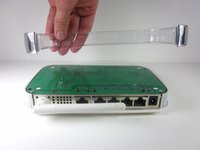
  5. NETGEAR WGT624 v3 Capacitor Replacement, Motherboard: шаг 5, изображение 1 из 2 NETGEAR WGT624 v3 Capacitor Replacement, Motherboard: шаг 5, изображение 2 из 2
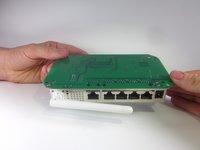
    • Remove the clear plastic casing by lifting it straight up from the router.

    Спросите у FixBot
    Добавить комментарий

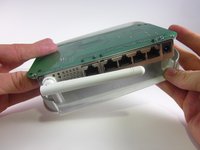
  6. NETGEAR WGT624 v3 Capacitor Replacement: шаг 6, изображение 1 из 2 NETGEAR WGT624 v3 Capacitor Replacement: шаг 6, изображение 2 из 2
    • Separate the motherboard from the top shell by lifting it straight up from the router.

    Спросите у FixBot
    Добавить комментарий

  7. NETGEAR WGT624 v3 Capacitor Replacement, Capacitor: шаг 7, изображение 1 из 1
    • Turn the motherboard so that the top is facing upwards.

    • Place the motherboard on a clean flat surface.

    Спросите у FixBot
    Добавить комментарий

  8. NETGEAR WGT624 v3 Capacitor Replacement: шаг 8, изображение 1 из 1
    • Locate the four capacitors.

    Спросите у FixBot

    Добавить комментарий

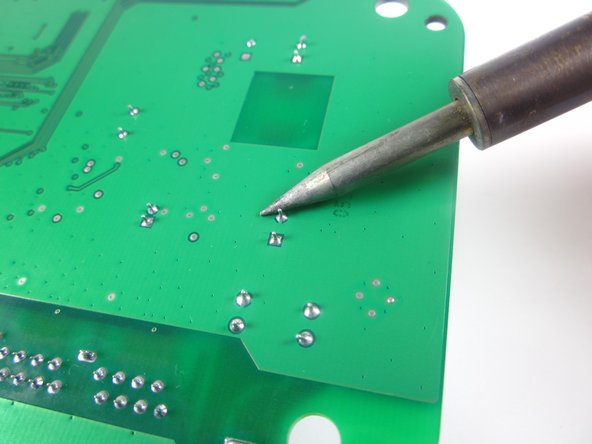
  9. NETGEAR WGT624 v3 Capacitor Replacement: шаг 9, изображение 1 из 2 NETGEAR WGT624 v3 Capacitor Replacement: шаг 9, изображение 2 из 2
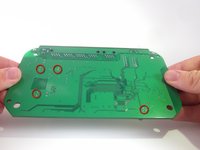
    • Turn the motherboard so that the bottom is facing upwards.

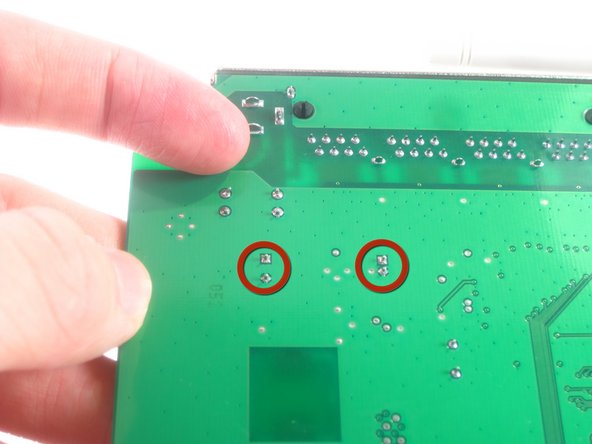
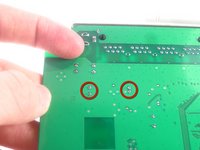
    • Locate the two soldered contacts for each capacitor.

    Спросите у FixBot
    Добавить комментарий

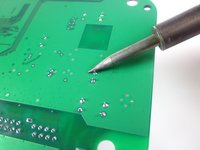
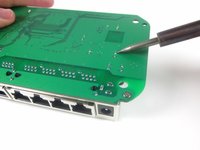
  10. NETGEAR WGT624 v3 Capacitor Replacement: шаг 10, изображение 1 из 2 NETGEAR WGT624 v3 Capacitor Replacement: шаг 10, изображение 2 из 2
    • Do not refer to the pictures in this step for correct soldering and de-soldering techniques. They are solely for illustration purposes.

    • Desolder the soldered connections between the capacitors and the motherboard, and pull the capacitor from the motherboard.

    • For proper soldering and de-soldering techniques, refer here.

    • When reinstalling the capacitor, make sure the negative side of the capacitor is aligned with the shaded white region of the circle.

    Спросите у FixBot
    Добавить комментарий

Заключение

To reassemble your device, follow these instructions in reverse order.

Отменить: Я не выполнил это руководство.

Еще один человек закончил это руководство.

Jonathon Sather

Участник с: 01/23/13

45 Репутация

Автор 3 руководств

Команда

Cal Poly, Team 3-31, Amido Winter 2013 Участник Cal Poly, Team 3-31, Amido Winter 2013

CPSU-AMIDO-W13S3G31

3 членов

Автор 12 руководств

1 Комментарий к руководству

my router NETGEAR WNR 612 WIFI LED NOT GLOWING PLEASE HLP ME IN REPAIRING

Vinod Kumar Polakonda - Ответить Поделиться

Добавить комментарий

Статистика просмотров:

За последние 24 часов: 1

За последние 7 дней: 6

За последние 30 дней: 24

За всё время: 1,810