Введение
If your speaker is not working or starting to go out then this guide is for you. By following the steps provided, you will be able to successfully replace the speaker for your NeuTab N7 Pro.
Выберете то, что вам нужно
-
-
-
Insert plastic opening tool and pry back case away from the device, slowly moving the plastic opening tool along the device.
 Спросите у FixBot
-
-
-
-
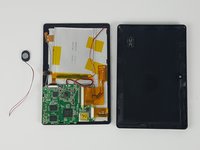
The speaker is attached to the back cover of the device.
-
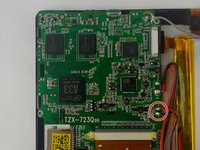
Hold positive and negative wires as close as possible to the speaker. Use small plastic spudger and fingers to simultaneously lift speaker from cover.
-
-
-
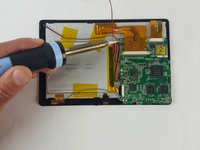
Use a soldering gun to remove the positive and negative wires connecting the battery to the circuit board.
-
-


To reassemble your device, follow these instructions in reverse order.
Отменить: Я не выполнил это руководство.
Еще один человек закончил это руководство.

Команда

USF Tampa, Team 7-1, Cheng Spring 2016 Участник USF Tampa, Team 7-1, Cheng Spring 2016
USFT-CHENG-S16S7G1
3 членов
Автор 10 руководств
