Перейти к основному содержанию
Присоединяйся к сообществу ремонтников - Создай аккаунт

Nextbook NX008HD8G Battery Replacement

Выберете то, что вам нужно

  1. Nextbook NX008HD8G Battery Replacement, Back Panel: шаг 1, изображение 1 из 2 Nextbook NX008HD8G Battery Replacement, Back Panel: шаг 1, изображение 2 из 2
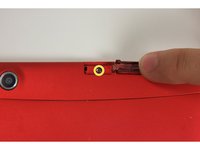
    • Using your finger, open the plastic tab to the right of the rear-facing camera.

    • Wedge your fingernail in between the back panel and the plastic tab and pull the plastic tab towards your body.

    Спросите у FixBot
  2. Nextbook NX008HD8G Battery Replacement: шаг 2, изображение 1 из 3 Nextbook NX008HD8G Battery Replacement: шаг 2, изображение 2 из 3 Nextbook NX008HD8G Battery Replacement: шаг 2, изображение 3 из 3
    • Using your finger, remove the SD card by pressing down on top of it (toward the bottom of the device) until you hear a clicking sound.

    • Once the card pops out, use your finger to pull the card completely out of the SD card slot.

    Спросите у FixBot
  3. Nextbook NX008HD8G Battery Replacement: шаг 3, изображение 1 из 3 Nextbook NX008HD8G Battery Replacement: шаг 3, изображение 2 из 3 Nextbook NX008HD8G Battery Replacement: шаг 3, изображение 3 из 3
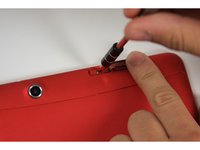
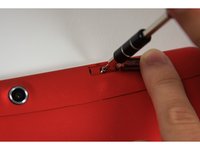
    • Remove the 5 mm screw using the Phillips PH00 bit in the iFixit metal Screwdriver.

    Спросите у FixBot
  4. Nextbook NX008HD8G Battery Replacement: шаг 4, изображение 1 из 3 Nextbook NX008HD8G Battery Replacement: шаг 4, изображение 2 из 3 Nextbook NX008HD8G Battery Replacement: шаг 4, изображение 3 из 3
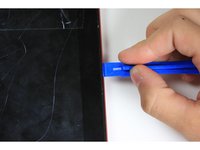
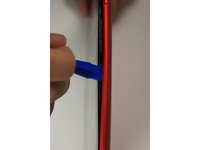
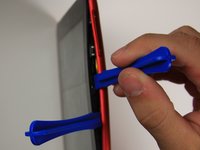
    • Use the plastic opening tool to separate the back panel by carefully sliding the narrow end of the tool between the front glass and back panel.

    • Use a second plastic opening tool to help pry the front glass from the back panel.

    • You will hear some cracking sounds when separating the front glass from the back panel. That is okay! That is the back panel latches releasing the front glass.

    Спросите у FixBot
  5. Nextbook NX008HD8G Battery Replacement: шаг 5, изображение 1 из 2 Nextbook NX008HD8G Battery Replacement: шаг 5, изображение 2 из 2
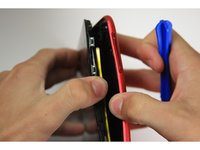
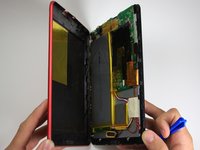
    • Use your hands to completely separate the rest of the front glass from the back panel.

    • Do not to pull the device apart with too much force. If you do, you may break or bend the back panel.

    Спросите у FixBot
  6. Nextbook NX008HD8G Battery Replacement, Battery: шаг 6, изображение 1 из 3 Nextbook NX008HD8G Battery Replacement, Battery: шаг 6, изображение 2 из 3 Nextbook NX008HD8G Battery Replacement, Battery: шаг 6, изображение 3 из 3
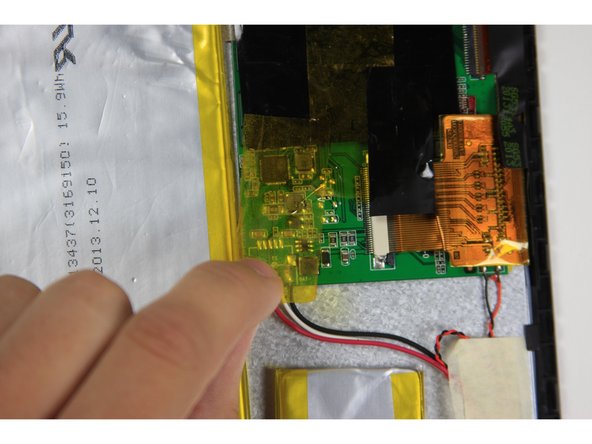
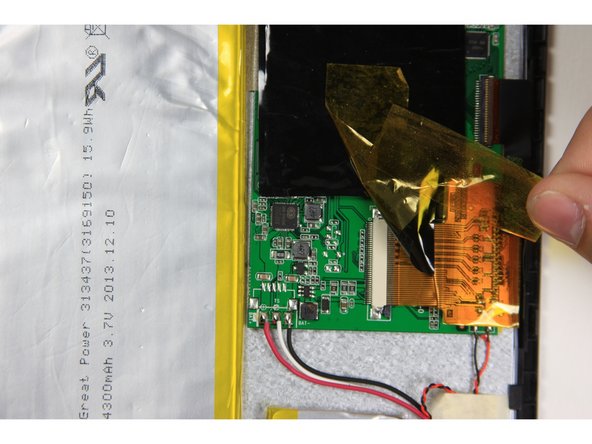
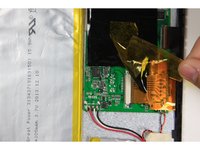
    • Remove yellow tape with a black edge that covers the red, white and black wires.

    • The yellow tape with a black edge is safe to remove completely.

    Спросите у FixBot
  7. Nextbook NX008HD8G Battery Replacement: шаг 7, изображение 1 из 1
    • Remove the white masking tape covering the red white and black wires.

    Спросите у FixBot
  8. Nextbook NX008HD8G Battery Replacement: шаг 8, изображение 1 из 1
    • Desolder the red, white and black wires on the left side of the motherboard.

    Спросите у FixBot
  9. Nextbook NX008HD8G Battery Replacement: шаг 9, изображение 1 из 1
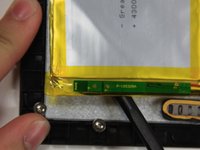
    • Use the flat end of the spudger to carefully separate the smaller, silver battery square from the digitizer.

    • The battery is very malleable, do not try to take it all off at once.

    Спросите у FixBot
  10. Nextbook NX008HD8G Battery Replacement: шаг 10, изображение 1 из 3 Nextbook NX008HD8G Battery Replacement: шаг 10, изображение 2 из 3 Nextbook NX008HD8G Battery Replacement: шаг 10, изображение 3 из 3
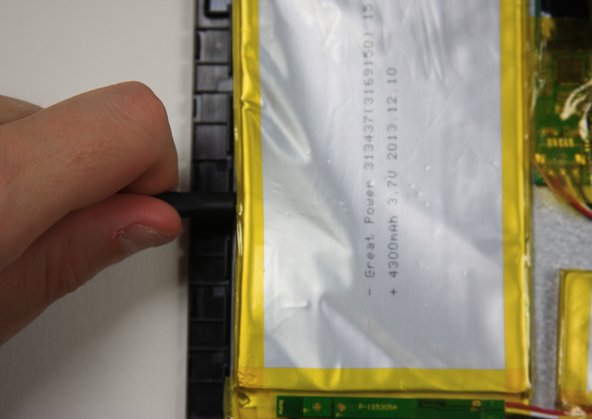
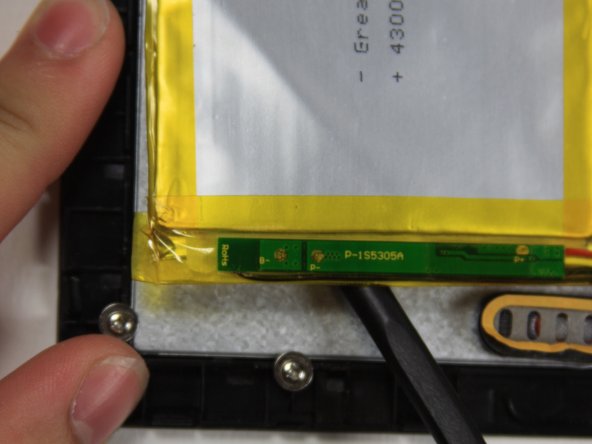
    • Use the flat end of the spudger to carefully separate the large battery from the digitizer.

    • The battery is very malleable, do not try to take it all off at once.

    Спросите у FixBot
Заключение

To reassemble your device, follow these instructions in reverse order.

4 человек успешно провели ремонт по этому руководству.

Philip Gai

Участник с: 09/22/15

792 Репутация

Автор 3 руководств

Команда

Baylor, Team 10-15, Williams Fall 2015 Участник Baylor, Team 10-15, Williams Fall 2015

BU-WILLIAMS-F15S10G15

3 членов

Автор 8 руководств

3 Комментарии к руководству

Clear & concise. Nice job! Even I could follow it!! ;-)

intessol - Ответить Поделиться
Excellent guide, easy to follow, very concise, very good photographs. Thank you

ken fukushima - Ответить Поделиться
Donde puedo encontrar una batería

Lauraelena - Ответить Поделиться

Добавить комментарий

Статистика просмотров:

За последние 24 часов: 0

За последние 7 дней: 11

За последние 30 дней: 71

За всё время: 6,717