Перейти к основному содержанию
Присоединяйся к сообществу ремонтников - Создай аккаунт

Nintendo DS Lite Lower Screen Replacement

Выберете то, что вам нужно

  1. Nintendo DS Lite Lower Screen Replacement, Nintendo DS Lite Battery Disconnect: шаг 1, изображение 1 из 1
    • Place your device upside down and locate the battery compartment.

    • Find the Phillips head screw securing the battery cover in the bottom right hand corner of the device.

    • Loosen the screw enough to remove the battery cover but leave the screw in the cover for reassembly.

    • Use only a Phillips screwdriver to remove screw.

    Спросите у FixBot
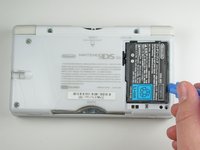
  2. Nintendo DS Lite Lower Screen Replacement: шаг 2, изображение 1 из 1
    • Slowly remove the battery cover with the iFixit opening tool.

    • Make sure to remove the cover carefully to keep from losing Phillips screw in the cover. It will be needed for reassembly.

    Спросите у FixBot
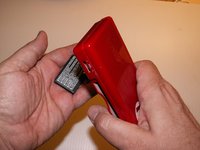
  3. Nintendo DS Lite Lower Screen Replacement: шаг 3, изображение 1 из 2 Nintendo DS Lite Lower Screen Replacement: шаг 3, изображение 2 из 2
    • Use the iFixit opening tool to carefully pry the battery out of the case.

    • After the old battery is removed replace it with a new battery facing the same direction as when the cover was opened.

    • For some devices, you may be able to remove the battery by flipping the DS over and letting the battery fall into your hand.

    Спросите у FixBot
  4. Nintendo DS Lite Lower Screen Replacement, Disassembling Nintendo DS Lite Bottom Case: шаг 4, изображение 1 из 1
    • Remove the following seven screws that secure the lower case to the DS Lite:

    • Three silver tri-point screws (5mm long)

    • One black tri-point screw (4mm)

    • Two gold Phillips screws (4mm)

    • One silver Phillips screw (3mm)

    • Do not remove the silver PH screw (3mm) in the battery compartment yet. It holds the main PCB in place.

    Спросите у FixBot
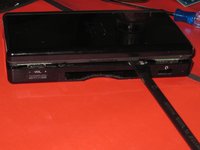
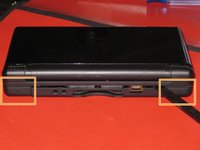
  5. Nintendo DS Lite Lower Screen Replacement: шаг 5, изображение 1 из 1
    • On the front edge of the Nintendo DS between the headphone jack plug and volume controls remove the plastic insert (or cartridge) from the lower slot (Slot 2).

    Спросите у FixBot
  6. Nintendo DS Lite Lower Screen Replacement: шаг 6, изображение 1 из 2 Nintendo DS Lite Lower Screen Replacement: шаг 6, изображение 2 из 2
    • Flip the unit over so that it is facing right-side up.

    • Use a spudger to pry open the gap between the bottom case and the front panel. Work all the way around the case until the panel is free.

    • Avoid touching the L and R shoulder buttons, because they easily detach and are difficult to reassemble. Keep the bottom case flat against your workbench to help hold the shoulder buttons in place.

    Спросите у FixBot
  7. Nintendo DS Lite Lower Screen Replacement: шаг 7, изображение 1 из 3 Nintendo DS Lite Lower Screen Replacement: шаг 7, изображение 2 из 3 Nintendo DS Lite Lower Screen Replacement: шаг 7, изображение 3 из 3
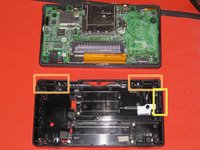
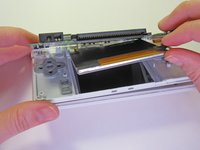
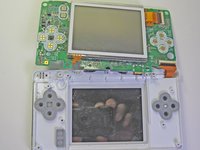
    • Carefully separate the two pieces by hand.

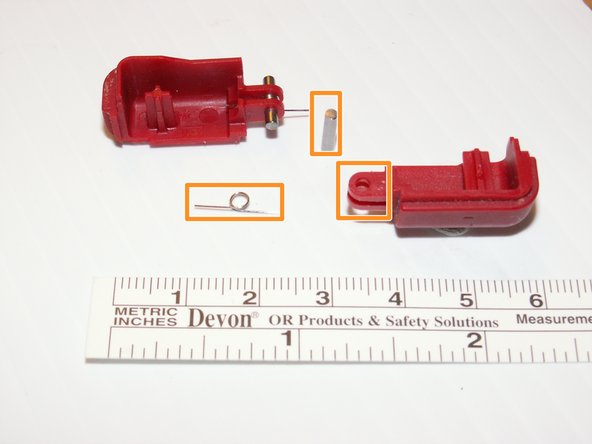
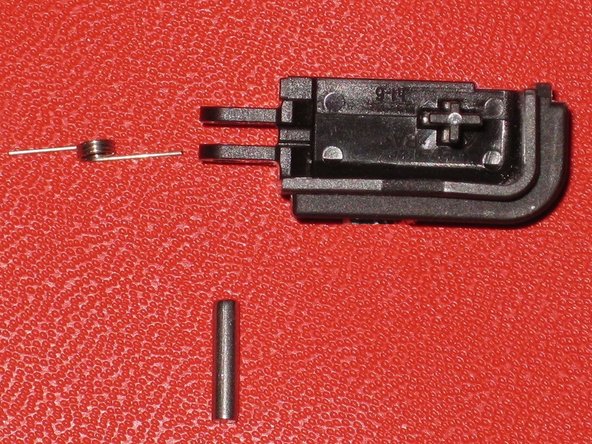
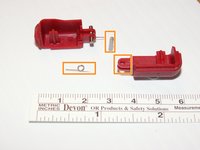
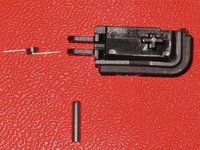
    • The two shoulder buttons are made up of three pieces -- the plastic button, a pin, and a spring. If they accidentally pop out while you are working, study the picture and make sure you put the spring in the correct position.

    • When reassembling the cover, make sure that the power and volume switch covers on the bottom case are aligned with the switches on the board to avoid breakage.

    Спросите у FixBot
  8. Nintendo DS Lite Lower Screen Replacement, Lower Screen: шаг 8, изображение 1 из 1
    • Remove the two screws holding the motherboard to the rest of the device using a Phillips #00 screwdriver.

    Спросите у FixBot
  9. Nintendo DS Lite Lower Screen Replacement: шаг 9, изображение 1 из 2 Nintendo DS Lite Lower Screen Replacement: шаг 9, изображение 2 из 2
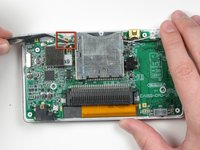
    • Locate the small ribbon cable that connects the touch screen to the motherboard. Do not pull on this cable.

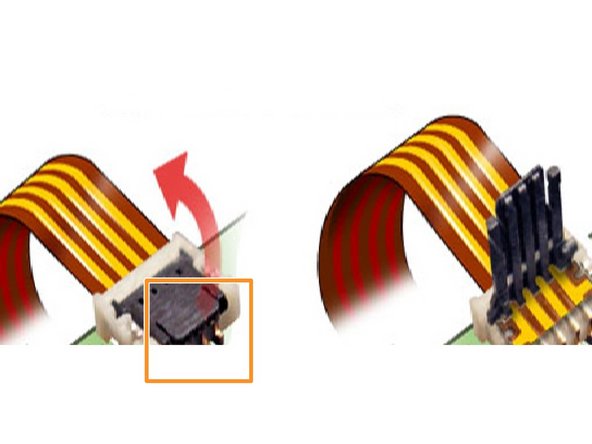
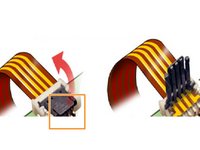
    • Gently lift the hinged black cover on the connector.

    • The hinges are near where the ribbon is inserted.

    • After lifting the black cover, the ribbon cable will disconnect easily.

    Спросите у FixBot
  10. Nintendo DS Lite Lower Screen Replacement: шаг 10, изображение 1 из 1
    • With a plastic opening tool, gently begin to separate the motherboard from the rest of the device.

    • The ribbon cable and two wires are still connected to the motherboard and the buttons tend to fall out.

    Спросите у FixBot
  11. Nintendo DS Lite Lower Screen Replacement: шаг 11, изображение 1 из 2 Nintendo DS Lite Lower Screen Replacement: шаг 11, изображение 2 из 2
    • Flip the motherboard over so the touch screen is facing up.

    Спросите у FixBot
  12. Nintendo DS Lite Lower Screen Replacement: шаг 12, изображение 1 из 1
    • Do not pull on the main ribbon cable.

    • Carefully lift the tiny hinged cover on the connector.

    • The ribbon cable will easily disconnect.

    • Remove the third ribbon cable the same way.

    Спросите у FixBot
  13. Nintendo DS Lite Lower Screen Replacement: шаг 13, изображение 1 из 1
    • There is nothing else connecting the touch screen. Just pick up and set aside.

    Спросите у FixBot
Финишная прямая

13 человек успешно провели ремонт по этому руководству.

justin chadwick

Участник с: 01/21/10

512 Репутация

Автор 2 руководств

Команда

Cal Poly, Team 16-30, Maness Winter 2010 Участник Cal Poly, Team 16-30, Maness Winter 2010

CPSU-MANESS-W10S16G30

4 членов

Автор 29 руководств

0 Комментарии к руководству

Добавить комментарий

Статистика просмотров:

За последние 24 часов: 25

За последние 7 дней: 212

За последние 30 дней: 963

За всё время: 29,505