Перейти к основному содержанию
Присоединяйся к сообществу ремонтников - Создай аккаунт

Nobis NB07 Speaker Replacement

Выберете то, что вам нужно

    1. Nobis NB07 Speaker Replacement, Opening the case: шаг 1, изображение 1 из 1
      • Look towards the topside of the tablet, where the power button is located.

      • Insert a plastic opening tool in the crack between the two parts of the case.

      • Move it gently back and forth to open the case.

      Спросите у FixBot

      Добавить комментарий

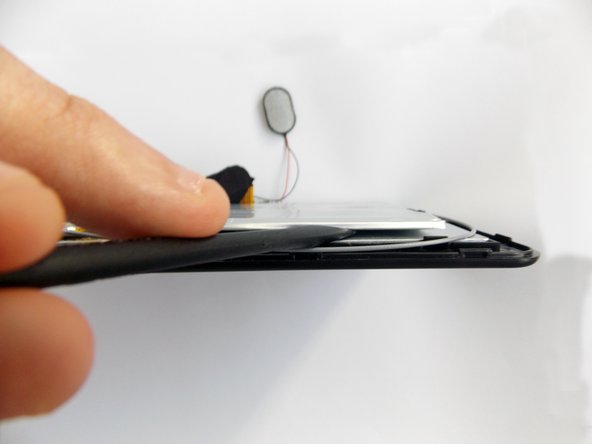
    2. Nobis NB07 Speaker Replacement: шаг 2, изображение 1 из 3 Nobis NB07 Speaker Replacement: шаг 2, изображение 2 из 3 Nobis NB07 Speaker Replacement: шаг 2, изображение 3 из 3
      • With the plastic opening tool in the opening between the two sides of the case, slide the tool along the tablet's border to separate the two sides completely.

      • Be careful when you separate the two halves. Open the case from the opposite side of the camera, there is a cable connecting both halves of the case.

      Спросите у FixBot

      Добавить комментарий

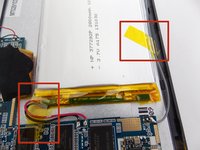
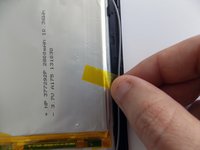
    3. Nobis NB07 Speaker Replacement, Replacing the battery: шаг 3, изображение 1 из 3 Nobis NB07 Speaker Replacement, Replacing the battery: шаг 3, изображение 2 из 3 Nobis NB07 Speaker Replacement, Replacing the battery: шаг 3, изображение 3 из 3
      • Remove the tape holding the battery in place.

      Спросите у FixBot

      Добавить комментарий

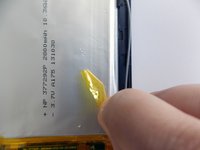
    4. Nobis NB07 Speaker Replacement: шаг 4, изображение 1 из 3 Nobis NB07 Speaker Replacement: шаг 4, изображение 2 из 3 Nobis NB07 Speaker Replacement: шаг 4, изображение 3 из 3
      • Insert the flat end of the spudger tool in the crack beneath the battery.

      • Move the spudger tool carefully side to side to remove the glue that is holding the battery in place.

      • This is a soft battery, so a little bending is expected.

      Спросите у FixBot

      Добавить комментарий

    5. Nobis NB07 Speaker Replacement: шаг 5, изображение 1 из 1
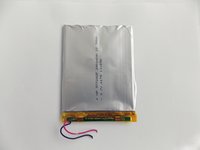
      • After the battery is unglued, locate the cables that connect it to the motherboard.

      • Annotate where each color goes to make the reassembly easier.

      Спросите у FixBot

      Добавить комментарий

    6. Nobis NB07 Speaker Replacement: шаг 6, изображение 1 из 2 Nobis NB07 Speaker Replacement: шаг 6, изображение 2 из 2
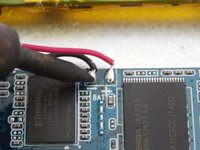
      • Desolder the cables with a soldering iron and use a desoldering braid to remove the solder.

      • Review the Ifixit soldering guide if you need help soldering.

      • You can now remove the battery.

      Спросите у FixBot

      Добавить комментарий

    1. Nobis NB07 Speaker Replacement, Removing the speaker: шаг 7, изображение 1 из 3 Nobis NB07 Speaker Replacement, Removing the speaker: шаг 7, изображение 2 из 3 Nobis NB07 Speaker Replacement, Removing the speaker: шаг 7, изображение 3 из 3
      • Remove the tape holding the speaker in its socket.

      Спросите у FixBot

      Добавить комментарий

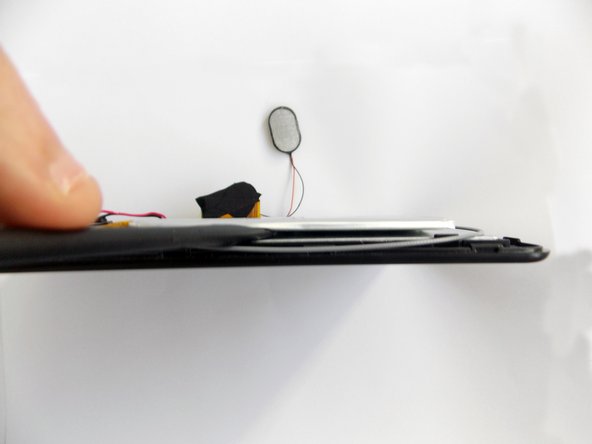
    2. Nobis NB07 Speaker Replacement: шаг 8, изображение 1 из 2 Nobis NB07 Speaker Replacement: шаг 8, изображение 2 из 2
      • After you remove the tape, remove the speaker from its socket. You can place the speaker on one side of the tablet to have more freedom.

      • Look for the place where the speaker's cables meet with the motherboard.

      • Annotate where which color goes to make the reassembly easier.

      Спросите у FixBot

      Добавить комментарий

    3. Nobis NB07 Speaker Replacement: шаг 9, изображение 1 из 2 Nobis NB07 Speaker Replacement: шаг 9, изображение 2 из 2
      • Use a soldering iron to desolder the cables and extract the solder using a desoldering braid.

      • Review the Ifixit soldering guide if you need help soldering.

      • You can now remove the speaker.

      Спросите у FixBot

      Добавить комментарий

Заключение

To reassemble your device, follow these instructions in reverse order.

Отменить: Я не выполнил это руководство.

Daniel Gomero

Участник с: 01/21/15

966 Репутация

Автор 5 руководств

Команда

USF Tampa, Team 5-5, Brown Winter 2015 Участник USF Tampa, Team 5-5, Brown Winter 2015

USFT-BROWN-W15S5G5

3 членов

Автор 11 руководств

2 Комментарии к руководству

How can I restore the memory on these tablets - were having problems with this tablet please help us

annievvtait07 - Ответить Поделиться

This is my favourite online game mahjong games online i have some time play.

conor mcgregor - Ответить Поделиться

Добавить комментарий

Статистика просмотров:

За последние 24 часов: 4

За последние 7 дней: 9

За последние 30 дней: 29

За всё время: 570